-6-
Wireless interface
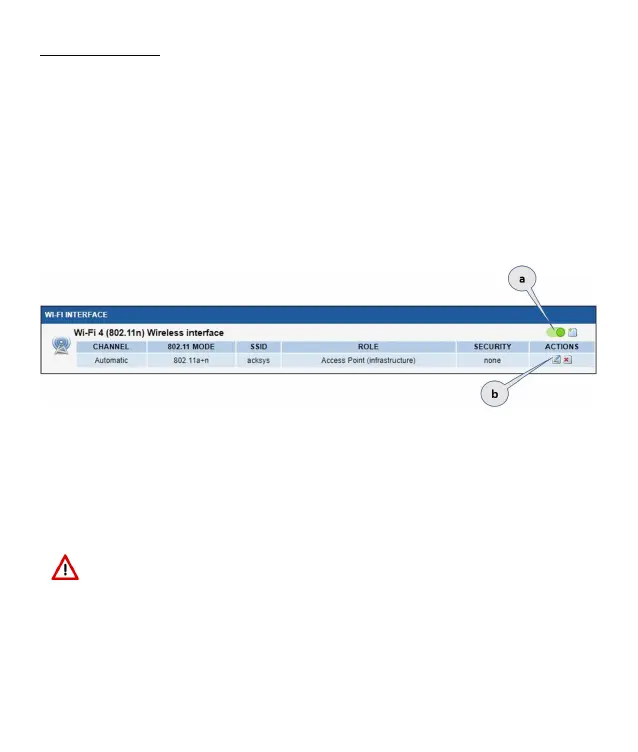
Upon delivery, the default factory settings are:
Access point mode
SSID “acksys”
No security
Automatic radio channel and 11an mode
IP interface 192.168.1.253/24.
Setup the Wireless:
a. Enable the WIFI interface. (Green color WIFI on, red color WIFI off)
b. Click on Edit, to set Wireless essential parameters:
Customize your Wireless interface according to
The operating mode: Access point, client (bridge)
Wi-Fi parameters: 802.11 mode, radio channel, SSID
Wi-Fi security parameters (WEP, WPA, WPA-PSK, WPA2, WPA2-PSK, SSID
broadcast or not)
You will find a complete description of all modes in the WaveOS user guide.
Warning: Save your settings by clicking "Save & Apply”.
Otherwise your settings will be lost if the product has to restart


 To Next Page