8
2.3 Paper Installation
Note: Bad quality thermal paper with rough surface and low sensetivity may reduce the life time of the
printer head, please use high quality thermal paper, such as OJI, PD-160R or Aclas paper.
(1) Make sure that the printer is not receiving data; otherwise, data may be lost.
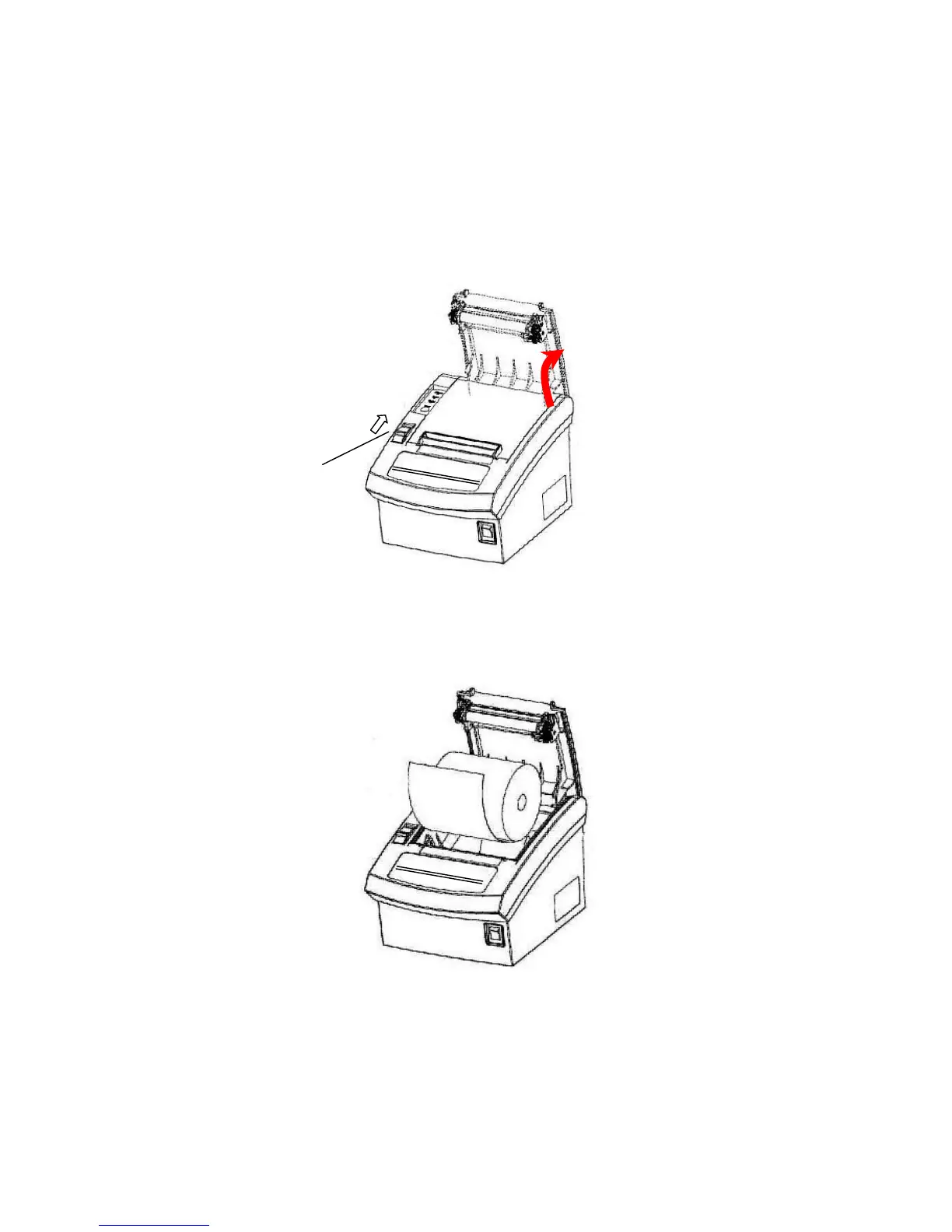
(2) Open the printer upper cover by pressing the cover button as picture 6.
(3) Insert the paper roll to the printer as picture 7.


 To Next Page