21
7 MAINTENANCE
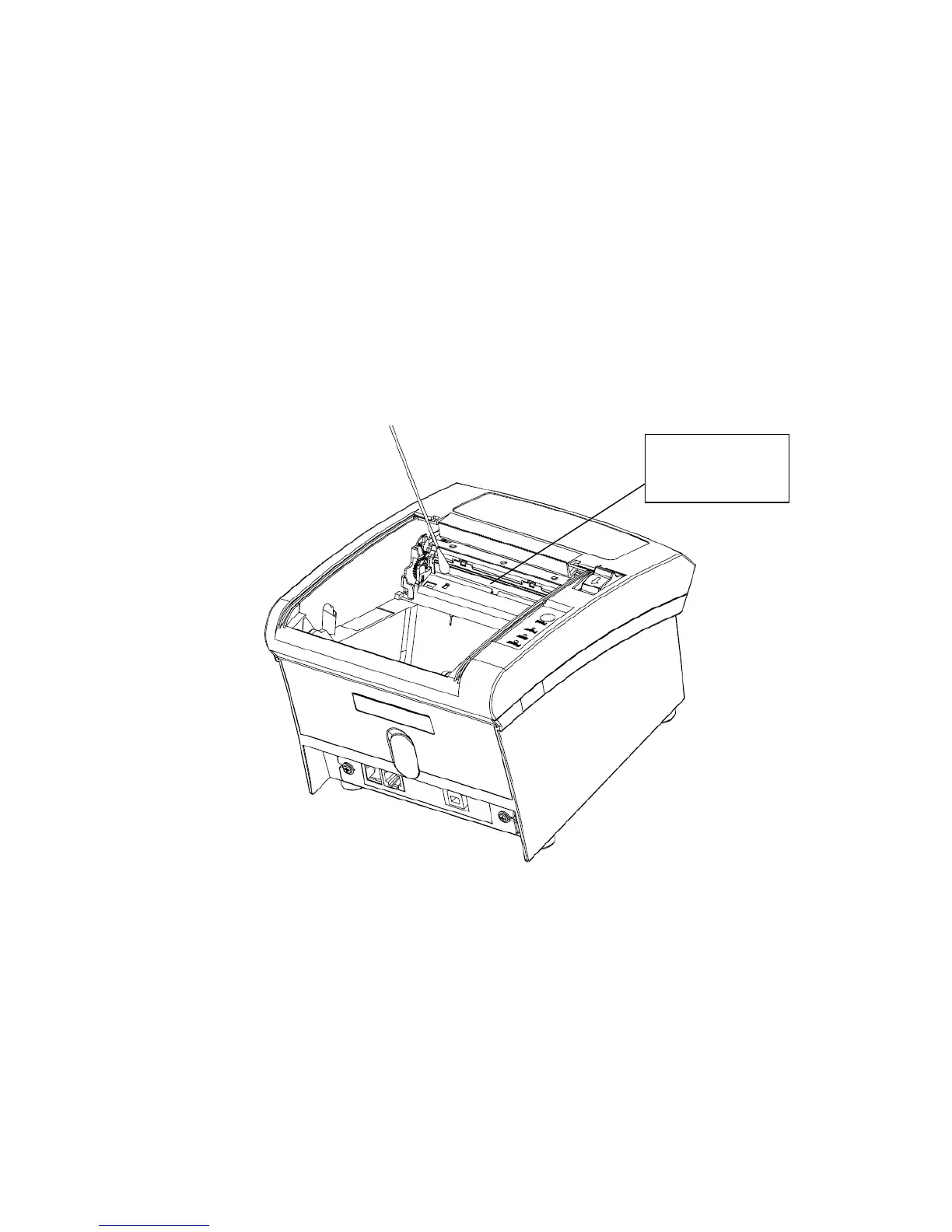
Paper dust inside the printer may lower the printer quality. The thermal printer head is probably dirty, if part of
letters is not printed distinctly. Please follow steps below to clean the printer head.
Note: If the dust is not cleaned in time, it will lead to defective cooling. High-quality thermal paper is able
to reduce the possibility of polluting the printer head, and almost no need to clean it.
(1) Open the printer cover and remove the paper if exists.
(2) Clean the printer head with a cotton swab moistened with alcohol solvent.
(3) Clean the platen roller and paper end sensor with cotton swab moistened with water.
(4) Insert a paper roll and close the printer cover.
Attention:
Do not touch the thermal printer head.
The paper cutter will become blunt after a period of time. Please ask the maintenance man to replace
the paper cutter in time. When the maintenance doesn’t arrive, users could tear the paper with their
hands and close the function of cutting paper automatically via dip switch (please refer to chapter 6 for
more detail).


 To Next Page