20
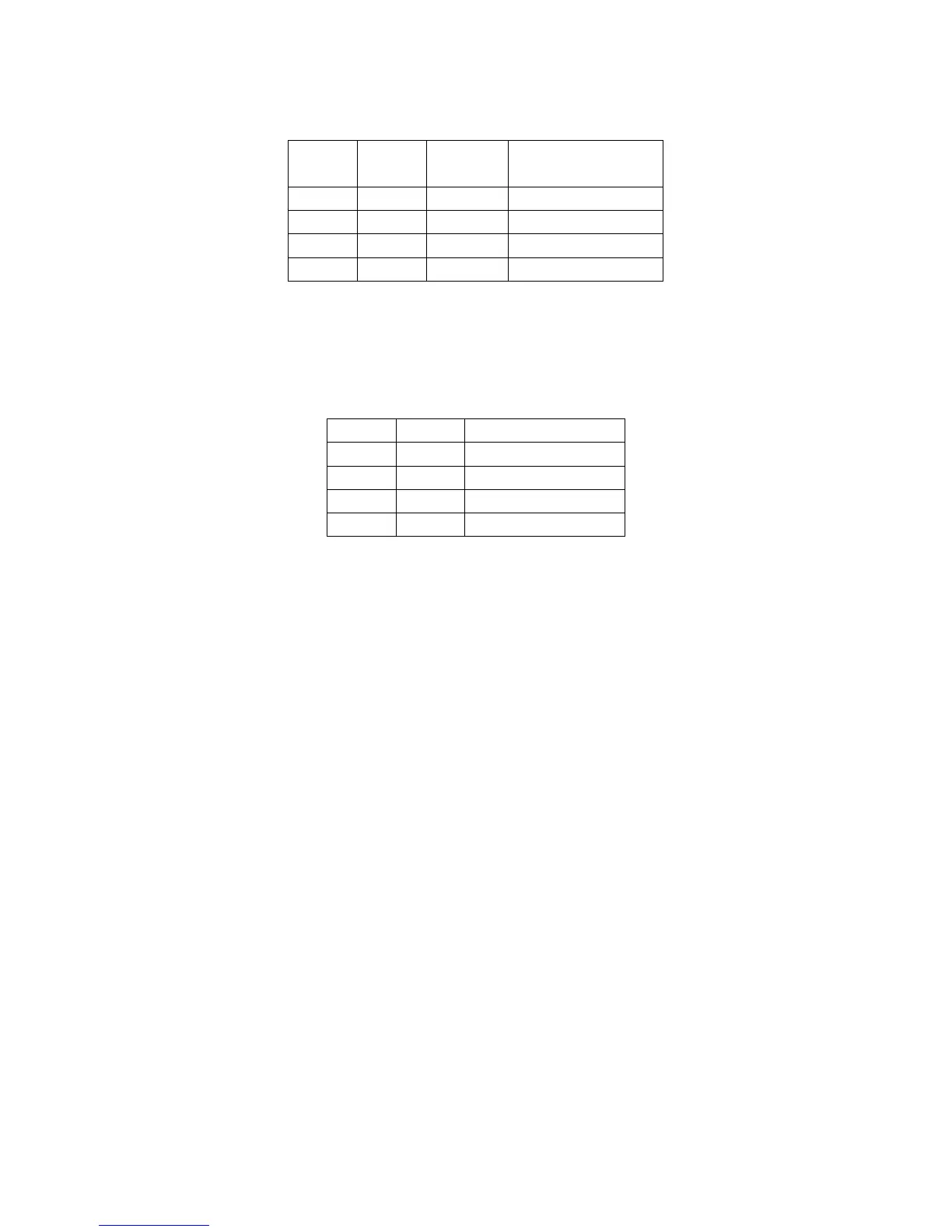
a) SW-5 and SW-6 are used to set print density, the on/off status of SW-5 and SW-6 is able to compose
different density. Please refer to the table below:
NOTE: We suggest that you should not select ‘dark’ density level, or it may reduce the life time of the
printer head for 15%.
b) SW-7 and SW-8 are used to control baudrate, the on/off status of SW-7 and SW-8 is able to compose
different baudrate. Please refer to the diagram below:
NOTE:
1) As for the Dip Switch is relatively tiny, yet we need some tools that are relatively tiny to switch them,
for example, the head of ball pen or pencil.
2) Press key ‘Feed’ and hold it, and start the machine at the same time, it will print a piece of Test Page.
The function of the dip switch is based on the information of this Test Page.
3) The baudrate of wireless 2.4G/wireless 433 printer is fixed at 9600 and that of the USB printer is
460800. The two kinds of baudrate could not set via the dip switch.


 To Next Page