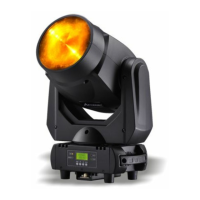
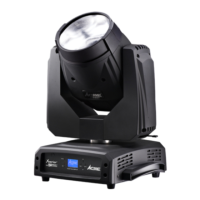
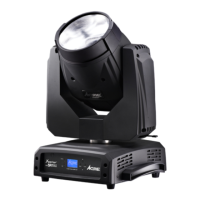
LPB-4P
2B
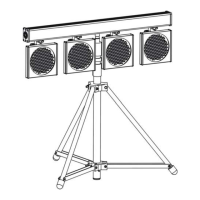
Package include: 4 pcs x LED panel (LP-212)
1 pc x LED power bar (LPB-4)
1 pc x 10 m signal cable
1 pc x 5m power cable
1 pc x stand adapter
1. Safety Instruction
WARNING
♦ Please keep the User Manual for future consultation. If you sell the package to
another user, be sure that they also receive this instruction booklet.
♦ Unpack and check carefully there is no transportation damage before using the
package.
♦ Before operating, ensure that the voltage and frequency of power supply match
the power requirements of the package.
♦ It’s important to ground the yellow/green conductor to earth in order to avoid
electric shock.
♦ The package is for indoor use only. Use only in a dry location.
♦ The package must be installed in a location with adequate ventilation, at least
50cm from adjacent surfaces. Be sure that no ventilation slots are blocked.
♦ Disconnect mains power before servicing.
♦ Replace fuse only with the same type.
♦ Make sure there is no flammable materials close to the package while operating as
it is fire hazard.
♦ Use safety cable when fix the package.
♦ Maximum ambient temperature is Ta: 40℃. Don’t operate it where the temperature
is higher than this.
♦ In the event of serious operating problem, stop using the package immediately.
Never try to repair the package by yourself. repairs carried out by unskilled people
can lead to damage or malfunction. Please contact the nearest authorized
Please read the instruction carefully which including important
information about the installation, operation and maintenance
LPB-4P
15B
5. Troubleshooting
Following are a few common problems that may occur during operation. Here
are some suggestions for easy troubleshooting:
A. The package does not work, no light
1. Check the connect power and mains fuse.
2. Measure the mains voltage on the main connector.
B. Not responding to DMX controller
1. DMX LED should be on. If not, check DMX connectors, cables to see if they are
linked properly.
2. If the DMX LED is on and no response to the channel, check the address settings
and DMX polarity.
3. If you have intermittent DMX signal problems, check the pins on connectors or on
PCB of the package or the previous one.
4. Try to use another DMX controller.
5. Check to see if the DMX cables run near or run alongside to high voltage cables
that may cause damage or interference to DMX interface circuit.
6. Fixture Cleaning
The cleaning of external optical lenses must be carried out periodically to
optimize light output. Cleaning frequency depends on the environment in which the
fixture operates, damp, smoky or particularly dirty surrounding can cause greater
accumulation of dirt on the package’s optics.
y Clean with soft cloth using normal glass cleaning fluid.
y Always dry the parts carefully.
y Clean the external optics at least every 20 days.


 To Next Page