EasyManua.ls Logo

ACP MRX2QT - User Manual

ACP MRX2QT
32 pages
Print Icon
To Next Page IconTo Next Page
Loading...
Service
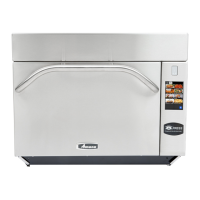
High Speed Combination Oven
Service Manual
This Manual covers the MRX2QT High Speed
Combination Ovens equipped with Touch Screen
Controls. Refer to individual Service Manuals or
Technical Sheets for information on other specific
models.
MRX2QT
16400034
Rev.2
Sept 2017
This manual is to be used by qualified
service technicians only. ACP, Inc.
does not assume any responsibility for
property damage or personal injury for
improper service procedures done by
an unqualified person.
Question and Answer IconNeed help?

Do you have a question about the ACP MRX2QT and is the answer not in the manual?

Summary

Important Safety Instructions

General Safety Notices

Guidance on servicing, safety symbols, and hazard levels (Danger, Warning, Caution).

Microwave Radiation Safety

Safe Operation Guidelines

Key precautions for safe microwave operation, including interlocks and leakage testing.

General Usage Safety

Safety Symbol Recognition

Instructions for recognizing safety symbols and general warnings for electrical equipment use.

Operational Safety Precautions

Fire and Liquid Heating Safety

Warnings on oven fire prevention, safe liquid heating, and general operational cautions.

Oven Specifications

Installation Procedures

Unpacking and Placement

Steps for unpacking, inspecting, and correctly placing the oven for operation.

Quick Start Guide: Manual Cooking

Using Manual Cooking

Step-by-step guide for operating the oven using manual cooking settings.

Quick Start Guide: Recipe Management

Saving and Editing Recipes

Instructions for managing custom recipes, including saving, editing, and reorganizing.

Quick Start Guide: USB Operations

Menu Transfer via USB

Procedures for exporting and importing oven menu settings using a USB flash drive.

Quick Start Guide: Network Connectivity

Network Setup and Data Transfer

Steps for establishing network connectivity for the oven and transferring recipes via Wi-Fi/Ethernet.

Quick Start Guide: User Options

Customizing Oven Settings

Guide to accessing and modifying various user-configurable settings for oven operation.

Firmware Update Procedure

Care and Cleaning

Cleaning Supplies and Best Practices

Recommended cleaning supplies and daily routines for oven maintenance.

Oven Construction: Cavity

Oven Construction: Antenna Box

Oven Construction: Right Side Components

Oven Construction: Left Side Components

Oven Construction: Back Components

Oven Construction: Top Components

Component Testing Procedures

Interlock Switch Service

Switch Removal and Adjustment

Procedure for removing, replacing, and adjusting the door interlock switches.

Service Test Mode Access

Entering Service Mode

Steps to access the service test mode, with or without a PIN code enabled.

Service Mode: Component Monitoring

Oven Information and Software Status

Viewing oven operational data, software version, and magnetron status.

Magnetron and Fan Performance

Monitoring performance of heaters, fans, motors, RTD, and other components.

Error Codes and Troubleshooting

Microwave Power Output Test

Test Setup and Procedure

Instructions for setting up and performing the microwave power output test.

Control Board Wiring Diagram

Schematics and Diagrams Overview

Detailed Wiring Diagram

ACP MRX2QT Specifications

General IconGeneral
BrandACP
ModelMRX2QT
CategoryOven
LanguageEnglish

Related product manuals