SYNCHRONY EQUIPMENT USER MANUAL 7
© COPYRIGHT 2015-2021, ACCELERATED CARE PLUS CORP., ALL RIGHTS RESERVED
CONFIDENTIAL AND PROPRIETARY
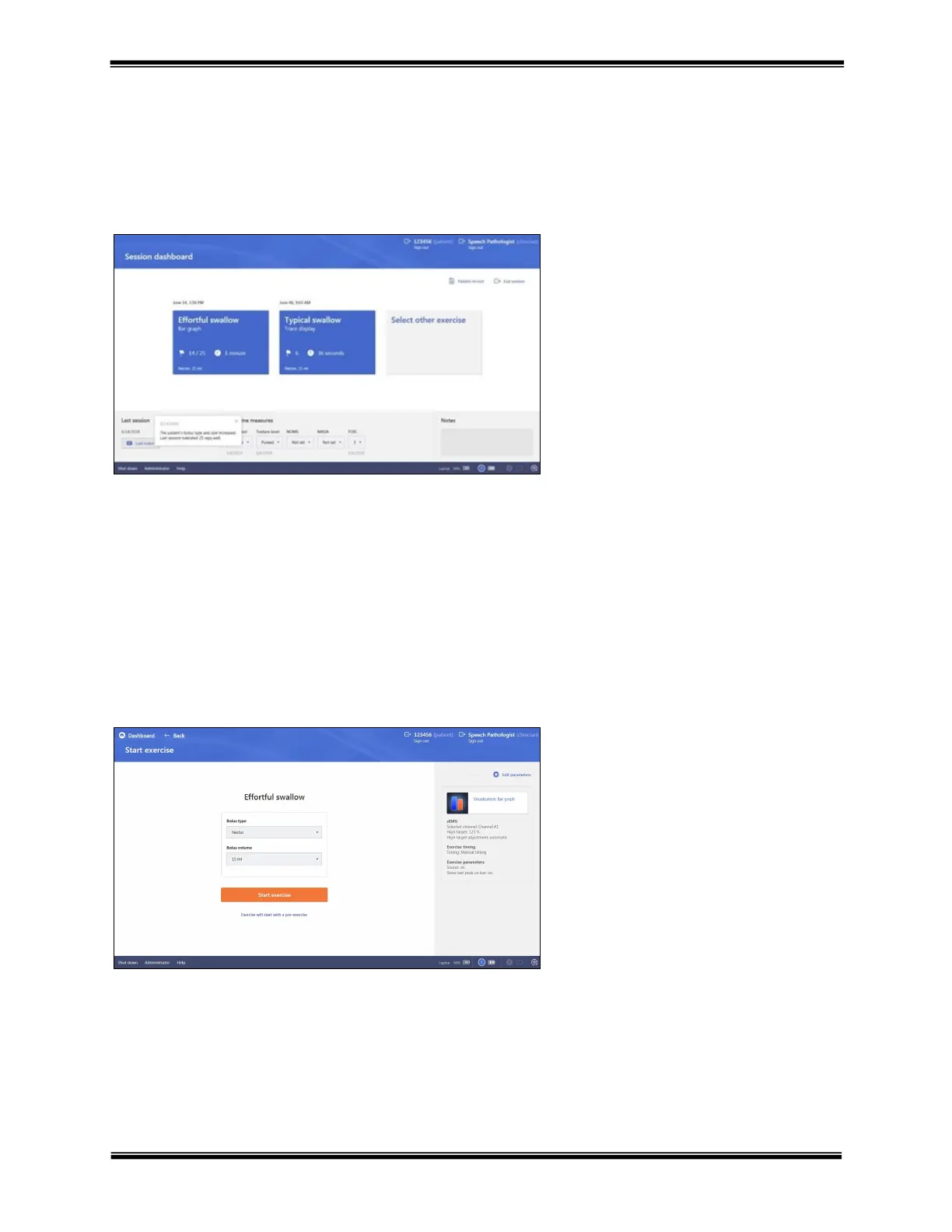
Session dashboard
When selecting an existing patient to continue treatment, the selected patient’s Session dashboard is displayed. The
Session dashboard is an at a glance display of recent patient activity. The dashboard will always display the Patient
ID in the upper right of the screen and the two most recent exercises performed in the middle of the screen. Other
items accessible from the Session dashboard include; Patient record, date and notes from the last session, outcome
measurers directly linked to the patient record, and a new “Session Notes” field.
Continuing a previous exercise
After selecting an exercise to continue, the specific exercise’s visualization, exercise parameters as well as the last
bolus type and volume used will be displayed. All of these can be edited and changed.
Bolus type and volume – the bolus type and
volume used in the last session are
displayed. To change, click on the dropdown
arrow in either box.
Visualizations and parameters – the values
for both are displayed on the right side of the
screen. To edit, click on the Visualization
box or Edit parameters icon.
Start exercise – clicking this advances to the
live exercise screen
Select existing exercise – to continue a
previous exercise type, click on the
specific exercise
From the System admin start screen, select
Select other exercise – provides access to
the the library of therapeu
Manage patient’s option tic exercises,
assessment and “Set-up Assistant” Left
click the patient account to be edited and
then left
Last session – click the the date and
recorded notes
Manage patient’s button from the last
session are displayed in the lower left of
the screen



 To Next Page