24 SYNCHRONY EQUIPMENT USER MANUAL
© COPYRIGHT 2015-2021, ACCELERATED CARE PLUS CORP., ALL RIGHTS RESERVED
CONFIDENTIAL AND PROPRIETARY
Electrode Setup – Connecting the sEMG Sensors
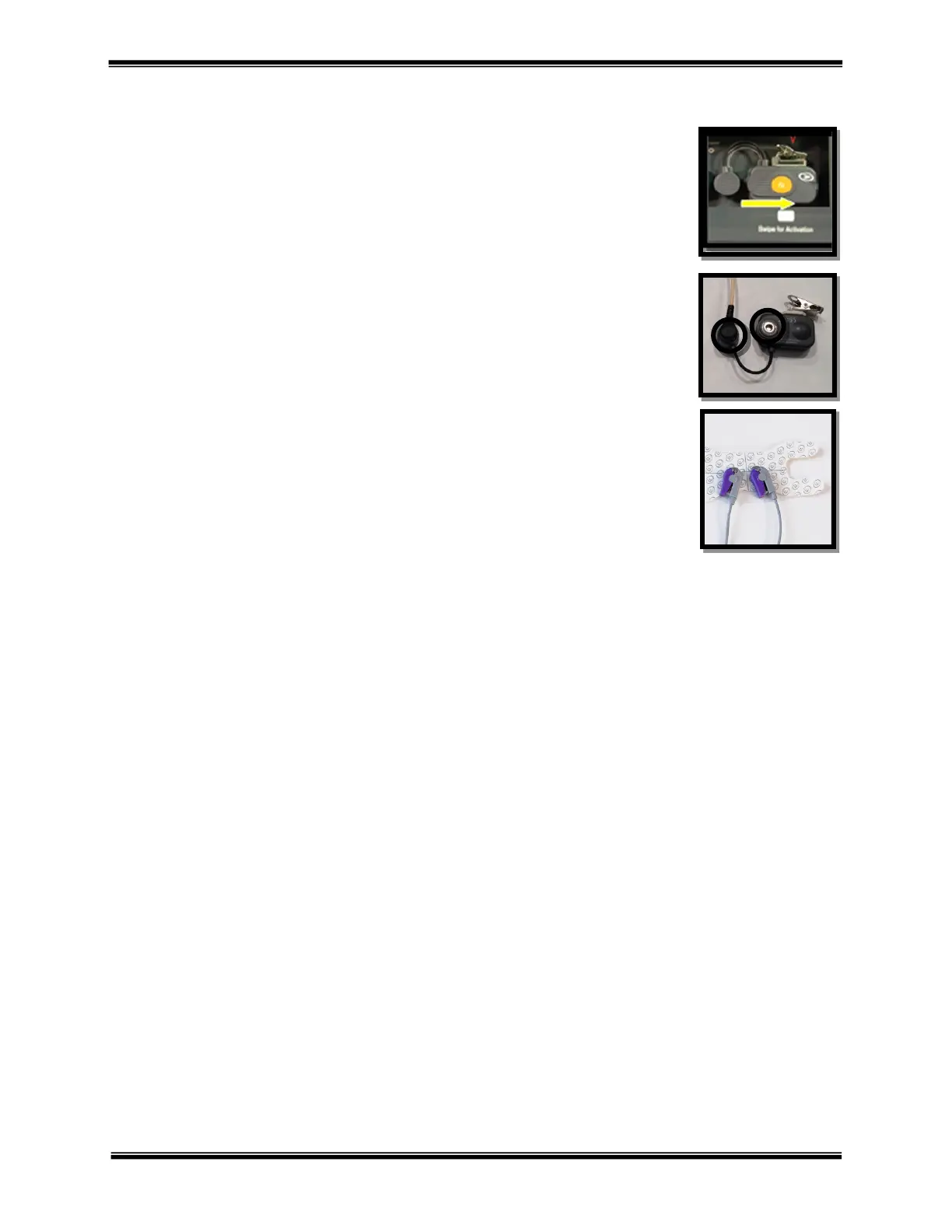
• Remove OMNIsEMG
™
sensor from charging station and swipe over the magnet
on the charging station to activate (slowly flashing white LED = active).
• Snap two lead wires into the sensor and then remove the electrode patch from the
plastic liner card.
• Attach the lead wire to the electrode snap by squeezing the clip and releasing
onto the post.
• Prepare the patient’s skin by thoroughly cleaning the area of application using
the included Prep Pad. Allow the skin to fully dry before applying the electrode.
• Clip the OMNIsEMG
™
sensor to the patient’s clothing in a location that minimizes stress on the lead wires.
• Review the electrode labeling for care and use of electrodes, including application, removal and re-use if
applicable.



 To Next Page