Y1-03-0138R 8
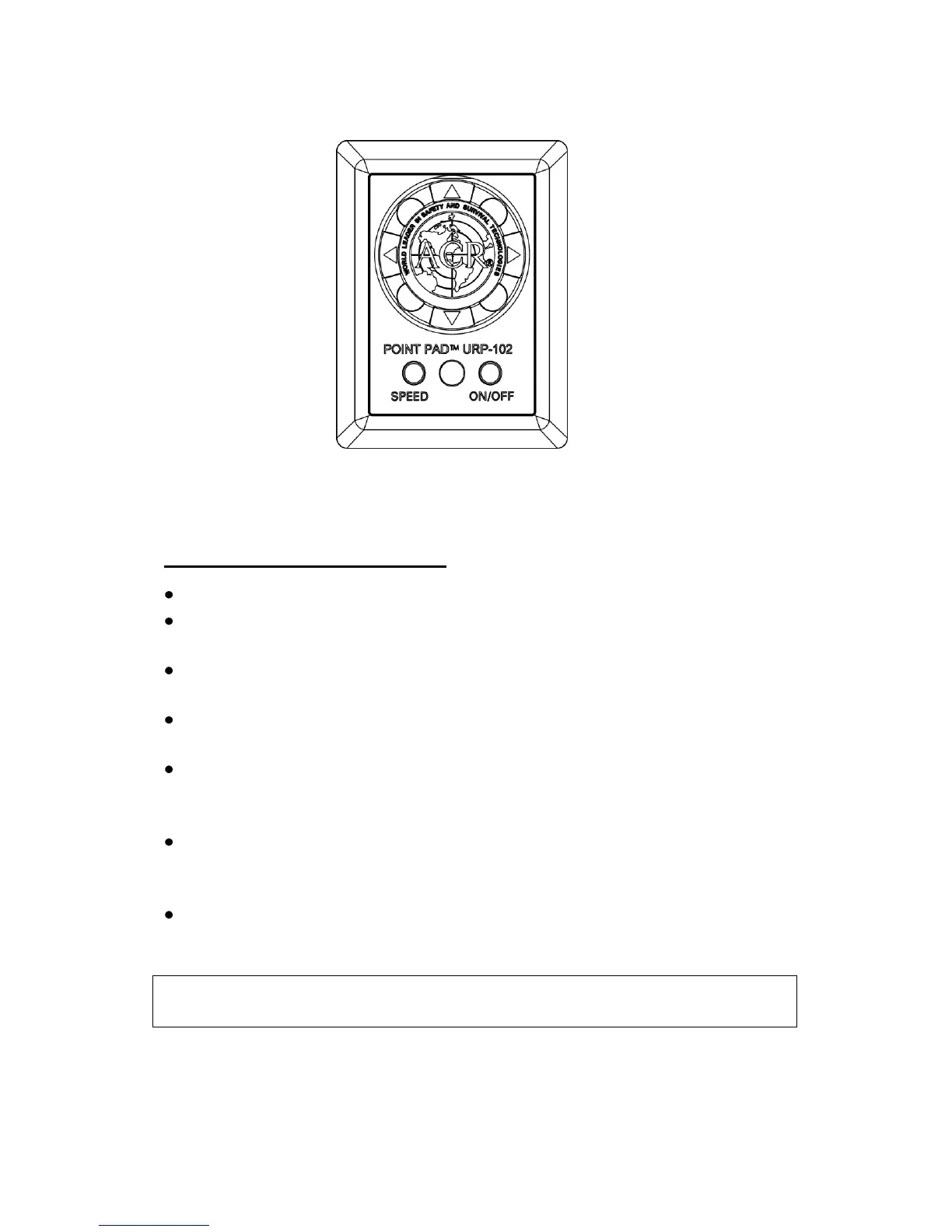
Figure 3 - URP-102 Point Pad™ Functions
URP-102 Point Pad Functions
Press the ON/OFF button to turn the lights ON or OFF.
Press the SPEED button to toggle between High and Low rotation
speeds.
Press the Right or Left Arrows to rotate the Searchlight in that
direction.
Press the Up or Down Arrows to raise or lower the Searchlight-
beam.
To activate the XRCiZ™ feature, press and hold the ON/OFF
button for greater than 5 seconds. The green LED indicates XRCiZ™
feature is enabled.
To deactivate the XRCiZ™ feature, Press and hold the ON/OFF
button for greater than 5 seconds. The red LED indicates XRCiZ™
feature is disabled.
An LED blinking red / green indicates that the XRCiZ™ feature is
now “exercising” the Searchlight.
NOTE: XRCiZ™ feature is only available when paired with a URC-
102 Master Controller.


 To Next Page