14
3.2 Entering a Name
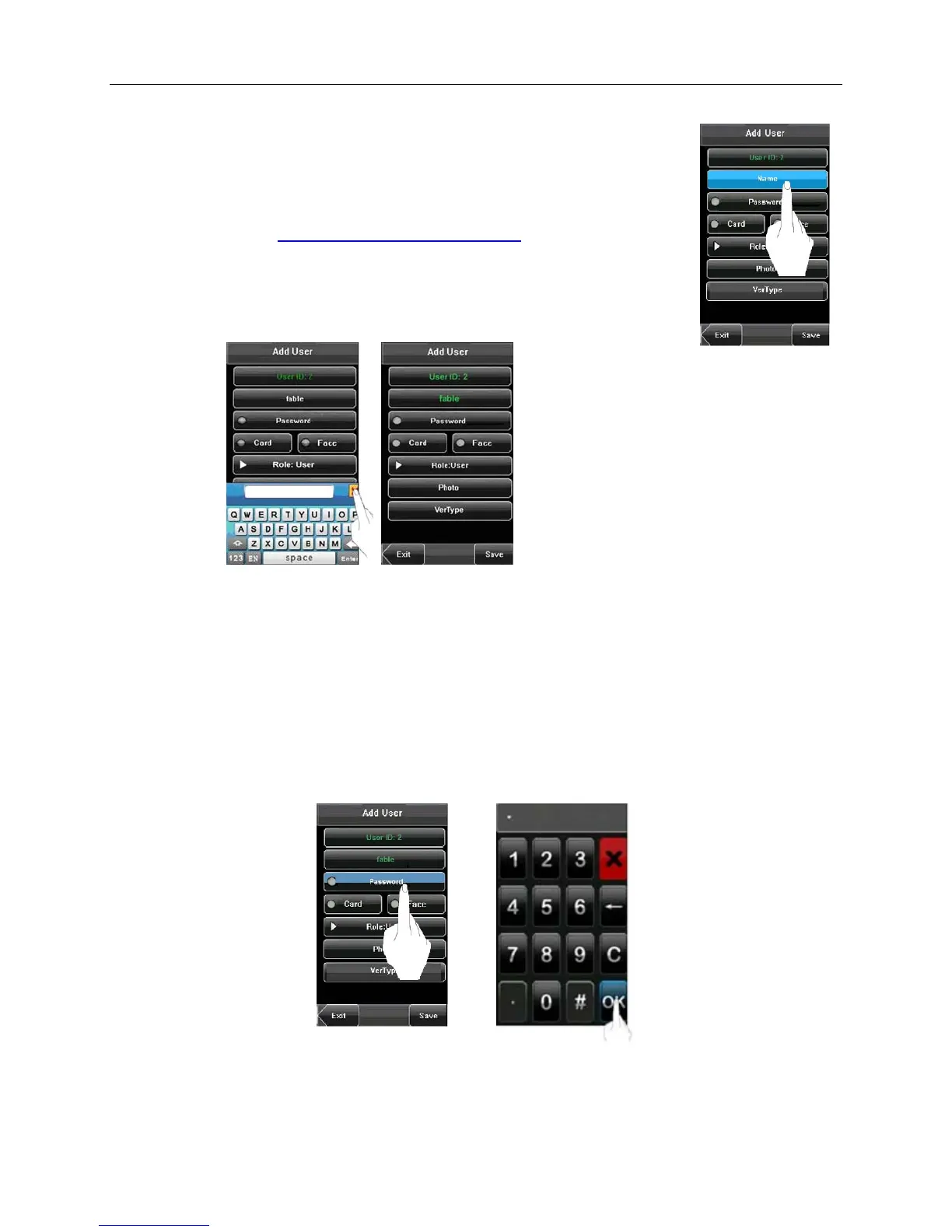
• Press [Name] on the Add User screen to display the name input screen with keyboard.
• On the displayed keyboard, enter a user name and press [X]. For details on using the
keyboard screen, see 12.1 Entering Text Using the Keyboard
.
• After the user name is entered, press [Save] to save the current information and return
to the previous screen. Press [Exit] to return to the previous screen without saving the
current information.
Note: The device supports 1 to 12 character names by default.
3.3 Enrolling a Password
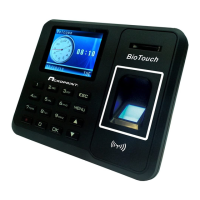
• Press [Password] on the Add User screen to display the password management screen.
• Using the keyboard, enter a password and press [OK]. When prompted to input password again, re-enter the
password and press [OK].
Note: The device supports 1-8 digit passwords by default.


 To Next Page