37
11. System Information
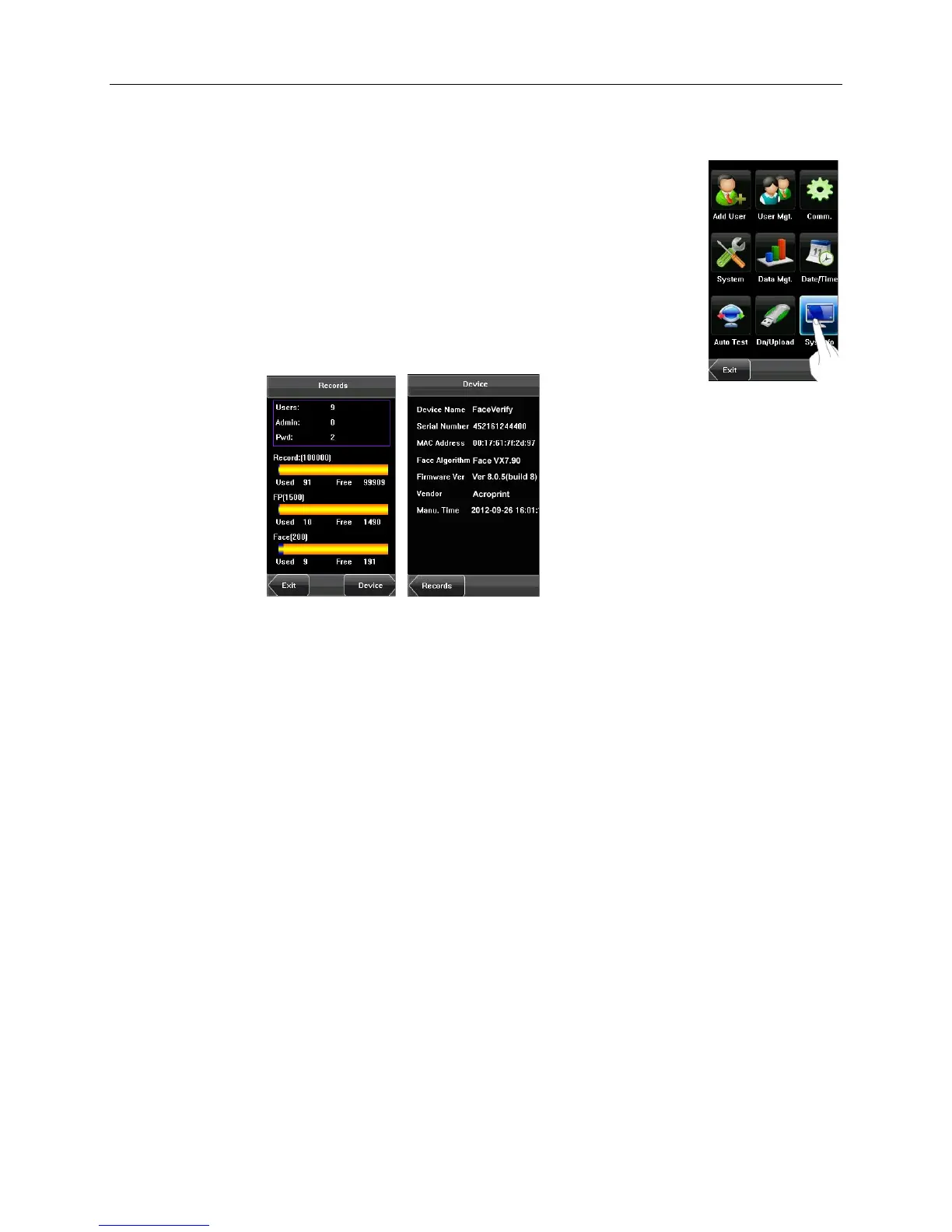
You can check the storage status as well as version information of the device through the [Sys
Info] option.
• Records: The number of enrolled users, administrators and passwords are displayed
on the Records screen; the total face storage capacity and used capacity as well as
the total attendance storage capacity and used capacity are graphically displayed
respectively.
• Device: The device name, serial number, version information, vendor and date of
manufacture are displayed on the Device screen.


 To Next Page