19
4.2 Delete a User
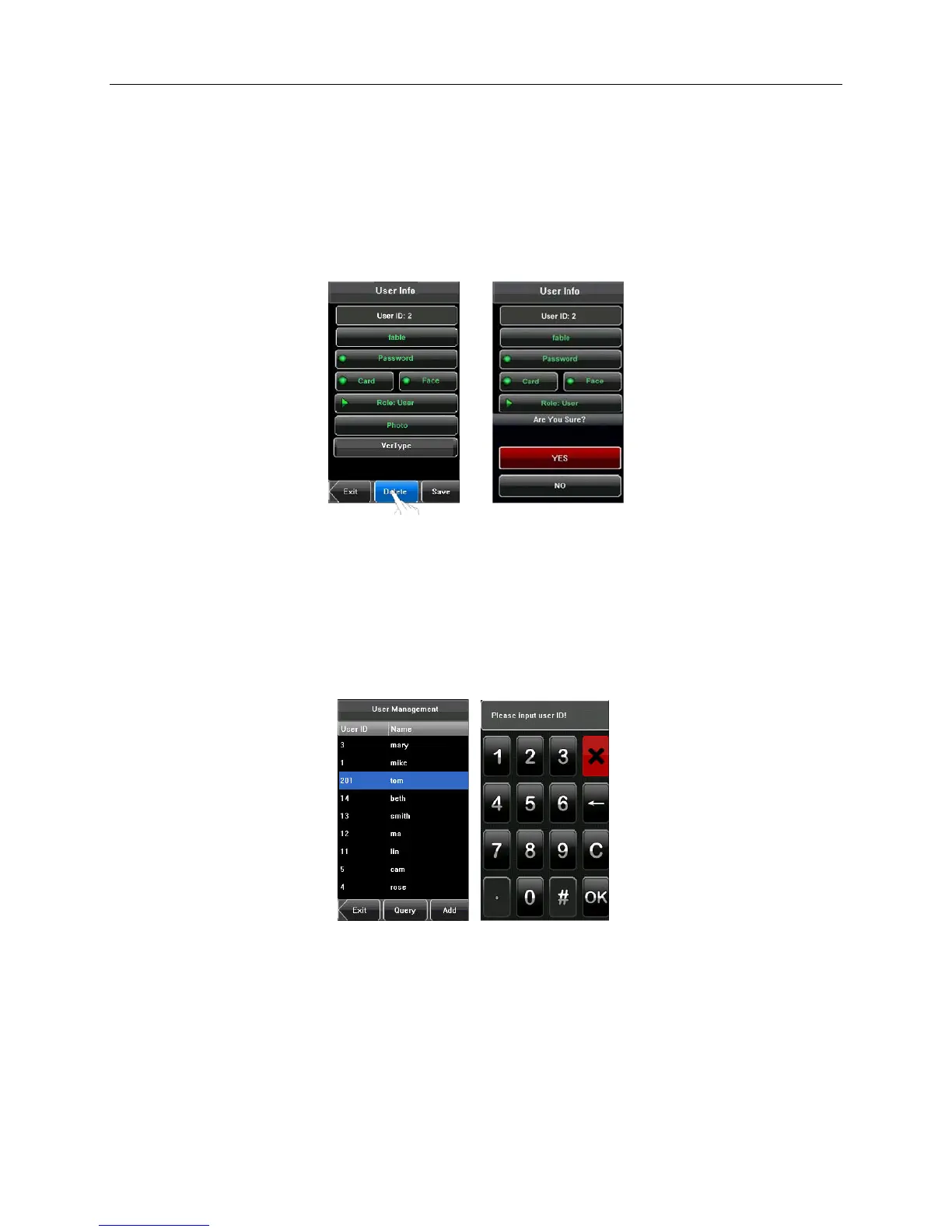
On the User Info screen, you can delete all or partial user information.
• Press [Delete] to delete a user.
• On the displayed screen, press [YES] to delete the current user or [NO] to return to the previous screen.
• On the User Info screen, press [Name], [Password], [Card] or [Face] to delete the related user information and
to re-enroll new information by following the device prompt.
4.3 Query a User
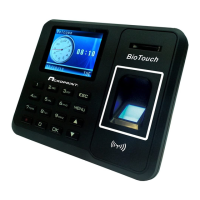
To enable administrators to locate a user quickly from a large number of enrolled users, the device allows a query by
“User ID”.
• Press [Query] on the User Mgt. screen to display the User ID input screen.
• Enter the user ID and press [OK]. If the user id is valid, the user will be highlighted in the list.


 To Next Page