40
12.3 Multi-combination Authentication Mode
Four elements can be combined to authenticate a user: User Number (PIN#), Face (FACE), Password (PW) and
Proximity Badge (RF).
Meaning of symbols used in table below:
● "/" is or ●"+" follow next operation
● "&" is and ● FACE (Face)
● PWD (Password) ● RF (RF card)
● PIN (user ID)
If Face, Password and Proximity Badge have been enrolled for the user, the verification procedure is as described in
the table below.
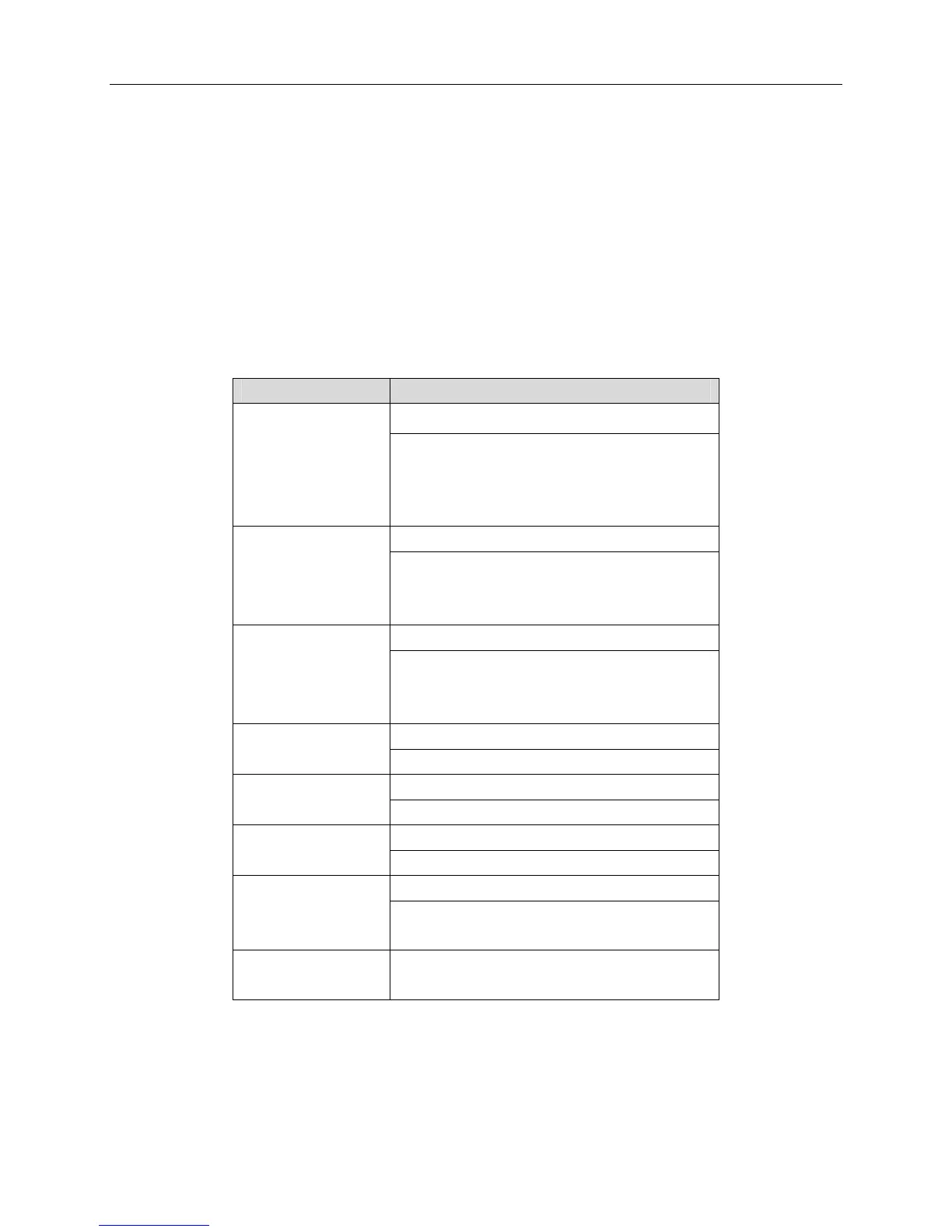
Type Verification Steps
FACE or RF or PW are verified FACE/RF/PW
1) FACE(1:N)
2) Proximity Badge (RF)
3) Pin# + Password
FACE + PW are verified FACE&PW
1) FACE(1:N)+PW+“OK”
2) PIN+FACE(1:1)+PW
3) PIN+PW+FACE
FACE + RF are verified FACE&RF
1) FACE(1:N)+RF
2) PIN+FACE(1:1)+RF
3) RF(1:N)+FACE
Only PW is verified PW
PIN+PW+“OK”
Only RF is verified RF
RF(1:N)
FACE verified FACE
PIN+FACE(1:1)
PW or RF is verified PW/RF
1) PIN+PW+“OK”
2) RF(1:N)
PW&RF 1) Proximity Badge & PW are verified
2) Pin#/PW & Proximity Badge are verified


 To Next Page