22
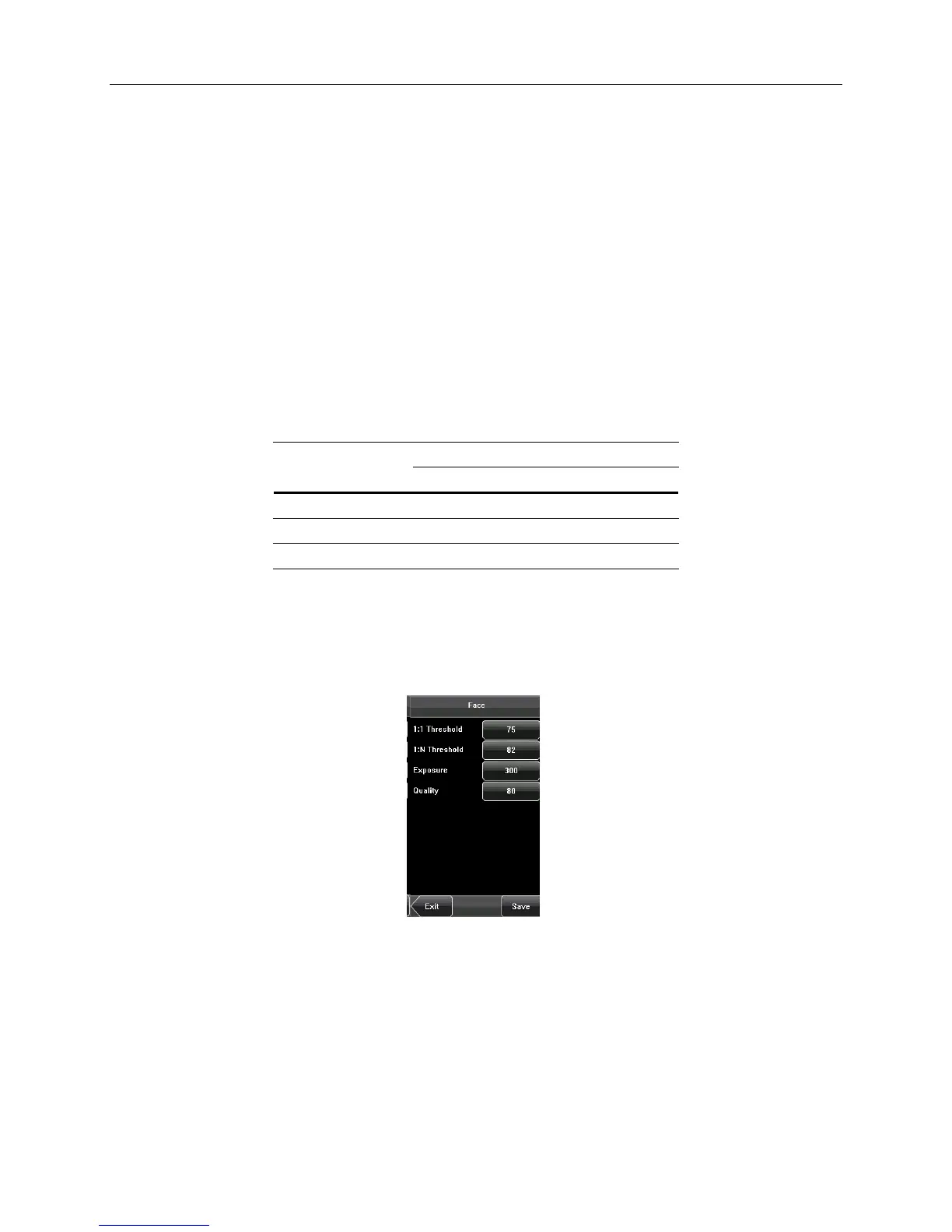
6.3 Face Parameters
• 1: 1 Threshold: Used to set the threshold of matching between the current face and the face template enrolled in the
device in the 1:1 verification mode. If the similarity between the current face and the face template enrolled in the device is
larger than this threshold, the matching is successful; otherwise, the matching is not successful. The valid value scope is
70-120. The higher the threshold, the lower the False Acceptance Rate (FAR) and the higher the False Rejection Rate (FRR)
are, and vice versa.
• 1: N Threshold: Used to set the threshold of matching between the current face and the face template enrolled in
the device in the 1: N verification mode. If the similarity between the current face and the face template enrolled in
the device is larger than this threshold, the matching is successful; otherwise, the matching is not successful. The
valid value scope is 80-120. The higher the threshold, the lower the FAR and the higher the FRR are, and vice
versa.
Recommended Thresholds Values
Threshold
(FRR) (FAR)
1: N 1: 1
High Low 45 25
Medium Medium 35 15
Low High 25 10
• Exposure: This parameter is used to set the exposure value of the camera.
• Quality: This parameter is used to set a min. quality (accuracy) threshold for a successful comparison. The device
captures face images and compares them to face templates stored in the terminal using a face algorithm. When
the accuracy of the comparison is higher than the threshold a successful punch is recorded.
Note: Improper adjustment of the Exposure and Quality parameters may severely affect the performance of the
device.


 To Next Page