5
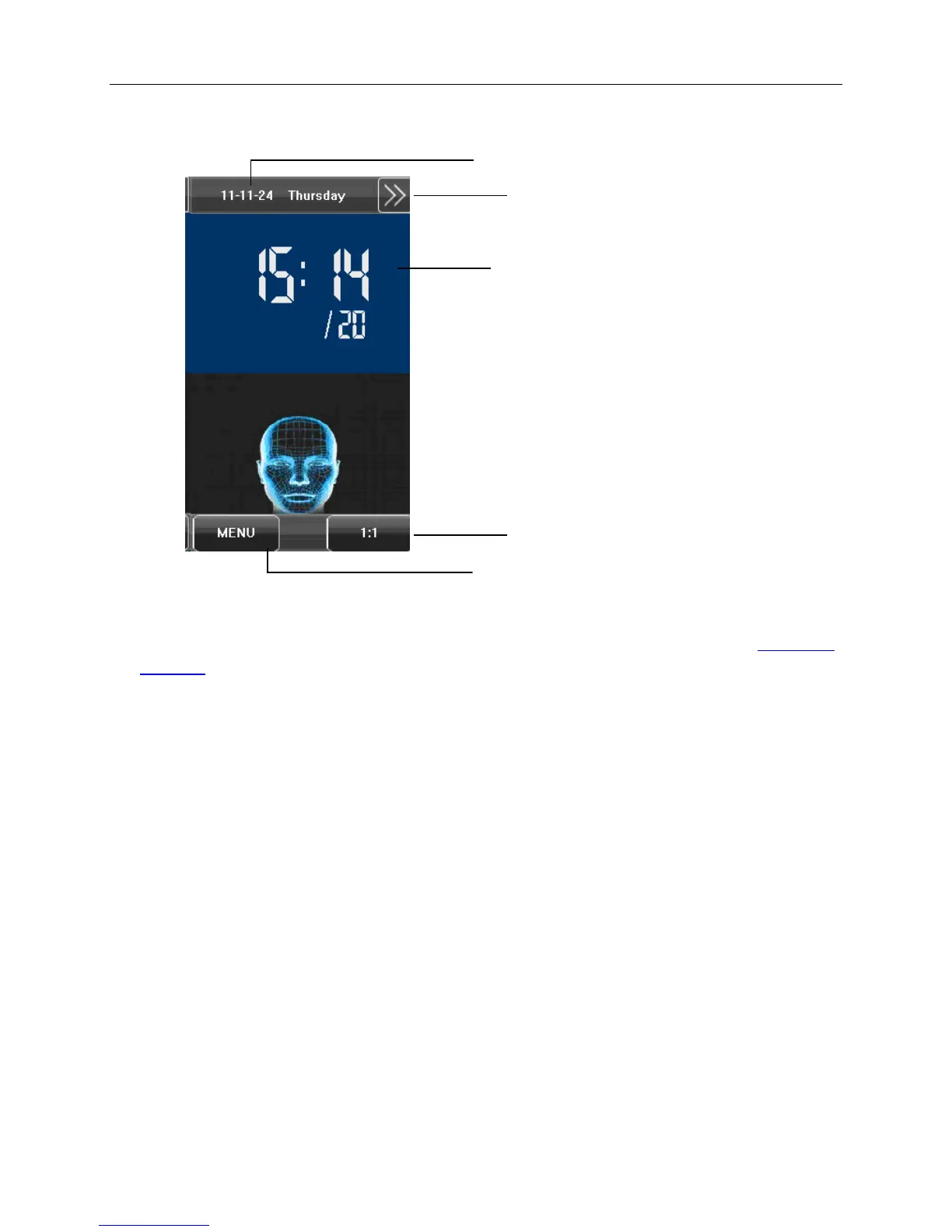
1.6 Main Interface
• Date: The current date is displayed.
• Screen Shortcut Key: Press the shortcut key to display the WorkCode button. For details, see 6.5 Shortcut
Definitions.
• Time: The current time is displayed. Both 12-hour and 24-hour display formats are available.
• 1:1 Switch Key: Switch to the 1:1 verification and display the keypad for user ID input.
• Menu: Display the Main Menu.
Note: WorkCode is currently the only supported shortcut function.
Time
Menu
1:1 Switch Key
Date
Screen Shortcut


 To Next Page