29
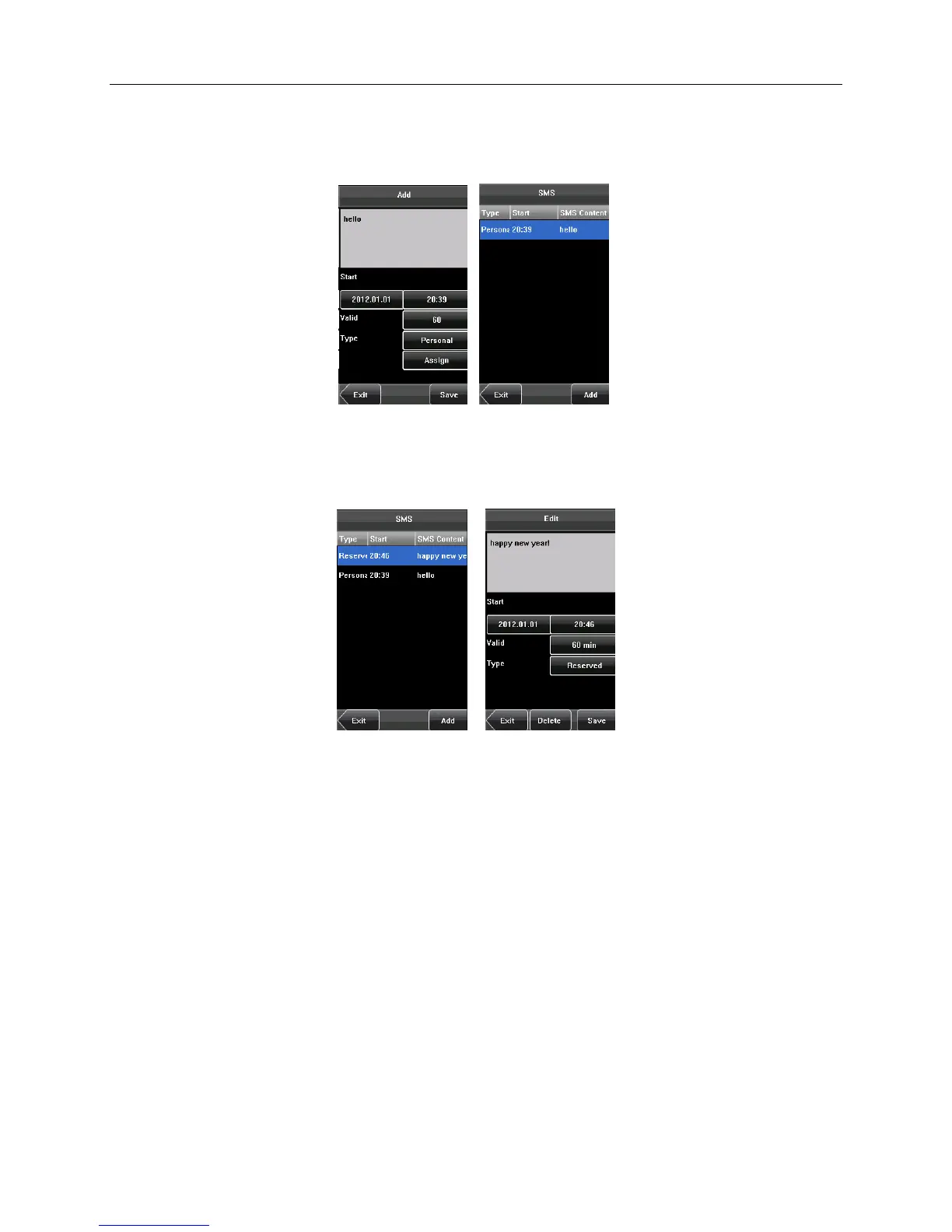
• Press Done to save the settings and return to the previous screen. Press Save to store the short message and go
back to the previous screen. The new short message is displayed on the screen.
Edit a short message
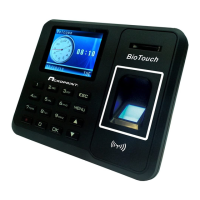
• Press the message to be edited in the SMS screen.The procedure of editing a short message is the same as that
of adding a short message.
Delete a short message
By pressing Delete on the Edit screen, the short message is removed. In addition, any information related to the
message is deleted simultaneously.


 To Next Page