Ultrasonic flaw detector А1212 MASTER
Operation Manual
17
ACOUSTIC
CONTROL
SYSTEMS
2
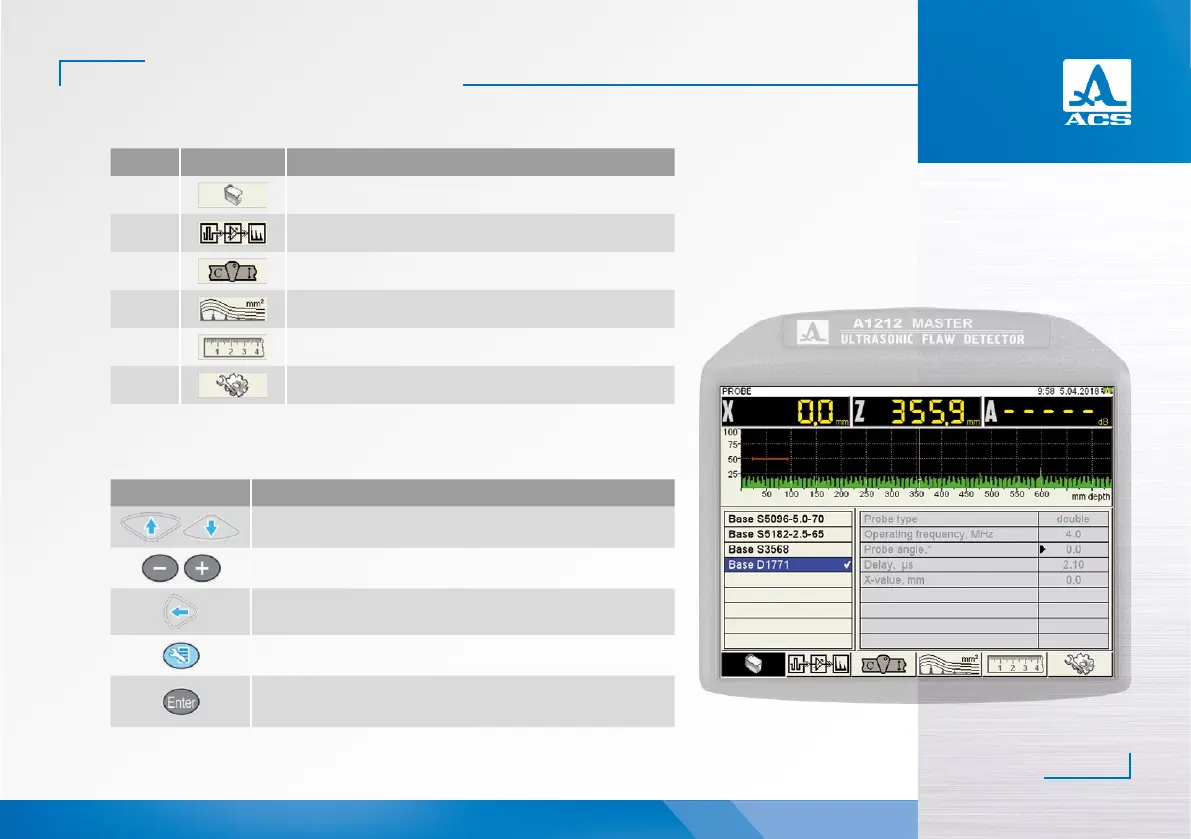
Figure 8
Key Icon Description
F1
Adjustment of PT’s parameters
F2
Adjustment of signal parameters
F3
Adjustment of parameters of the tested object
F4
Adjustment of the amplitude correction parameters
F5
Adjustment of imaging parameters
F6
Adjustment of the system settings
Key Description
Line-by-line scrolling to select the parameter to be edited
Change the parameter value
Exit the editing mode of parameters
Exit the SETTING mode
Activate/deactivate some parameters. Start adjustment of the
parameters marked with the “▶” sign
Table 4
Table 5
The functions of the keys applicable for parameter editing are presented in the Table 5.


 To Next Page