710-00002.5
position and then to the ON position to restart the
charger.
If the charger still does not power up, carefully verify
the source circuit and wiring to the charger and
correct any problems. Check that the fuses in the AC
mains junction box on the wall are intact and check
the supply voltage for all three phases (AC mains line-
to-line) to ensure it is within ± 10%, and matches to
10 VAC or better.
If the problem persists, contact the Dealer or ACT
Service.
5.2
Starting a Charge Cycle
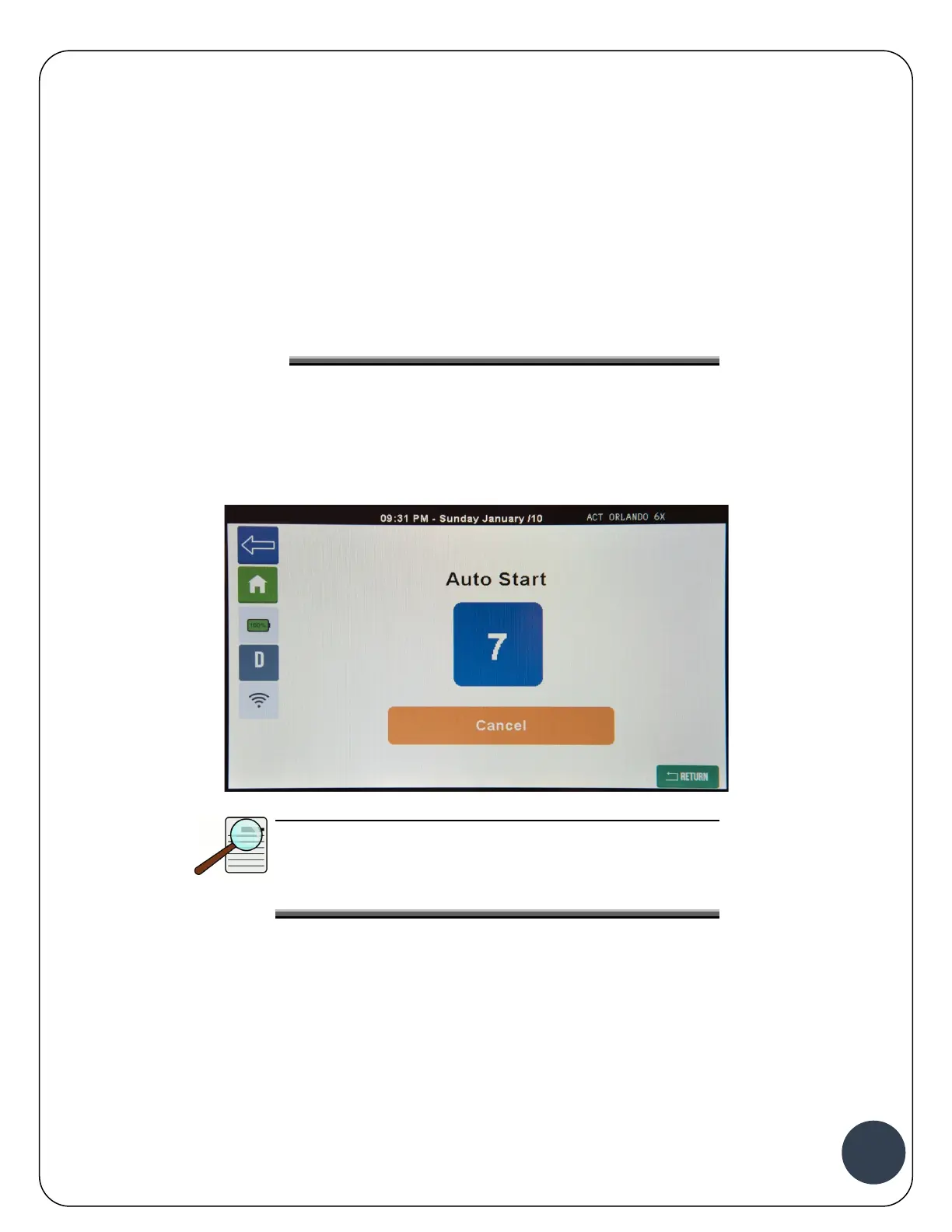
1. Connect the battery to the charger. Once the battery is detected, the charger Auto Start count
down will appear on the screen.
NOTE:
If the charger is setup to communicate with battery
BMS (most Li-Ion Batteries), the following screen will be
displayed instead of the count down.


 To Next Page