710-00002.5
Chapter 4:
C
HARGER
S
ETTINGS
Follow the steps below to launch ACT-Link Software, program BATTview settings, and upload the settings
to ACT-view.com cloud server. There are two options to program the charger settings, use a direct
connection to the computer or tabled through USB cable, or using Wi-Fi connection
4.1
Option I: Using USB cable (recommended)
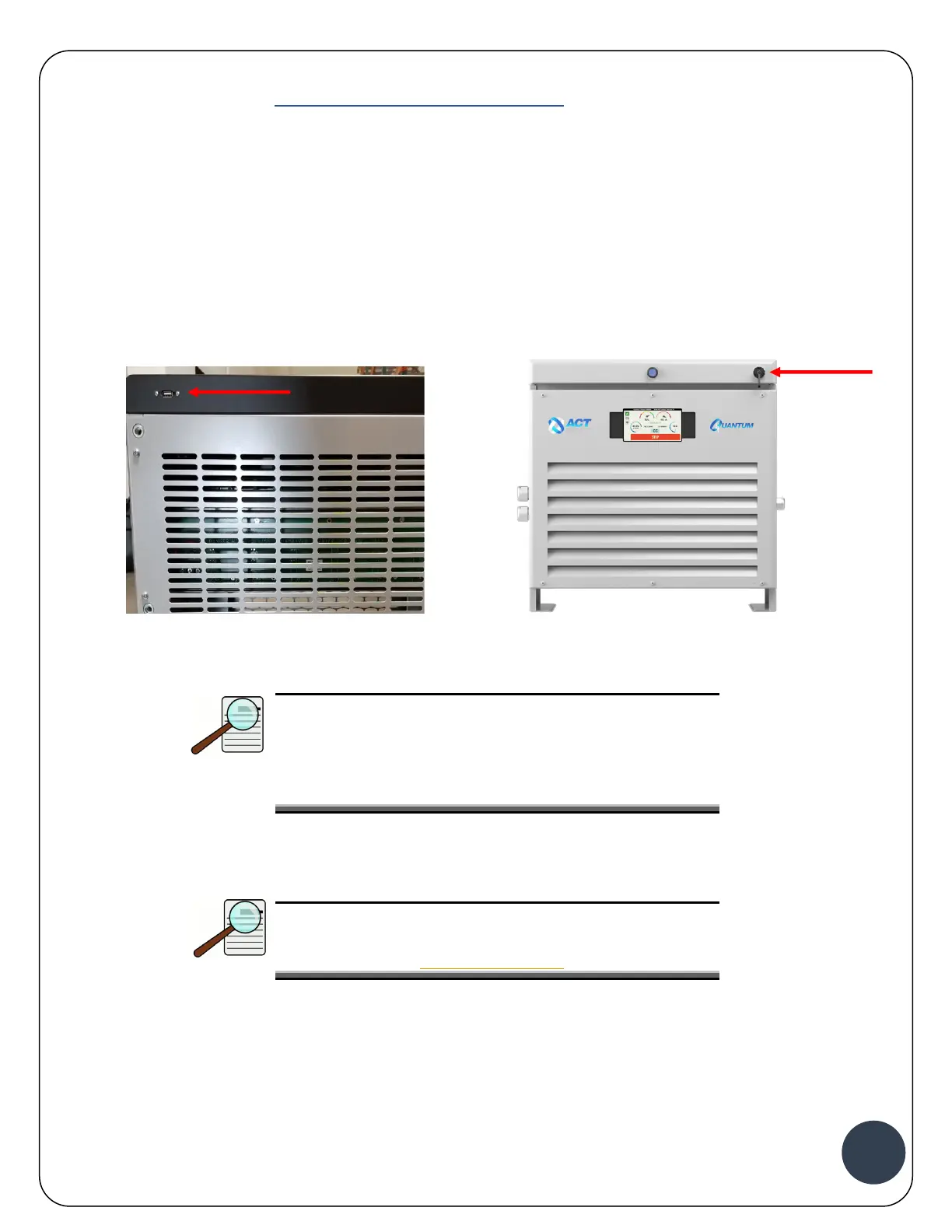
1. After installing the charger Section, connect the USB port on the back of the charger, if the
charger is an Outdoor/GSE charger connect the USB port on the front of the charger to a
Windows laptop or tablet.
Quantum Charger Outdoor/GSE Charger
NOTE:
There is also a micro USB connection available in the
front of the charger behind the plastic cover. Loosen
the 4 screws holding the black bezel to uncover the
connector.
2. Launch ACT-Link Software from Windows tablet or laptop
NOTE:
The latest version of ACT-Link Software can be
downloaded from www.act-view.com
3. Log in using your Assigned Email and Password


 To Next Page