Wiring Information and Procedures Installing the System
Cabling Information and Procedures
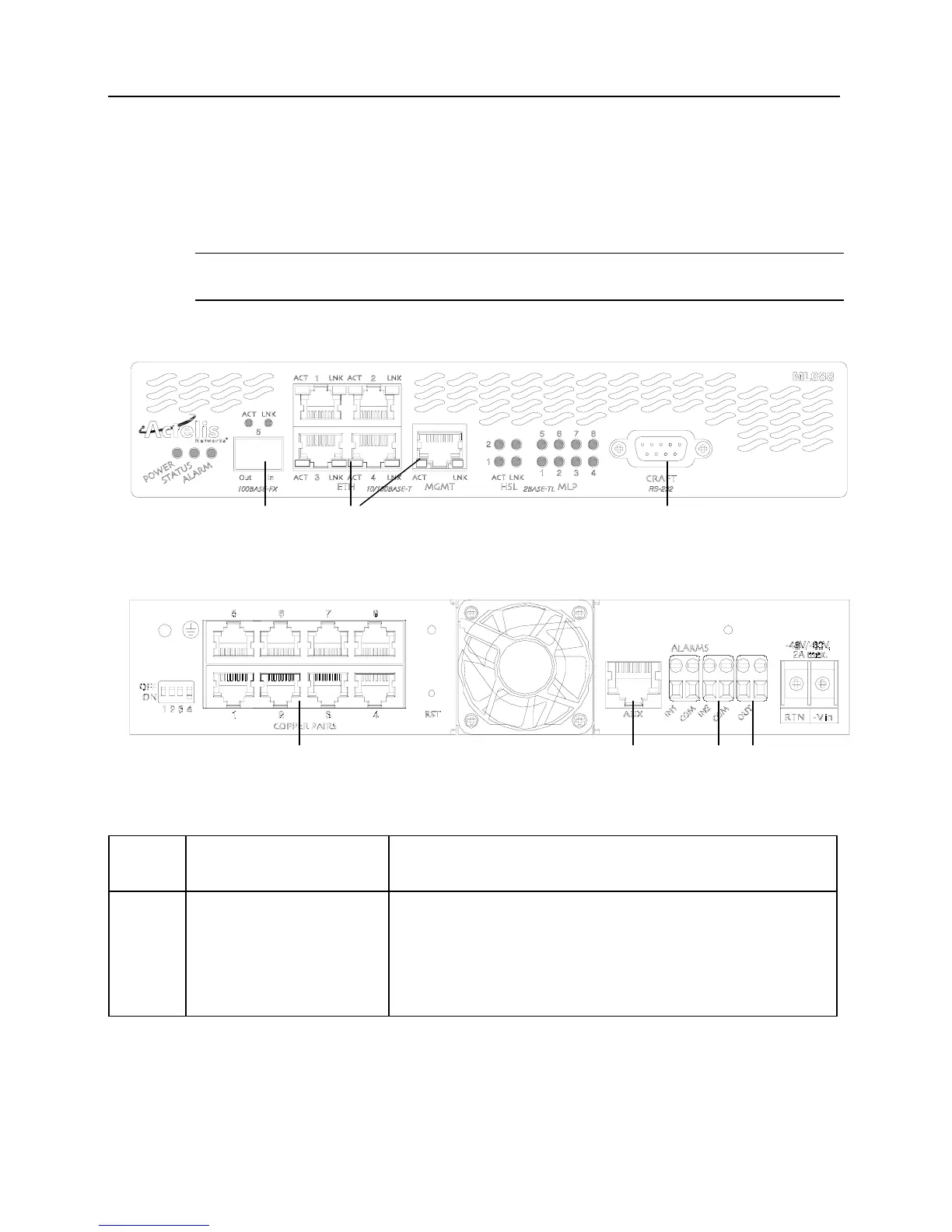
Cabling information for the front and rear panel connectors of the ML600 is presented in the
following figures and the following table.
Note: All intrabuilding interfaces are to be used with shielded and grounded cables at both ends.
For cabling instructions, refer to the following table.
Figure 8: Front panel connector locations
Figure 9: Rear panel connectors locations
Table 3: Cabling information for front and rear panel connectors
Drawing
Ref. No.
Connector Type on ML600
unit
Cabling Requirements
1 1 LC socket (labeled 5)
intended for SFP plug-in
module (Not available for
some ML600 models).
LC connector, simplex or duplex fiber optical cable assembly.
Out - Left (out of ML600)
In - Right (in to ML600)
Cable must be crossed with Ethernet equipment.
7 6
2
54
3 1
ML600 Release 5.0a Quick Installation Guide 15


 To Next Page