011807-EN--B (2022-12_S617 S717F S900 S950 C50_IFU)
20 / 49
• In case of slow carious process:
Acid green or Light green to blue
according to the thickness of the
enamel
Green / black or
Bright red
Dark green with red
shadow
Completely decayed infected dentine
or affected Interface
Affected dentine
(End of treatment)
Presumed end of
treatment*
*: Diagnosis after using the SOPROLIFE is performed and provided by the dental practitioner. Alert signal is only an indication, the dental
practitioner is the only expert to judge and adapt his treatment’s option to the situation and to decide to stop treatment based on his clinical
sense.
SELECTION MODE
To switch from DAYLIGHT mode to DIAGNOSTIC AID mode, press the top button of the handpiece.
To switch from DAYLIGHT mode to TREATMENT AID mode press the bottom button of the handpiece.
Button 1: Press button to switch between DAYLIGHT and DIAGNOSTIC AID modes.
Button 2: Press button to switch between DAYLIGHT and TREATMENT AID modes.
NOTE: An alternated push on the button I then on the button II makes possible to switch from DIAGNOSTIC AID mode to
TREATMENT AID mode.
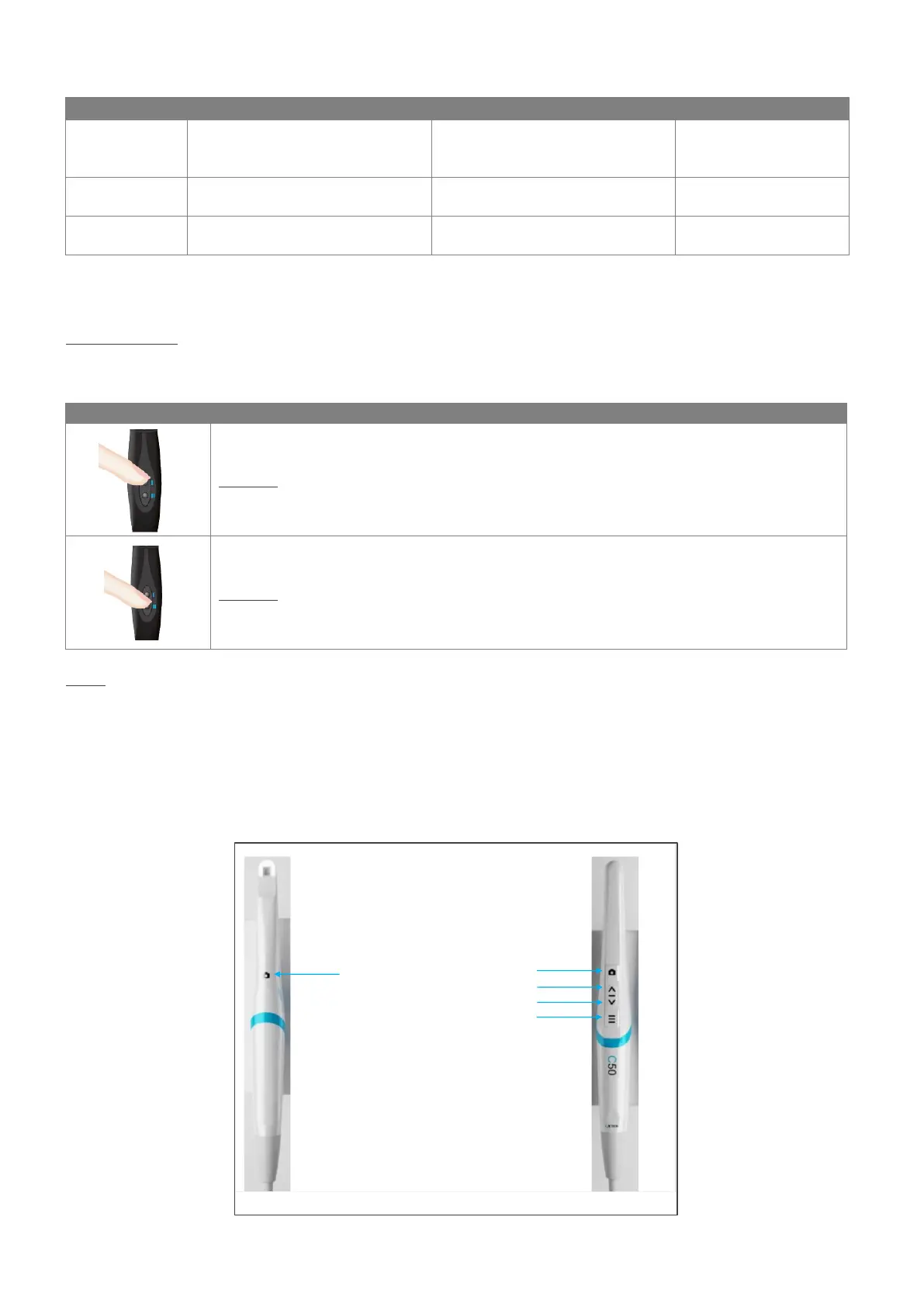
5.2 USE OF C50 INTRAORAL CAMERA
5.2.1 BUTTON LOCATION AND DESIGNATION















 To Next Page