
 Need help?
Do you have a question about the Acteon SOPROCARE and is the answer not in the manual?
Lists the components included with the SOPROCARE dental camera system.
Covers compliance with regulations and standards for medical devices.
Discusses EMC, interference, and electrostatic discharge aspects of the device.
Details medical device vigilance and procedures for product disposal.
Presents detailed guidelines and declarations on electromagnetic emissions and immunity.
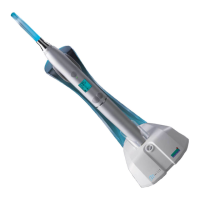
Instructions for fastening the handpiece holder and associated cautions.
Information on installing additional connection boxes near dental chairs.
Details the rotating ring for focus adjustment and its preset positions.
Steps for connecting the camera to a video screen using specific DOCK models.
Instructions for connecting using DOCK MU_USB2 or MU_VIDEO models.
Explains how to use the SoproTouch feature to freeze images on the camera.
Specifies the minimum and recommended computer hardware and OS for the SOPRO device.
Details the steps for connecting the DOCK M_USB2 to a computer.
Provides connection instructions for DOCK MU_USB2 and U_USB2 to a computer.
Explains how to connect the DOCK USB2 to a computer.
Guides on installing the Sopro Imaging software from the CD-ROM.
Refers to manual for camera configuration with Sopro Imaging software.
Explains the Perio mode for dental hygiene and plaque detection using fluorescence.
Describes the CariO mode for detecting caries using red warning signals.
Details how to switch between DAYLIGHT, PERIO, and CARIO modes using buttons.
Details the power supply specifications for DOCK M_USB2 and M_VIDEO.
Outlines the power supply requirements for DOCK MU_USB2 and MU_VIDEO.
Specifies the power supply for the DOCK U_USB2.
Describes the power supply for the DOCK USB2 via USB port.
Explains the video and USB output capabilities of the connection boxes.
Indicates the connection point for the optional footswitch.
Explains the meaning of various symbols used to identify the SOPROCARE components.
Details the disinfecting process for handpiece and connection boxes.
Outlines the product warranty period and terms for SOPRO devices.
Provides troubleshooting steps for common problems encountered with the device.
Lists the technical specifications for the SOPROCARE handpiece.
Details the technical specifications for the DOCK M_USB2 controller.
Lists the technical specifications for the DOCK M_VIDEO controller.
Details the technical specifications for the DOCK U_USB2 controller.
Outlines the technical specifications for the DOCK MU_USB2 controller.
Lists the technical specifications for the DOCK MU_VIDEO controller.
Details the technical specifications and compliance for the DOCK USB2.
 General
| Brand | Acteon |
|---|---|
| Model | SOPROCARE |
| Category | Dental equipment |
| Language | English |











 To Next Page