ENGLISH
SOPROCARE • User’s manual
25
9.5. VIDEO AND USB OUTPUTS
These connection boxes have two independent video outputs* - a composite one and a Y/C “S-Video” one.
One of these two outputs should be connected to the monitor video input (preferably Y/C “S-Video”). This connection box has a
digital USB 2.0 output that can be connected to a computer USB2 port.
*Except on Dock USB2 and DOCK U_USB2.
9.6.FOOTSWITCH
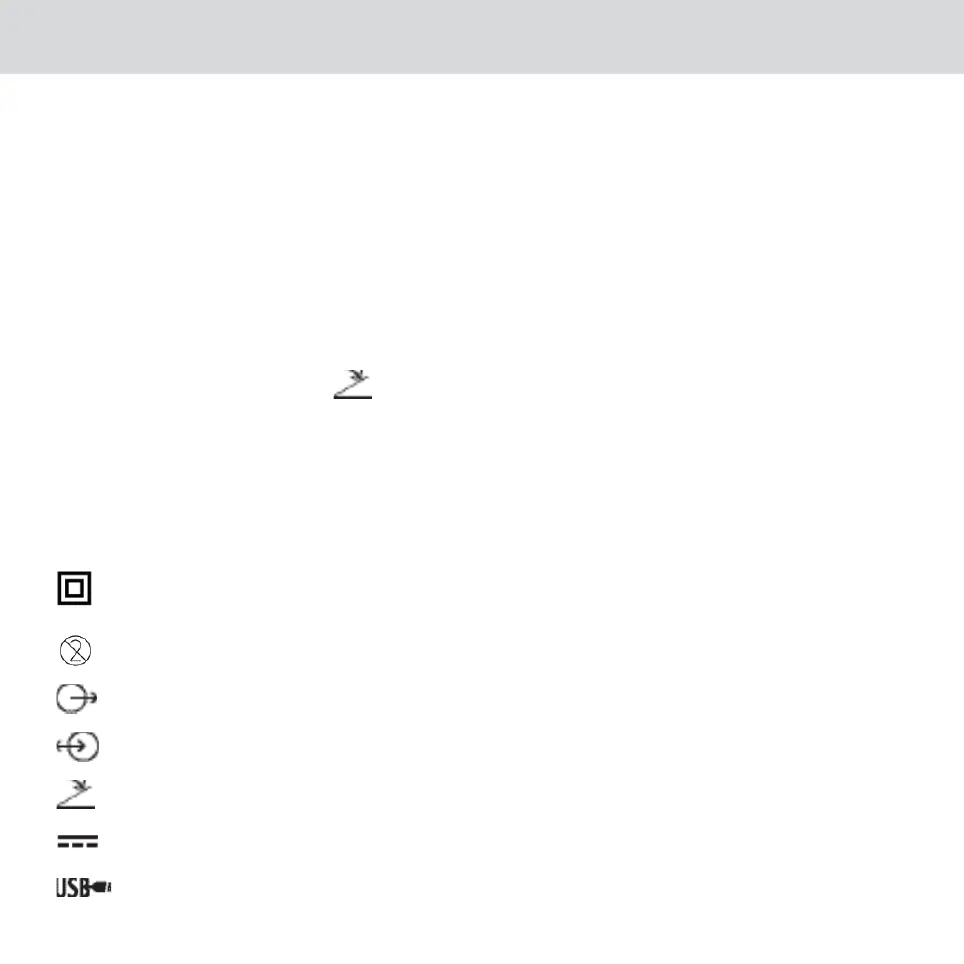
The footswitch should be connected* here
if you have selected it to freeze the image. (*Except on DOCK USB2)
9.7. IDENTIFICATION
The symbols on the boxes identify the SOPROCARE according to the international standards IEC 60601-1, IEC 60601-2-18 and IEC
60417.
Class II power supply not grounded. The plug of the power supply is used as the disconnecting device
on the network. Only for M_USB2 and M_VIDEO docking stations.
Dental barriers for single use.
Video output.
Handpiece connection.
Footswitch connection.
Continuous voltage.
USB2 output.












 To Next Page