011807-EN--B (2022-12_S617 S717F S900 S950 C50_IFU)
22 / 49
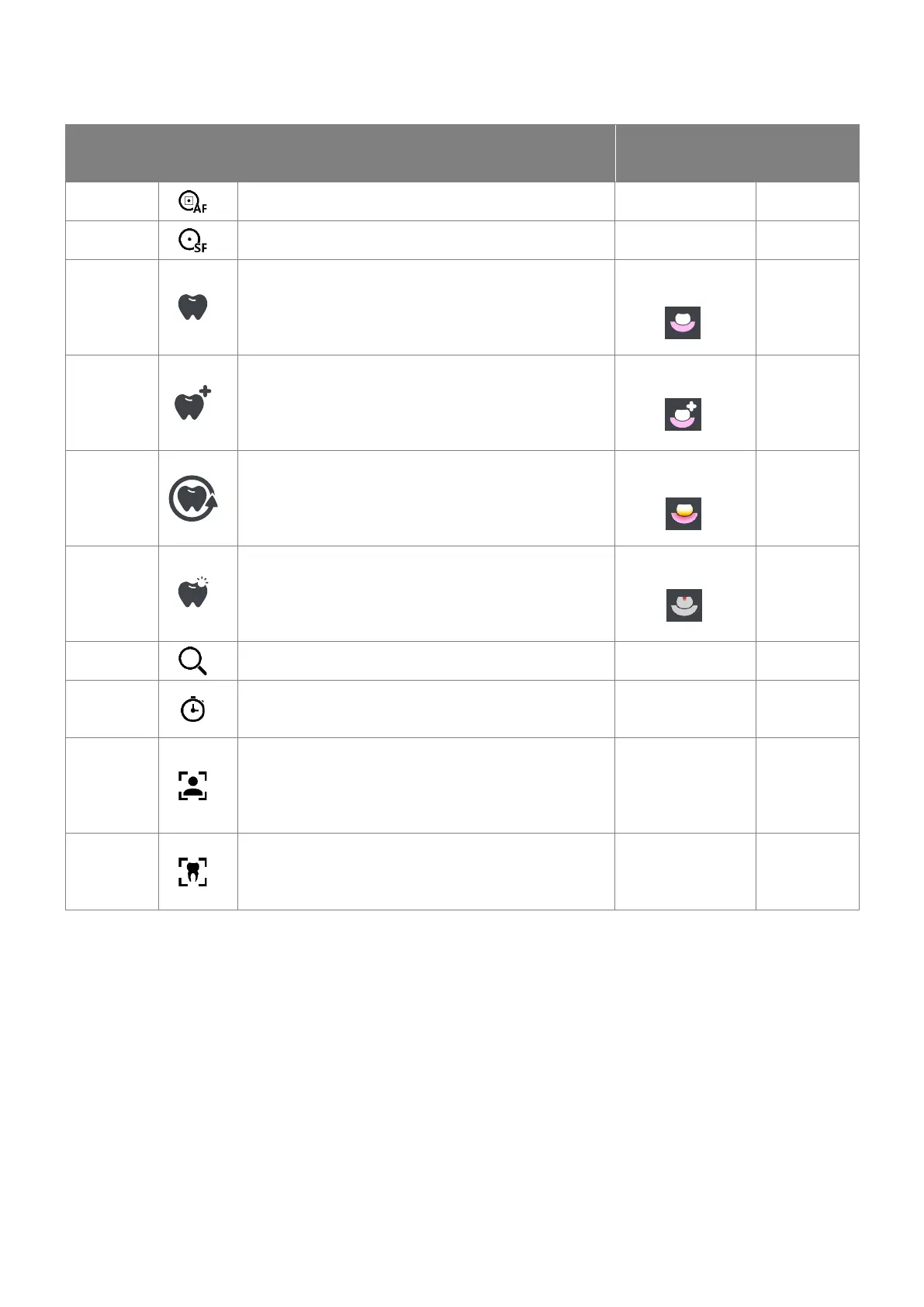
5.2.3 ICON DESIGNATION
Available
on AIS or TWAIN or
SDK
Automatic Focus
The camera focuses automatically.
Single Focus
To focus the image, short press the capture button.
DAYLIGHT
The camera produces an image with natural colour.
Yes, but here after
the new icon
DAYLIGHT+
This mode adds higher contrast to daylight mode.
Yes, but here after
the new icon
PERIO
Diagnostic aid to highlight plaque and gingival
inflammation by chromatic amplification.
Yes, but here after
the new icon
CARIO
Diagnostic aid to highlight caries – by fluorescence.
Yes, but here after
the new icon
Digital zoom
Magnifies the picture from x1 to x2 with step od 0.1.
Self-Timer
The self-timer can be set according to your needs to Off, 1s,
3s or 5s.
Portrait
Portrait mode helps you capture a portrait image of your
patient using ambient room AWB. (The handpiece light is
turned OFF in this mode. Use the single focus function to
focus).
Intraoral
Intraoral mode allows you to take an intraoral image of
your patient using ambient mouth AWB.
(The handpiece light is turned ON.)















 To Next Page