ENGLISH
CONNECTING TO A COMPUTER
7.1. REQUIRED CONFIGURATION FOR THE COMPUTER
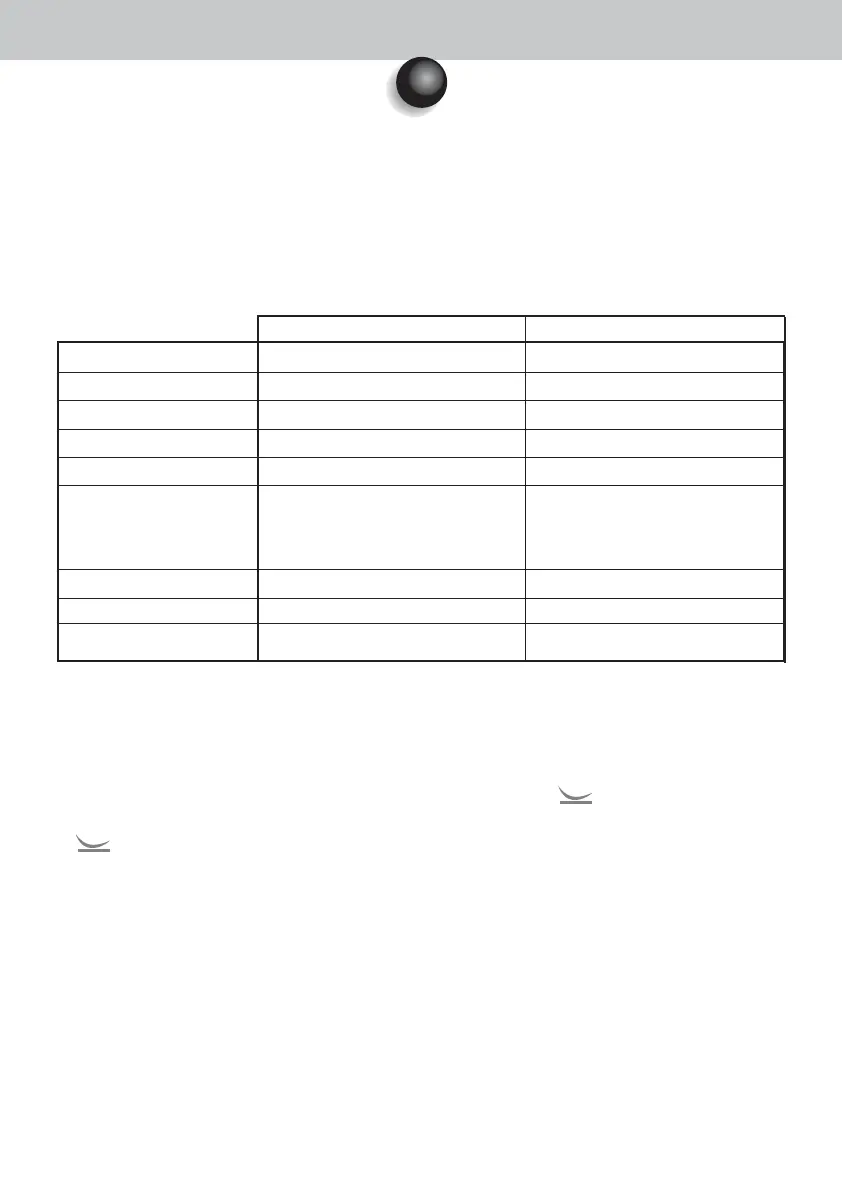
To use the Sopro 617 system, you must make sure the computer and its peripherals do not have any use
limitation that could concern life safety. It should also meet the following requirements:
7.2. DOCK M_USB2 OR DOCK USB2 CONNECTION
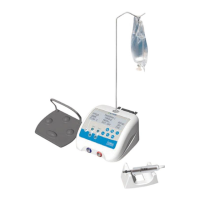
• Connect the USB cable between the connection box and one of the computer USB ports.
• Connect the connecting cable between the connection box and the handpiece.
• If you prefer using a footswitch (only DOCK M_USB2) rather than SoproTouch to freeze the image, you just
have to connect the footswitch (optionally provided) to the connection box. With this configuration, SoproTouch
is inhibited.
• Connect the power supply to the outlet and to the connection box: the green indicator light should be on (only
DOCK M_USB2).
7.3. DOCK MU_USB2 CONNECTION
• Refer to the DOCK MU_USB 2 integration manual.
• Connect the connecting cable to the handpiece.
• Connect the USB cable between the connection box and one of the computer USB ports.
7
Sopro 617 • User manual
13
Operating system
Processor
Memory
Hard disk
USB ports
Video board
USB Chipset
Screen resolution
Standard
Minimal configuration
Windows 2000 Pro SP4 - XP Pro SP1
Intel® Pentium III – 500 MHz
512 MB
20 GB
2 x USB2.0 Hi-Speed ports
Graphic board 32 MB of unshared
video RAM compatible with DirectX 9
Intel or NEC
1024 x 768
IEC 60950
Recommended configuration
Windows XP Pro SP3 - VISTA Business SP1
Intel® Core 2
2 GB
160 GB
4 x UB 2.0 Hi-Speed ports
Graphic board with Nvidia chipset or exclusive
video ATI / 256 MB of unshared video RAM
compatible with DirectX 9 or higher.
Intel or NEC
1024 x 768 or higher
IEC 60601-1












 To Next Page