14 Acterna OLS-55/-56
3 GETTING STARTED
Connecting the OLS-55/-56
Direct connection via test adapters
The BN 2150/00.xx range of accessories includes a
number of test adapters for connecting the OLS-55/-56
to the interface to be tested (connector or bare fiber).
Using these adapters, you can connect all standard
optical connector types to the instrument. The test
adapters are suitable for connectors with planar (PC)
and angled (APC) end surfaces .
For available adapter types contact your local Acterna
service office.
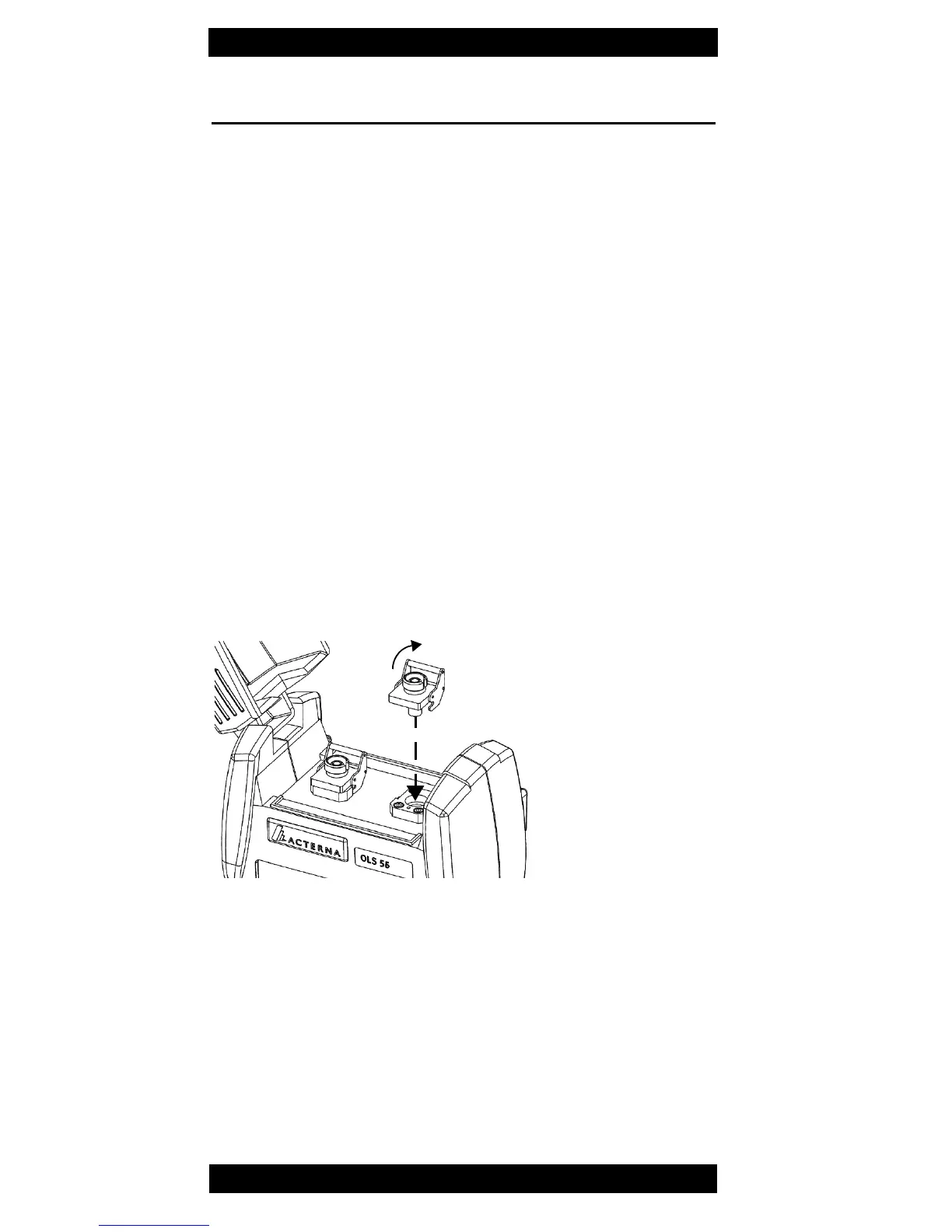
Mounting the adapters
1. Place the test adapter vertically on the optical
connector.
2. Close the locking lever when the test adapter is firmly
seated. You will hear the locking mechanism lock.
3. Fit the fiber optic cable to the test adapter or close the
dust cap.
Fig. 5 BN 2150/00.xx adapter.
1
2



 To Next Page