Acterna OLS-55/-56 21
4 OPERATION
AUTO λ mode
Auto λ is a special feature invented by Acterna to identify
wavelengths automatically. Therefor the signal is
modulated by a certain frequency which can be detected
from a AUTO λ equipped power meter like the Acterna
OLP-55 series.
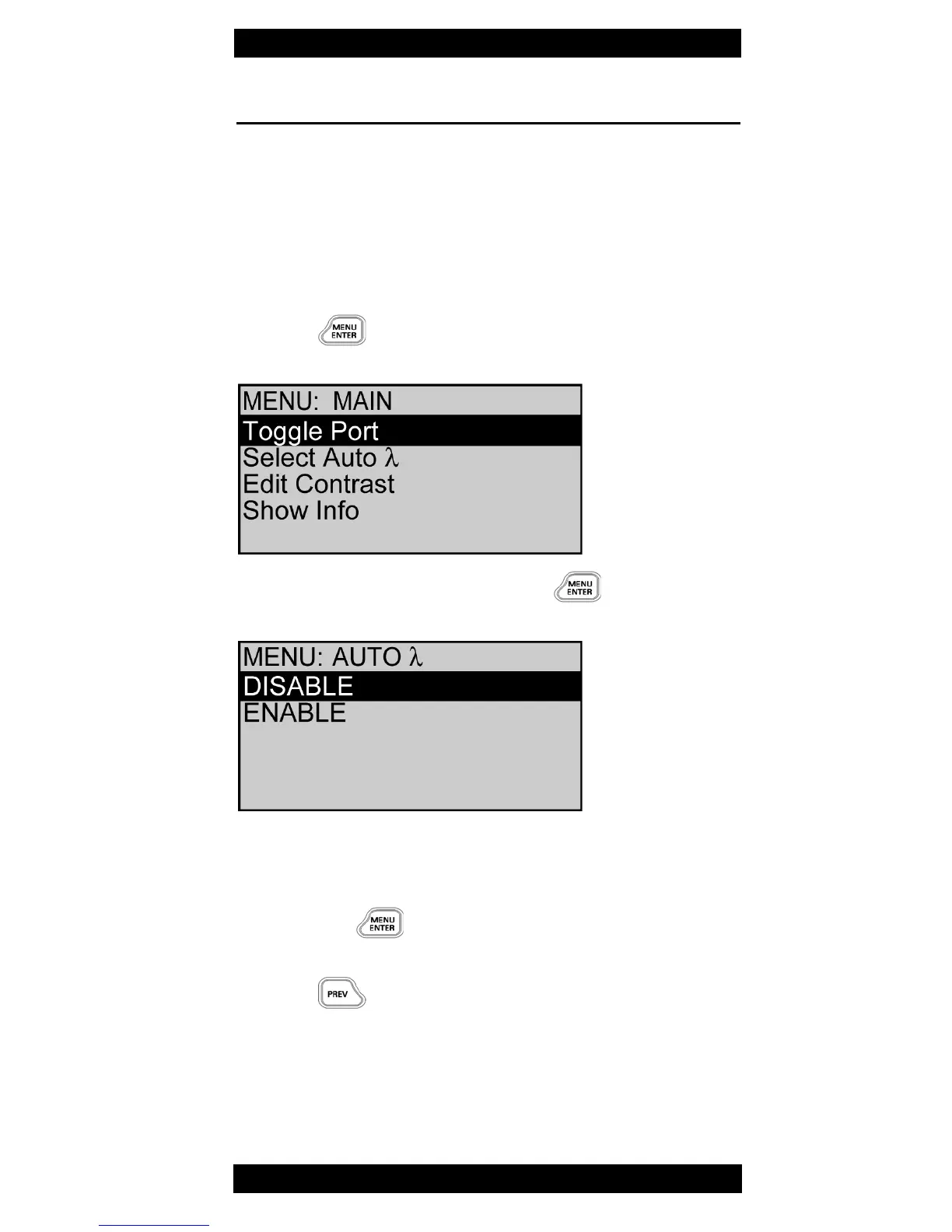
Activating Auto λ
1. Press
The Main menu opens
2. Select Select Auto λ and press
The AUTO
λ
menu opens.
3. Select ENABLE to switch on AUTO λ
– or –
Select DISABLE to switch off AUTO λ
and press to accept setting.
The window close, the MAIN menu opens.
4. Press to leave menu
Note: Signal modulation (270 Hz, 1 kHz, 2 kHz) can not
be selected when Auto λ is enabled.



 To Next Page