Hardware Manual
17
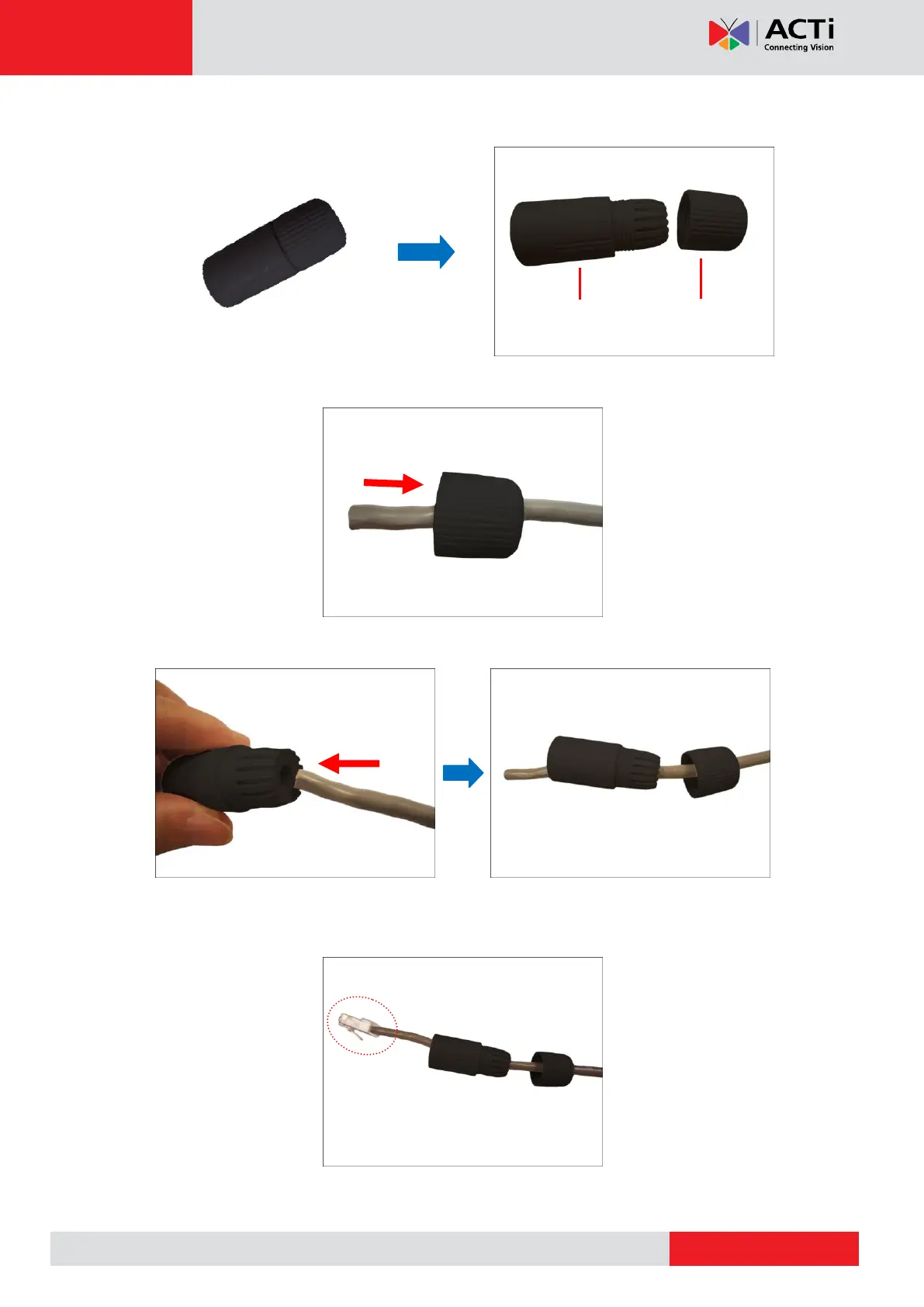
2. Detach the clamping nut from the cable gland:
3. Insert the clamping nut into the Ethernet cable (without connector).
4. Insert the cable through the gland body.
5. Attach the RJ-45 connector to the cable. For pin mapping and detailed instructions, see
How to Attach the RJ-45 Connector on page 29 for detailed information.


 To Next Page