Hardware Manual
12
Waterproof without Conduit
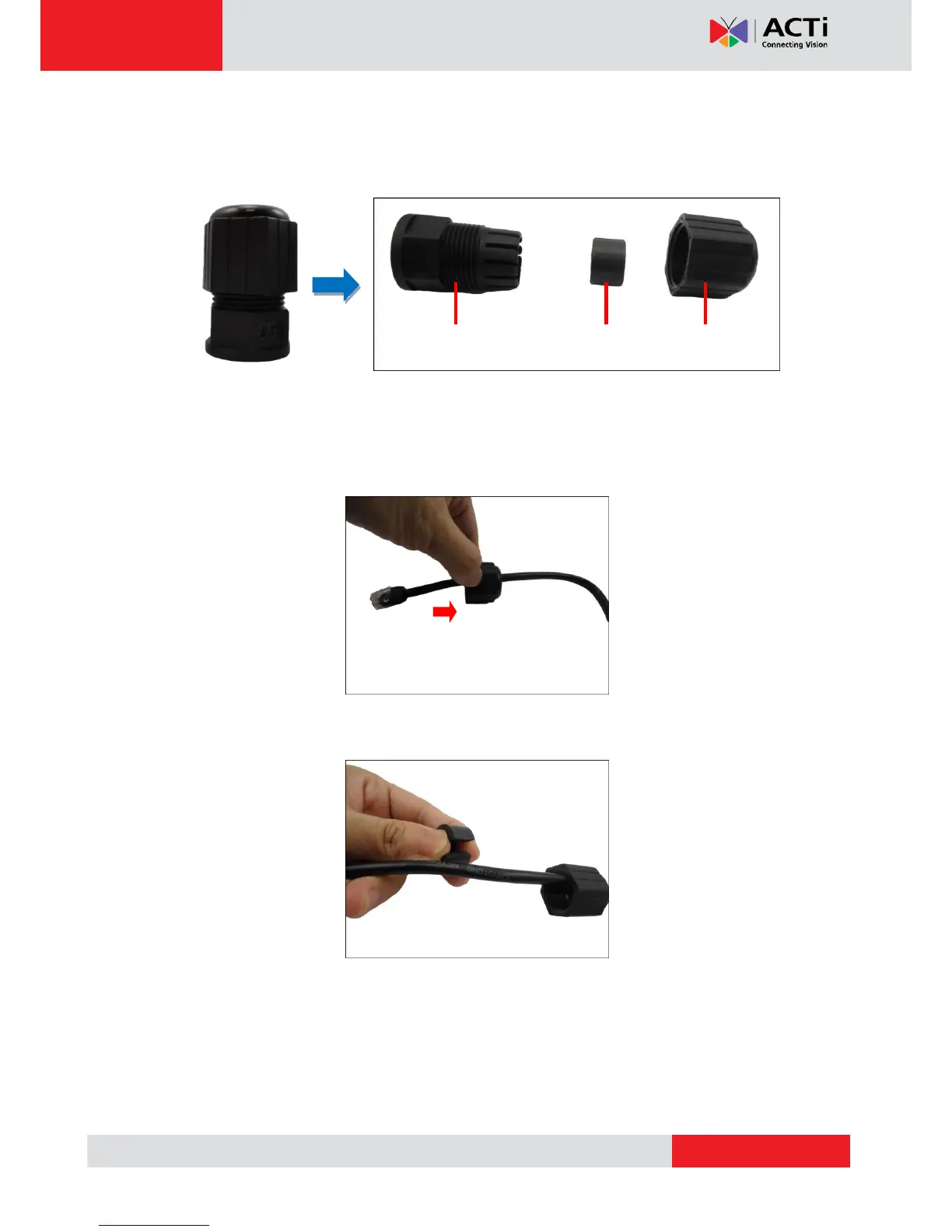
1. Prepare the Waterproof without Conduit cable accessories. Detach the parts as follows:
NOTE: The above accessories come in two sets, one for the Ethernet cable of the camera
and the other for the network.
2. Insert the clamping nut through the Ethernet cable of the camera.
3. Insert the rubber seal.


 To Next Page