Hardware Manual
14
Step 3: Route the Cables
Determine whether the cable will pass through a hole on the surface or be routed along the
surface:
If the cable will pass through a hole on the surface:
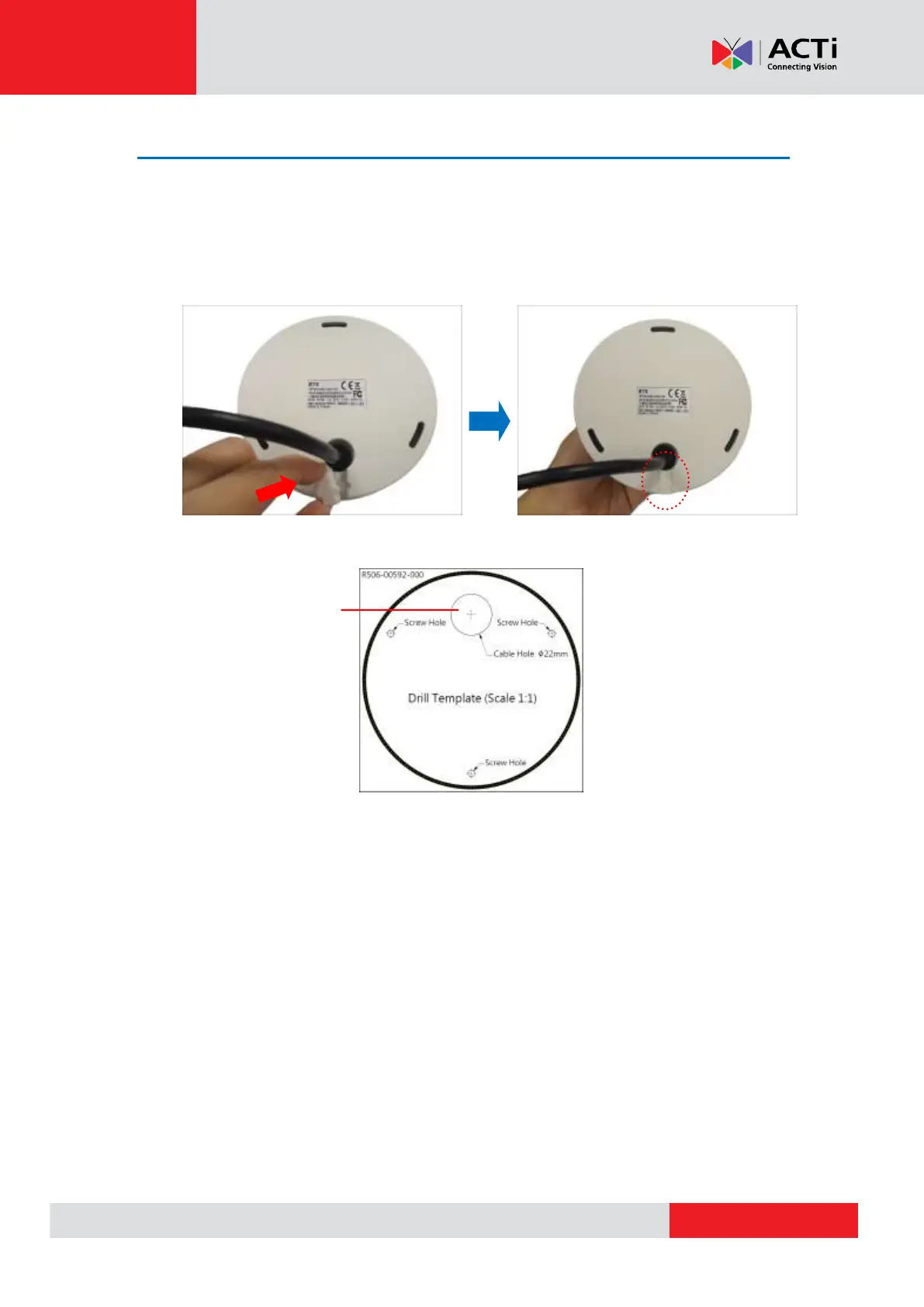
1. Attach the rubber tab into the gap on the base of the camera.
2. Drill the hole for the cable on the surface.
3. Route the cable from the network side through the hole and connect it to the Ethernet port of
the camera.
NOTE: If the camera will be installed outdoors or in places wherein environmental factors
change drastically, make sure to waterproof the cable connection; see Step 5: Connect and
Manage the Cable on page 16 for instructions.
4. Push the cable through the hole on the surface.
5. Skip to Step 4: Install the Camera on page 15.
Drill cable hole
within this block.


 To Next Page