Hardware Manual
22
Step 5: Connect the Cable
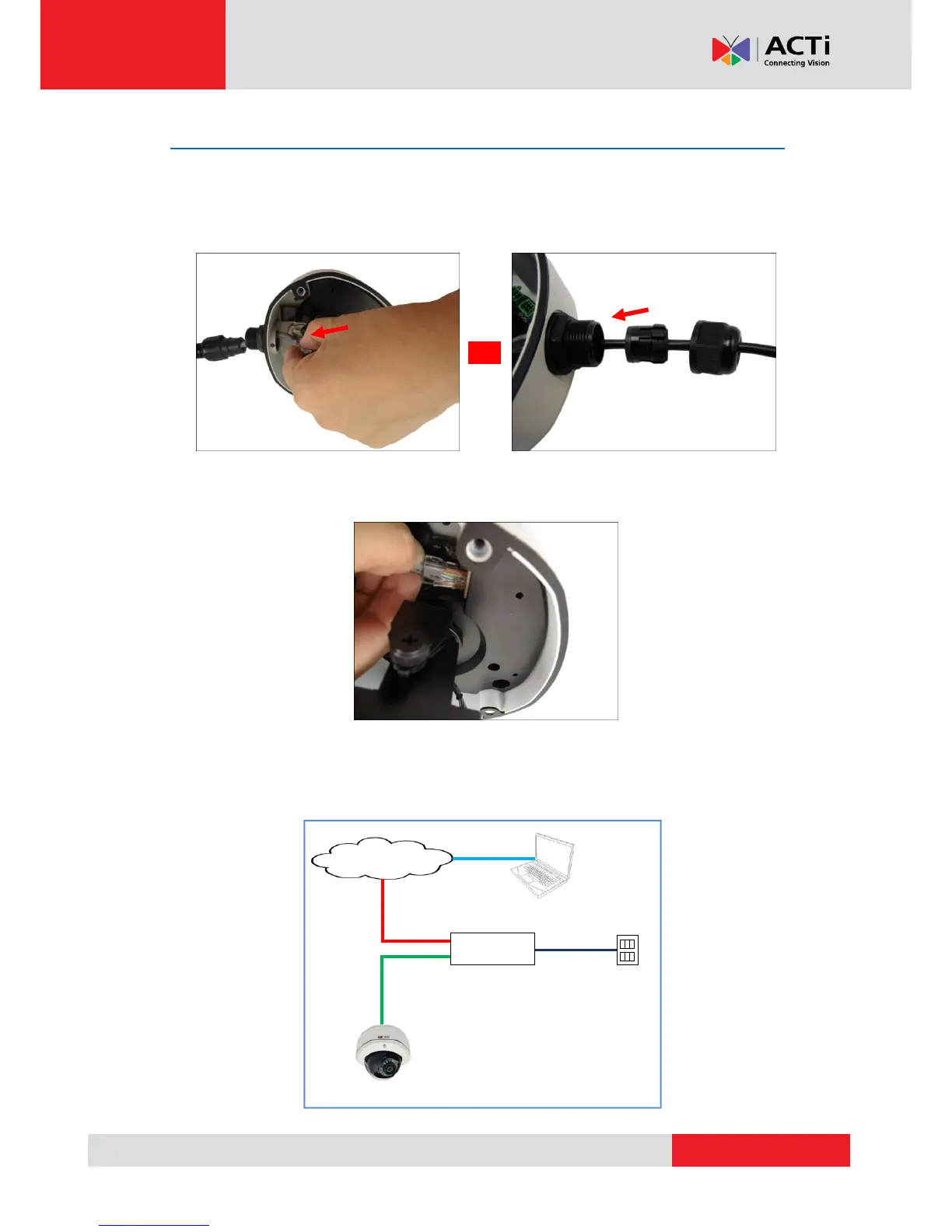
1. If the cable will be routed along the surface, pull the network cable through the side
conduit hole and attach the clamping nut to the conduit gland body. If the cable passes
through the surface, skip to step 2.
Using Flex Conduit Using Naked Cable
2. Connect the network cable to the Ethernet port of the camera.
3. Connect the other end of the network cable to a Power-over-Ethernet (PoE) switch or injector.
Then, connect the PoE switch or injector to a network or PC and a power source. See
example connection diagram below.



 To Next Page