Hardware Manual
59
click the status tab you will see just a blank report with null values.
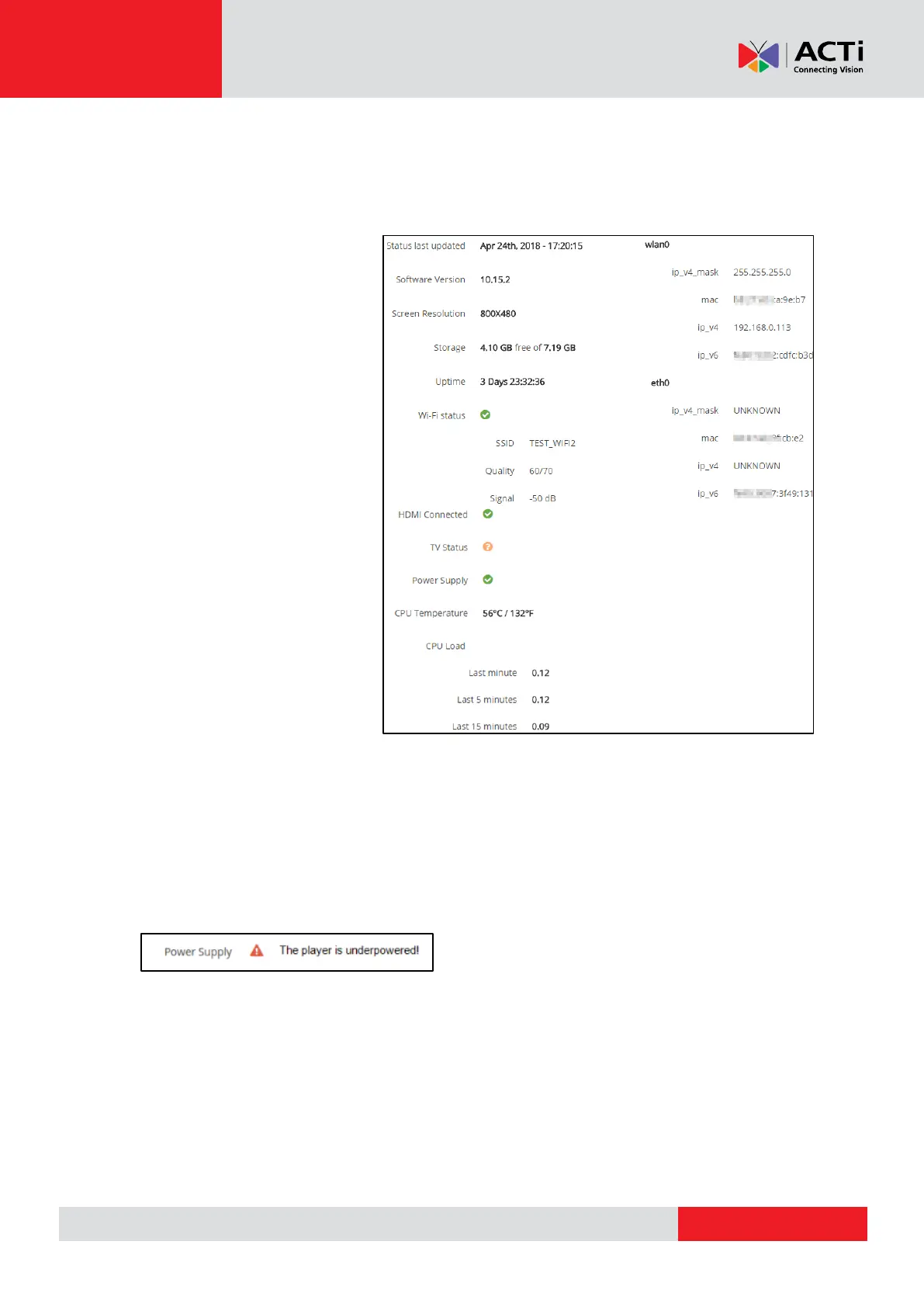
Status last updated: Displays the last status update. The Status report is refreshed every 2
hours, either you logged in or not.
Screen Resolution: The
resolution of the screen that the
device is connected via HDMI
Storage: The total and available
free storage
Uptime: Measuring the time that
your device is online and been
working
Wi-Fi status: Displaying the
SSID, Quality and the Signal
from you WiFi connected
network
HDMI Connected: Indicates
that an HDMI cable is already
connected to the device and the
screen
TV Status: You will see 3 messages ON, OFF and ?, the last one means that the device
couldn't get a report from your TV if it is online or not
Power Supply: You will see 2 messages:
The Green status and the Red warning status. The warning status means that the RPi is
running at low voltage and the PSU needs to be changed.
CPU Temperature: Indicates the CPU Temperature
CPU Load: Indicates the CPU stress
Wlan0: Displays the IP and other wireless network information about your device
Eth0: Displays the IP and other wired network information about your device
Location
Auto Detect Location: Toggle to enable locating the monitor coordinates using



 To Next Page