Hardware Manual
58
Advanced
NOTE: These are advanced settings, if you have any queries please contact our
Customer Help Desk (CHD) before you do any custom configuration.
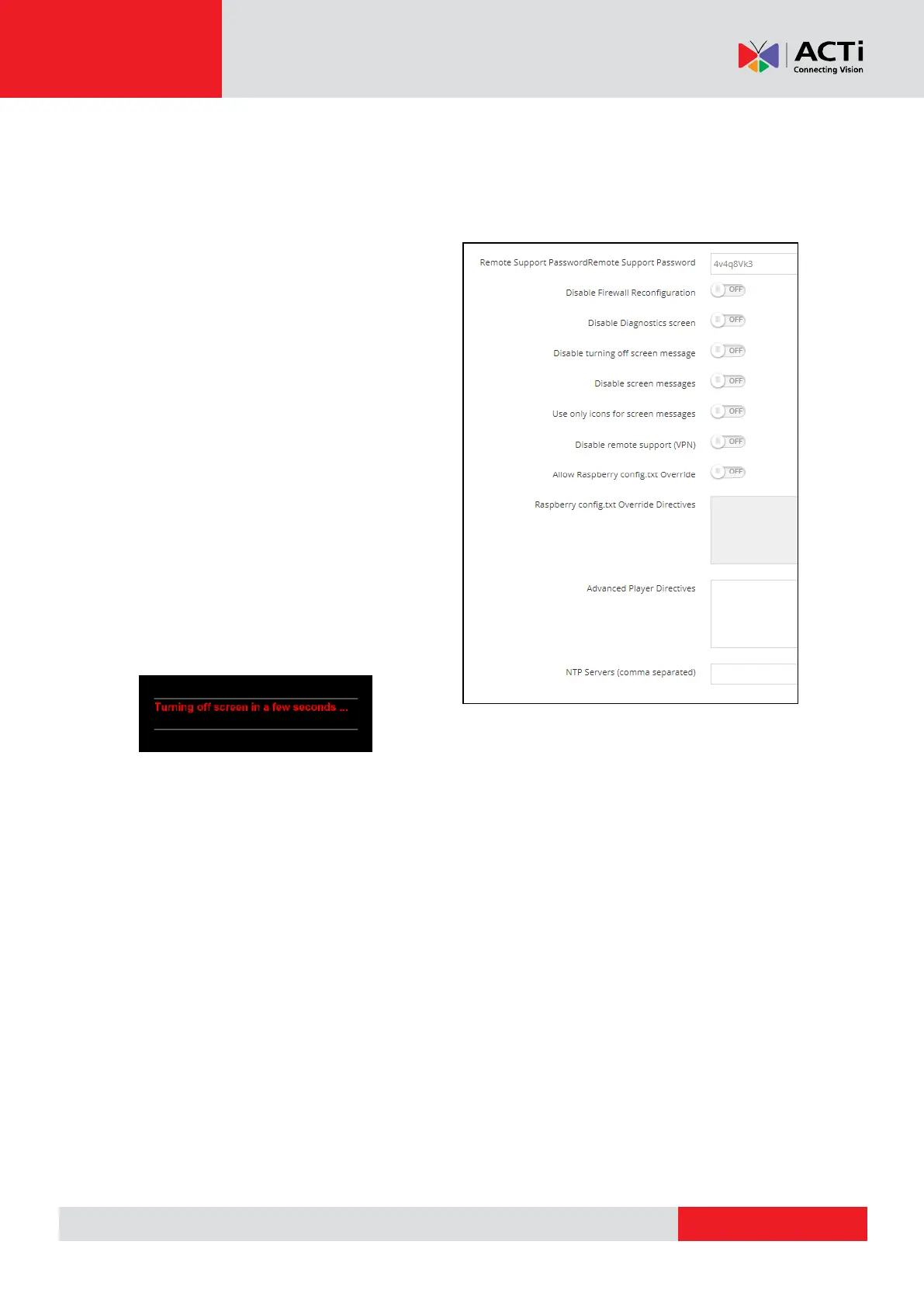
Remote Support Password: Type the
desired password for remote access like
SSH (Secure Socket Shell). By default is an
8 alphanumeric password. The private
password that you will type will be hashed.
Disable Firewall Reconfiguration: Toggle
to disable reapplying firewall rules during
configuration. By default only port 22/tcp is
open
Disable Diagnostics screen: Toggle to
disable the diagnostics screen
Disable turning off screen
message: Toggle to disable the turning off
screen message
Disable screen messages: Toggle to disable screen messages
Use only icons for screen messages: Toggle to use only icon messages to show at the
bottom right of your screen when Downloading, Configuring or Loading
Disable remote support (VPN): Players are 24/7 connected to our remote access
service (VPN). Toggle to disable this service
Allow Raspberry config.txt Override: Toggle to enable the config.txt
Raspberry config.txt Override Directives: Contact our Customer Help Desk (CHD) and let
them know what settings you want to be configured to your player
Advanced Player Directives: Contact our Customer Help Desk (CHD) and let them know
what settings you want to be configured to your player
NTP Servers (comma separated): Set your custom NTP servers
Status
The below status report is from an already registered device, if you don't register the device and



 To Next Page