Encoder Hardware Manual
8
Physical Description
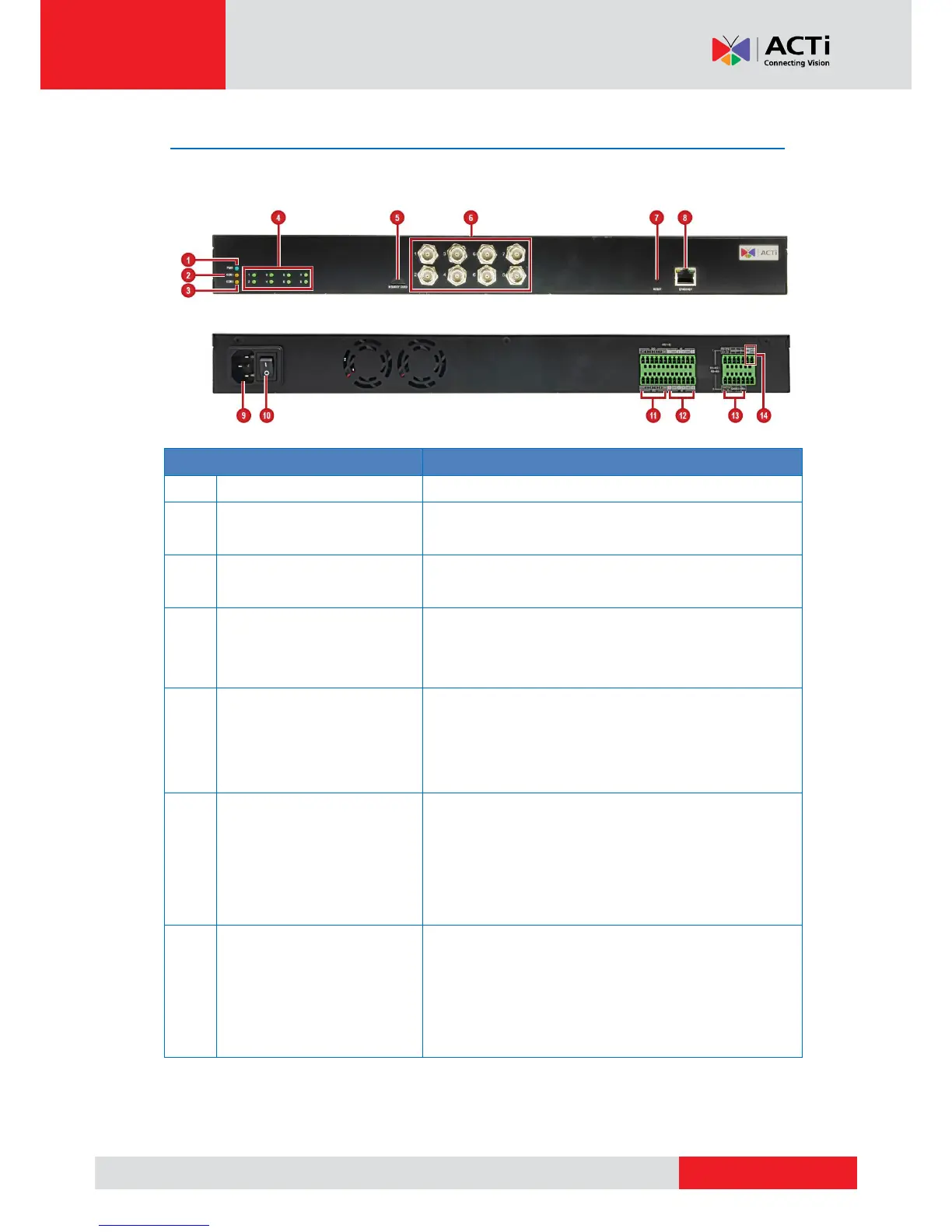
V31 Overview
Lights up when the device is powered on.
Serial Communication 1
Activity LED
Lights up to when a serial device is connected
to the RS-422/RS-485 Port 1.
Serial Communication 2
Activity LED
Lights up to when a serial device is connected
to the RS-422/RS-485 Port 2.
The LED lights up when an analog camera is
connected to its corresponding video input
connector.
Insert a memory card (not included) into the
slot for local recording purposes.
NOTE: Supports microSDHC and microSDXC
cards. Card not included in the package.
Video Input Connectors
(1~8)
Connects an analog camera through BNC
connection. See Connecting the Analog
Camera on page 15 for more information.
NOTE: Video cable with BNC connector not
included in the package.
Use to restore the factory default settings,
including the administrator’s password. To
reset the encoder, press and hold the Reset
button using a pointed object (e.g. pen), for 5
seconds or until the Power LED goes off.



 To Next Page