Hardware Manual
14
Step 4: Connect and Manage the Cables
The camera and the pre-installed network cable, “pigtail”, are resistant to salt, water, weak acid,
alcohol, oil, grease and other common solvents. If the camera will be installed indoors, simply
connect the network side cable to the camera Ethernet port.
However, if the camera will be installed outdoors, ensure that the cable connections are
protected from different environmental factors. Use the bundled cable gland to protect the
Ethernet connection and use a waterproof tape to protect other cable connections. See Using a
Power Adapter (Optional) on page 17 for more information.
DISCLAIMER: ACTi will not be responsible for camera damage caused by water entering the
cable connections.
Using the Cable Gland
This section describes how to waterproof the cable-out or “pigtail” of the camera using the
bundled cable gland. Before connection, prepare an exterior-grade Ethernet cable with RJ-45
connector.
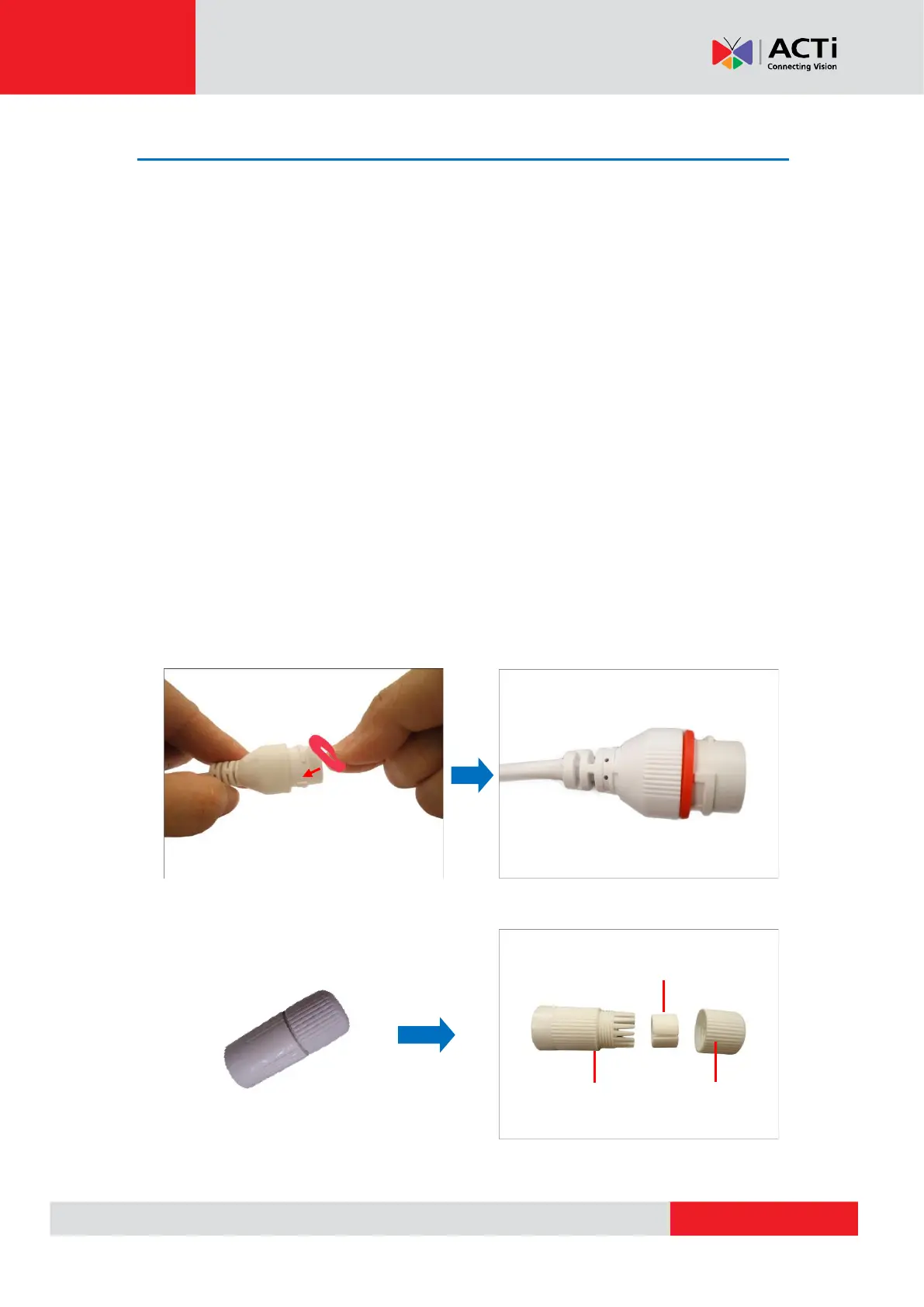
Perform the following to waterproof the “pigtail” using the cable gland:
1. Attach the washer to the Ethernet connector of the camera.
2. Detach the clamping nut and sealing insert from the gland body:



 To Next Page