EasyManua.ls Logo

ACTi Z39 - Physical Description

ACTi Z39
23 pages
Print Icon
To Next Page IconTo Next Page
To Previous Page IconTo Previous Page
Loading...
www.acti.com
Hardware Manual
9
Physical Description
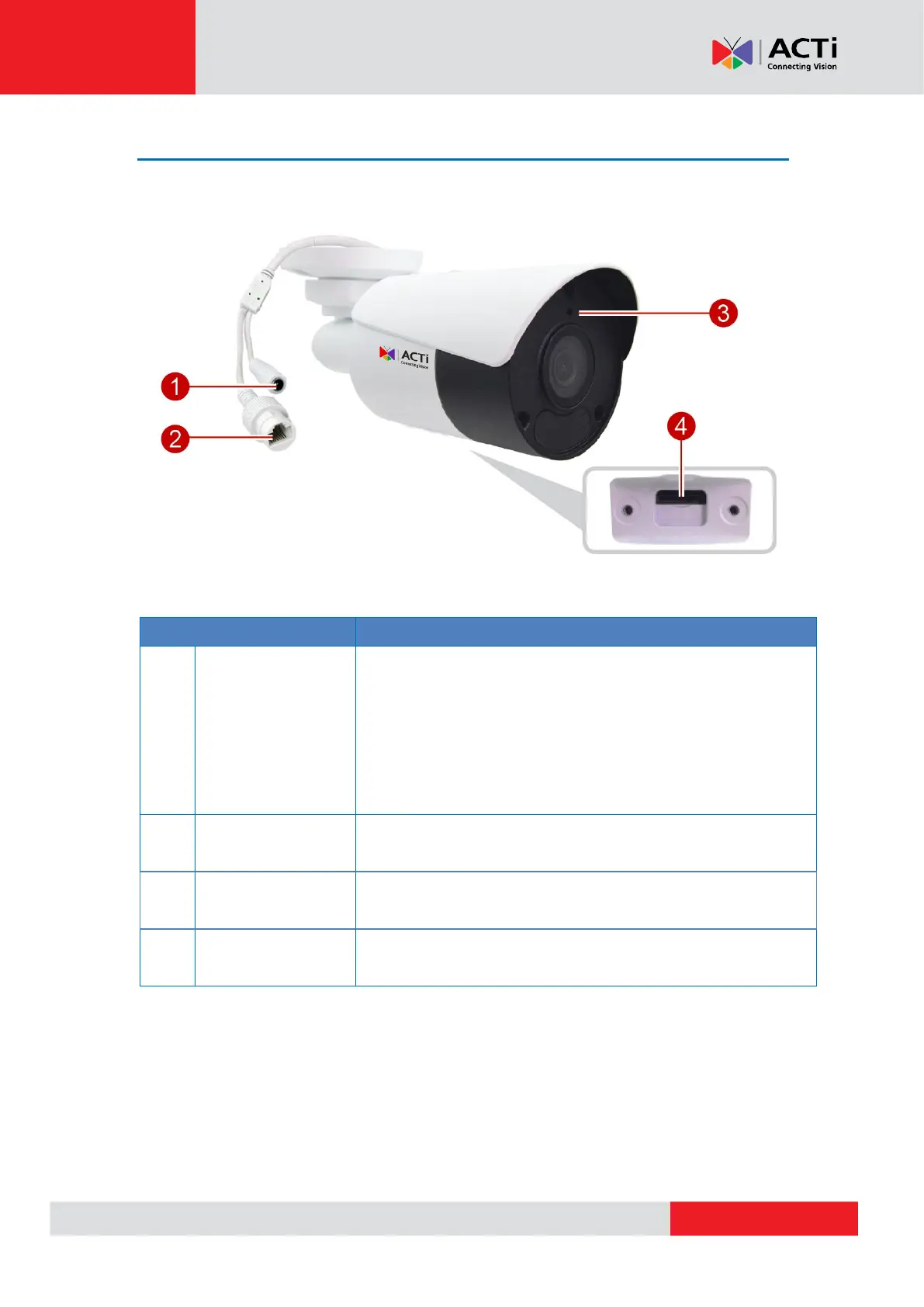
Item
Description
1
DC 12V Power
Input
In case the camera is connected to a non-PoE (Power over
Ethernet) switch, use this connector to connect the camera to an
external power adapter (not included). See Using a Power
Adapter (Optional) on page 17 for more information.
CAUTION: If the power cable will not be used, make sure to
insert the plug to cover the connector.

2
Ethernet Port
Connects to a network using an Ethernet cable with RJ-45
connector.
3
Built-in
Microphone
Receives audio input.
4
Memory Card Slot
Insert a memory card (not included) into the slot for local
recording purposes.
5

Related product manuals