USER MANUAL - DUAL ZONE AUDIO MEDIA PLAYER EQUIPMENT ACT553 - ACT553/DAB+
480305-3.0 11/12/2019 Page 5 / 33
© ACTIA “Any reproduction of this document, even partial, is strictly forbidden without written authorisation”.
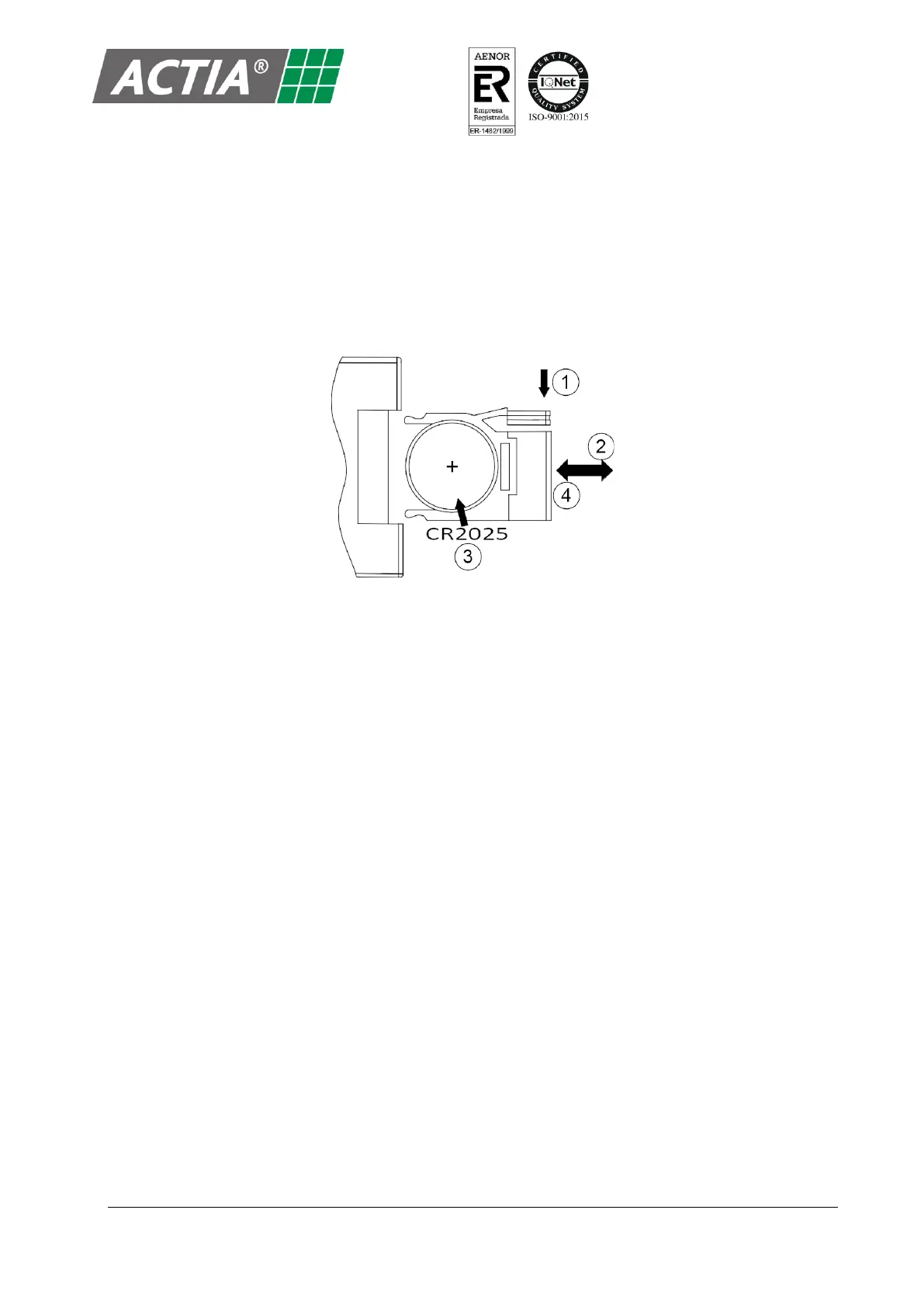
2.1. Replacement of the Battery of the Remote Control
To replace the remote control battery:
1. On the back of the remote control, press the tab on the side of the battery cover.
2. Slide and remove the cover.
3. Install a battery type CR2025 with positive (+) and negative (-) poles facing the proper position.
4. Push the cover into place. Make sure it is fully seated.


 To Next Page