USER MANUAL - DUAL ZONE AUDIO MEDIA PLAYER EQUIPMENT ACT553 - ACT553/DAB+
480305-3.0 11/12/2019 Page 16 / 33
© ACTIA “Any reproduction of this document, even partial, is strictly forbidden without written authorisation”.
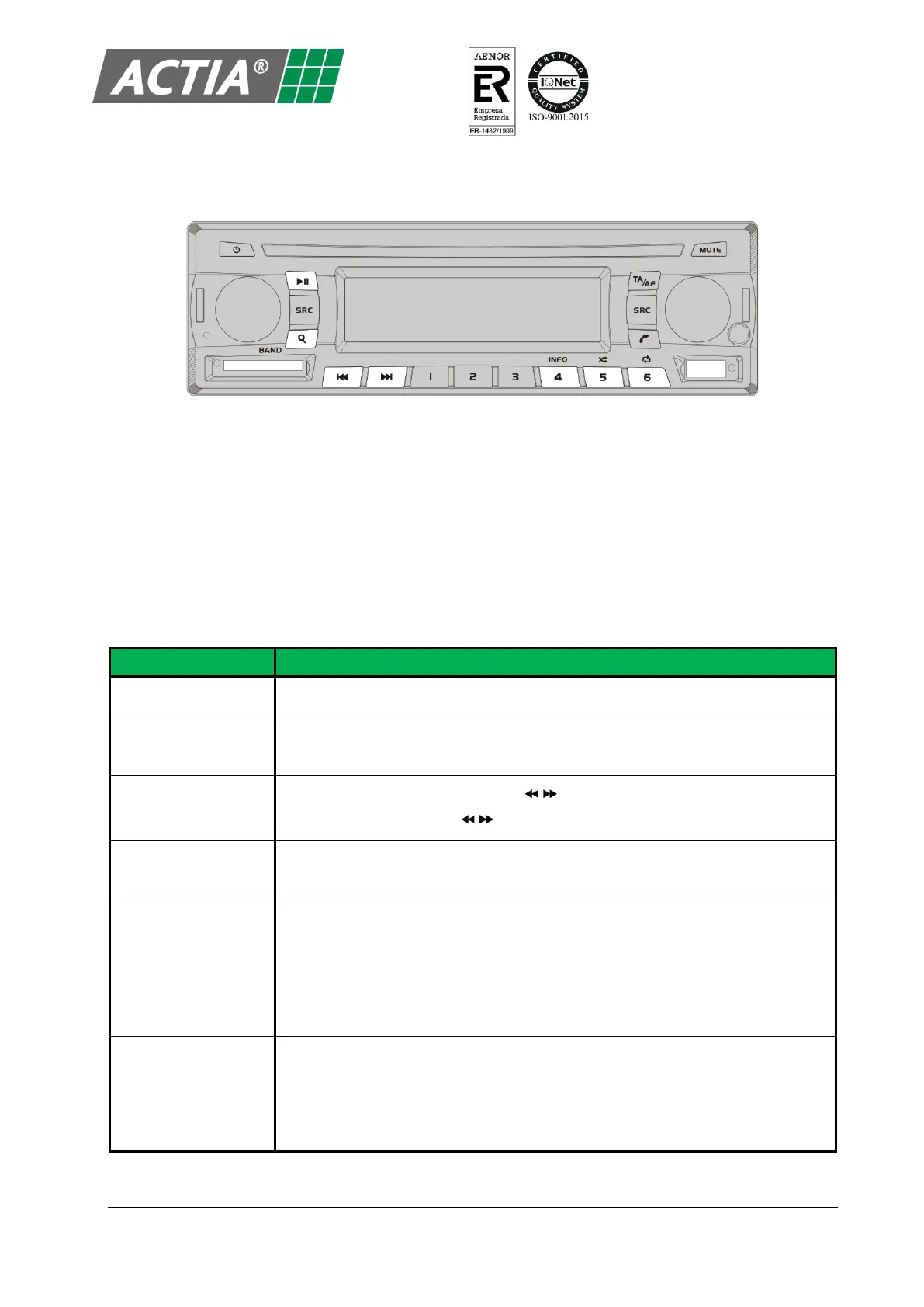
Figure 9 – USB / SD Card Controls
5.1. Play the Content on a Device
With the USB or SD Card source selected:
1. Insert a SD card, connect a USB storage device or a USB Apple device.
2. Playback automatically starts, playing the first element of the device or the last item played.
3. Control the playback as indicated in the Table 3.
Table 3 – USB / SD Card Playback Controls
Reverse / Forward to
the next item
▪ Press and hold [d/e] (or press [ / ] on the remote control): (x2).
▪ Press [d/e] (or press [ / ] on the remote control): (x4), (x8), (x16).
Activate / deactivate
random play
Press [
g
] (or press and hold [MODE] on the remote control).
Press [
h
] (or press [MODE] on the remote control) to switch between the
different repeat modes:
▪ REP 1: repeat the current file.
▪ REP DIR: repeat all files in the current folder.
▪ REP ALL: repeat all files in the current device.
Change the LCD
screen information
Press [INFO] to switch between the different information modes:
▪ File name and time of track.
▪ File name and time to finish.
▪ Folder and file name.


 To Next Page