EasyManua.ls Logo

Actia ACT553 - User Manual

Actia ACT553
36 pages
Print Icon
To Next Page IconTo Next Page
Loading...
User Manual
ACT553 ACT553/DAB+
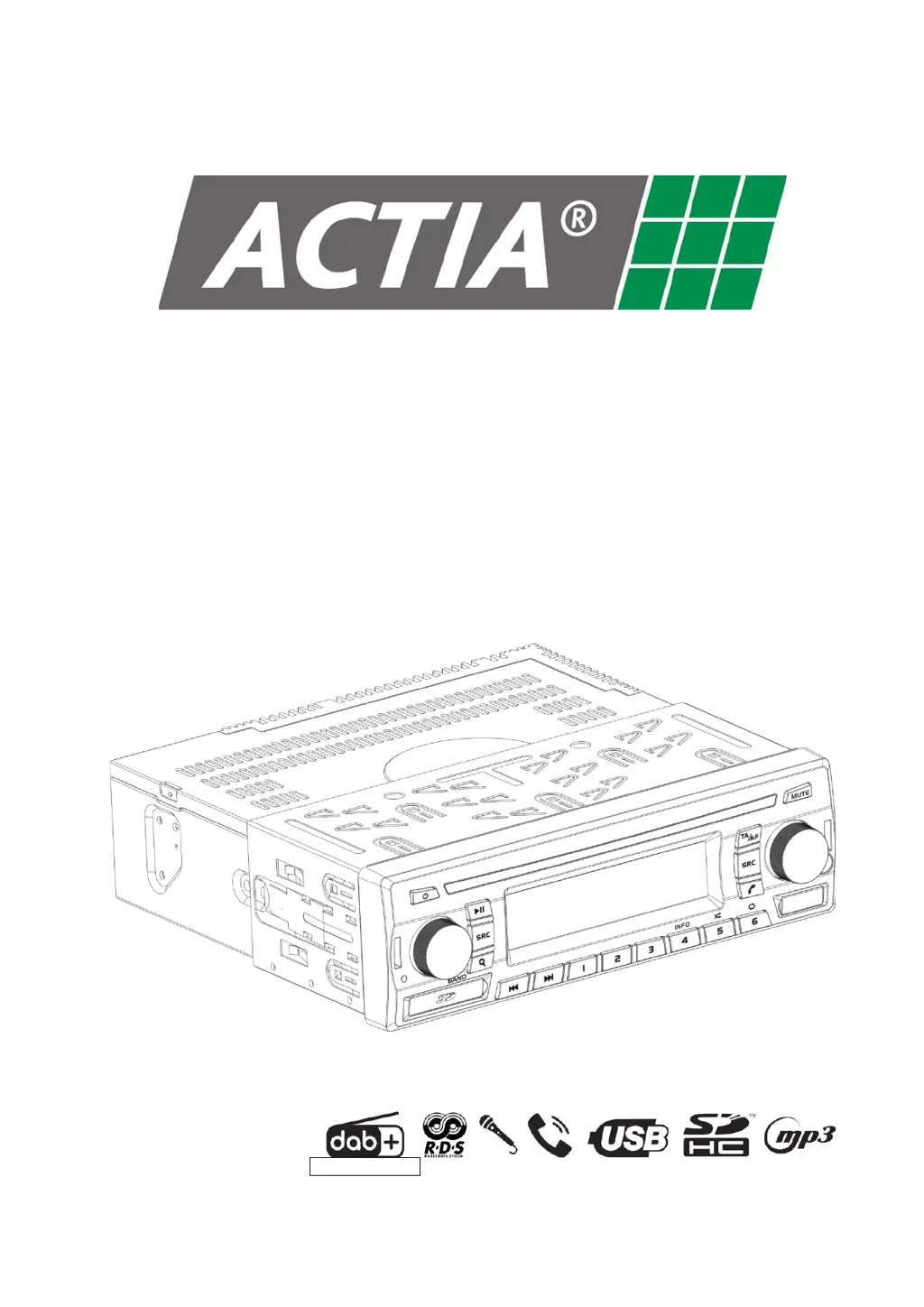
Dual Zone Audio Media Player
ACT553/DAB+ Only

Questions and Answers

  • S
    Sharon HuntAug 13, 2025
    What to do if Actia Music Equipment does not respond to the remote control?
    • M
      Misty WadeAug 13, 2025
      If your Actia Music Equipment isn't responding to the remote control, the first step is to check the remote's battery. If the battery is weak or depleted, replace it with a new one.
  • K
    Kelly RobbinsAug 16, 2025
    How to fix Actia ACT553 when sound cannot be heard in a particular zone?
    • B
      bbarnesAug 17, 2025
      If you can't hear sound in a specific zone with your Actia Music Equipment, ensure that the correct source is selected for playback in that area. Also, verify that the Mute function is not enabled and that the volume is set to an audible level. If using USB, SD Card, or Remote Audio, confirm that the playback is in PLAY status.
  • S
    Sarah DuarteAug 20, 2025
    What to do if Actia ACT553 does not respond to any button?
    • T
      Terri MossAug 20, 2025
      If your Actia Music Equipment isn't responding to any button, try resetting the equipment. If the issue persists, reset and restore the configuration.
  • H
    Heather ThomasAug 25, 2025
    Why does Actia Music Equipment skip audio files from USB or SD Card?
    • N
      Nancy HollandAug 25, 2025
      If your Actia Music Equipment skips audio files from a USB device or SD Card, ensure the audio player supports the audio format of the files.
  • C
    Christina BakerAug 28, 2025
    Why AF function does not work correctly on Actia Music Equipment?
    • C
      Chad BellAug 28, 2025
      If the AF and/or Service Following function on your Actia Music Equipment isn't working correctly, first ensure that the AF function is active; the AF icon should be visible on the LCD screen. Then, check the AF REGIONAL and/or LINK REGIONAL parameter in the radio settings. Also, check the parameter LINK DAB ?FM of radio settings.
  • T
    tzimmermanAug 31, 2025
    What to do if Actia Music Equipment does not recognize USB or SD Card on startup?
    • C
      Cody AdamsAug 31, 2025
      If your Actia Music Equipment doesn't recognize a USB or SD Card device upon startup, remove the device and then reinsert it. Some devices do not allow detection at start-up.
  • M
    Michelle BlackwellSep 4, 2025
    How to activate radio AF and TA functions on Actia ACT553 Music Equipment?
    • J
      Jeffrey MaddoxSep 4, 2025
      To activate the radio AF and TA functions on your Actia Music Equipment, make sure that RDS is activated in the radio settings.
  • C
    Carl FoxSep 8, 2025
    What to do if guide microphone is not heard in the driver area of Actia ACT553 Music Equipment?
    • J
      John SmithSep 8, 2025
      If the guide microphone isn't audible in the driver area with your Actia Music Equipment, ensure that the microphone is set to “DRV + PSG” mode.

Summary

Before Use

ACT553;DAB+ Equipment Overview

Basic Operation

Power and Volume Control

How to power the device on/off and adjust audio volume levels.

Zone and Source Selection

Choosing between driver/passenger zones and switching audio sources.

Mute Function

Muting the audio output and how to unmute.

Restore Factory Settings

Reset Equipment

Reset and Restore Settings

Firmware Version Check

Radio Operation (AM;FM;DAB+)

Frequency Band Selection

Choosing between AM, FM, and DAB+ radio bands for reception.

Tuning Radio Stations

Methods for finding radio stations using auto or manual tuning.

Radio Station Scanning

Auto Station Memorization

Station Memory Management

RDS and Traffic Announcement Functions

AF Functionality

Automatic retuning to alternative frequencies for improved reception.

TA Functionality

Searching for and broadcasting traffic news or announcements.

DAB+ Specific Functions

Service Following

Automatic switching to alternative stations for continuous playback.

DAB+ Information Modes

Displaying DLS, ENSEMBLE, SNR, and Data Service information.

Radio Settings Configuration

Radio Reception Principles

Media Playback (USB;SD Card)

Playing Media Files

How to play music and media files from USB drives and SD cards.

Selecting Media Content

Bluetooth Connectivity

Pairing a Bluetooth Device

Connecting a smartphone or other device via Bluetooth.

Unpairing a Bluetooth Device

Removing a previously paired Bluetooth device.

Microphone Usage

Making and Receiving Calls

Call Management

Remote Audio Playback Control

AUX Input Usage

Microphone Settings

Audio Settings Adjustment

General Settings Configuration

Maintenance Procedures

Equipment Cleaning

Instructions for cleaning the device's front plate.

SD;USB Port Care

Guidelines for using and protecting SD card and USB ports.

Troubleshooting Common Issues

Technical Specifications Overview

Electrical Specifications

Mechanical Specifications

Supported Media File Formats

Apple Device Compatibility

FM Tuner Specifications

AM Tuner Specifications

DAB+ Tuner Specifications

USB Device Specifications

SD Card Specifications

Bluetooth Remote Connection

Environmental Operating Conditions

Hardware and Software Versions

Installation and Connection

Recommended AM-FM Antenna

Specifications and recommendation for the AM-FM antenna.

Recommended DAB+ Antenna

Specifications and recommendation for the DAB+ antenna.

Actia ACT553 Specifications

General IconGeneral
BrandActia
ModelACT553
CategoryMusic Equipment
LanguageEnglish