Go to the CentrePoint Main Portal at https://centrepoint.actigraphcorp.com and login using your
username and password.
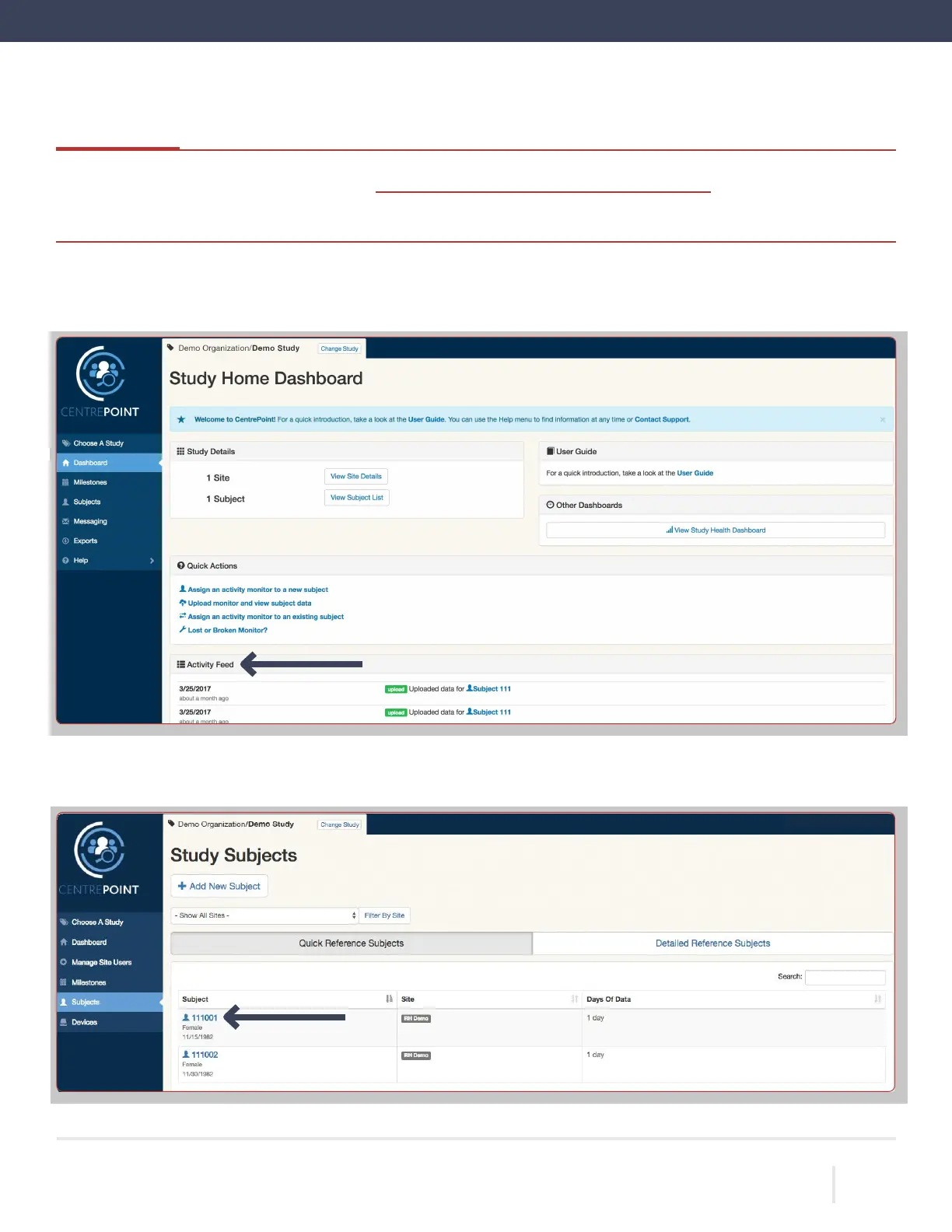
Once logged in, you will be directed to the
“Study Home Dashboard”
page. All uploads are instantly logged in the
“Activ-
ity Feed” on the “Study Home Dashboard.”
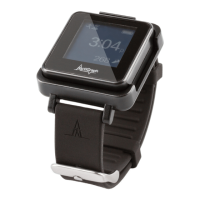
To view detailed upload information for a participant,
select the “Subjects” tab from the left hand menu, and select the
desired subject ID from the list.
ACTIGRAPH LEAP™ | E.200.6025 | RELEASED: 10/09/2023 | REV: 0
THEACTIGRAPH.COM



 To Next Page