EasyManua.ls Logo

Actisense DST-2-C-150 - User Manual

Actisense DST-2-C-150
16 pages
Print Icon
To Next Page IconTo Next Page
Loading...
Active DST Module:
Digital signal processing for
Depth, Speed and Temperature
transducers
DST-2-C
User Manual
Issue 1.51
 Breathes new digital life into old and new analogue transducers
 Connects to depth sounder transducers to produce NMEA 0183
depth sentences DBT and DPT
 Connects to log hall-effect sensors to produce NMEA 0183 speed
and distance travelled sentences VHW and VLW
 Connects to 10kΩ @ 25ºC temperature sensors to produce NMEA
0183 temperature sentences MTW

Questions and Answers

Overview

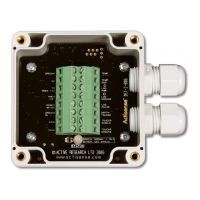
The Actisense DST-2-C is an Active DST Module designed to bring new digital life to both old and new analogue (standard, passive, no electronics) transducers. It achieves this by incorporating an advanced digital signal processing (DST) module, enabling these transducers to interface directly with any instrument that has an NMEA 0183 digital data input. The NMEA 0183 marine standard is a purely digital data transmission scheme that uses binary format '1's and '0's to communicate a digital representation of information such as depth, speed, and temperature to a connected instrument.

Function Description

The DST-2-C module is capable of measuring four quantities: depth, speed, log (distance), and temperature, all within a single device. This integration helps to reduce the cost associated with extra electronic devices and minimizes the NMEA 0183 port requirements of the receiving instrument from three to just one.

  • Depth Transducer Interface: The module connects to standard piezoelectric depth transducer crystal elements using a three-wire interface. It generates the high transmit voltages required to drive the depth transducer and receives the faint echo returns from the sea-bed. An advanced sea-bed tracking algorithm is employed to determine the depth value, which is then output as NMEA 0183 depth sentences DBT and DPT. Actisense has refined its depth sounder circuitry and software over a 15-year development period, with algorithms proven in tens of thousands of products. This sophisticated system tracks the sea-bed and effectively rejects false signals that can occur from nearby targets, other depth sounder devices operating on the same frequency, double depths, and even algae formations.

  • Speed Transducer Interface: The DST-2-C connects to standard 'paddle-wheel' hall-effect speed transducers via a three-wire interface. It provides the necessary power supply and receives pulse signals from the paddle-wheel. Once a speed transducer is detected (after sensing a minimum of three log pulses), statistical analysis is used to determine both speed and distance values. These are then output as NMEA 0183 speed sentence VHW and distance travelled sentence VLW. Data output continues regardless of the transducer output until a power reset.

  • Temperature Transducer Interface: The module connects to standard thermistor transducers using a two-wire interface. Upon detecting a temperature transducer (after sensing its resistance at power-up), a high-resolution algorithm determines the temperature value, which is then output as NMEA 0183 temperature sentence MTW.

  • NMEA 0183 Output: The DST-2-C features a full-differential NMEA 0183 output driver. This driver can support up to four fully compliant NMEA 0183 device loads with a 10mA (maximum) drive capability. The full-differential output enhances communication quality and reduces noise emissions when using unshielded twisted pair cabling.

Usage Features

  • Wide Battery Input Voltage Range: The NMEA 0183 DST-2-C can operate from a battery supply ranging from 10 to 28 volts, ensuring maximum compatibility with various marine electrical systems.

  • Low Power Consumption: The device typically consumes only 65mA at 12 volts, making it energy-efficient.

  • High-Speed Microcontroller: Equipped with a microcontroller capable of 10 million instructions per second, the DST-2-C has ample processing power for accurate and fast tracking of depth, speed, distance, and temperature calculations.

  • Sounding Transducer Circuitry: The circuitry is designed to interface with a wide selection of transducers, including those from Airmar.

  • Robust Nylon Grommets: The unit is supplied with Nylon sealing grommets, certified to IP68, meaning they are immersible for long periods without water ingress. For optimal water integrity, all grommets must be occupied by round-section cables.

  • Flexible Cable Diameter Range: The grommets can accommodate a large range of cable diameters, between 4.5mm and 10mm, allowing for single or multi-pair wire types.

  • Diagnostic LED: The DST-2-C includes a tricolour diagnostic LED that indicates the current operating mode and any errors detected during the self-test initiation process. This provides immediate visual feedback on the device's status.

Maintenance Features

  • Flash ROM Technology for Software Updates: The DST-2-C's built-in firmware is stored in "flash" memory, allowing for quick and easy upgrades. Actisense provides these updates free on its website, enabling the DST module to become more sophisticated over time and allowing for prompt bug fixes without requiring the unit to be taken out of commission.

  • In-Situ Upgrades: Software upgrades can be performed with the unit completely installed, by connecting a PC to the NMEA 0183 port using an Actisense RS485-to-RS232 converter cable.

  • Tough Polycarbonate Case: The case is certified to IP66, offering total protection against dust and low-pressure water jets from all directions. Its polycarbonate construction provides exceptional strength, a wide operating temperature range, and superior protection for the internal electronics. The IP66 rating can be further enhanced by applying a suitable non-acid based marine sealant to the gasket after wiring and testing, which is beneficial in environments prone to salt spray, accidental immersion, or where maximum long-term reliability is critical.

  • Ground Loop Prevention: To comply with the NMEA 0183 standard, all device interconnection NMEA cables should be two-conductor, shielded, twisted pair. The shield connection of these wires should be connected at the instrument end only to prevent ground loops.

  • Battery Supply Connection: The DST-2-C should be wired to the vessel's battery supply as directly as possible to minimize interference from other electronic devices. The cable used should be of sufficient gauge to handle the power requirements of the Actisense DST-2.

Actisense DST-2-C-150 Specifications

General IconGeneral
Depth Resolution0.1m
Temperature Resolution0.1°C
OutputNMEA 0183
Weight0.5 kg
Protection RatingIP67
CertificationCE, RoHS
Depth Range0-150m
Temperature Range-5°C to +40°C
Speed Resolution0.1 knots
Operating Temperature-10°C to +50°C
Storage Temperature-20°C to +60°C
Humidity0 to 100%