4 5
INSTALLATION
1. Remove protective packaging
2. Remove unit from shipping carton
3. Remove all protective materials
4. Check for shipping damage and loose or broken parts
5. Read Owner’s Manual thoroughly prior to installation
6. Install batteries in remote
7. Determine placement location for the unit (See “Placement of Unit” on page 5)
8. Insert the power supply plug into the power receptacle on the rear of the unit. Plug the appropriate cord
into the power supply and into a working electrical outlet
9. Using either the remote control or the Power button, turn the unit ON
FEATURES
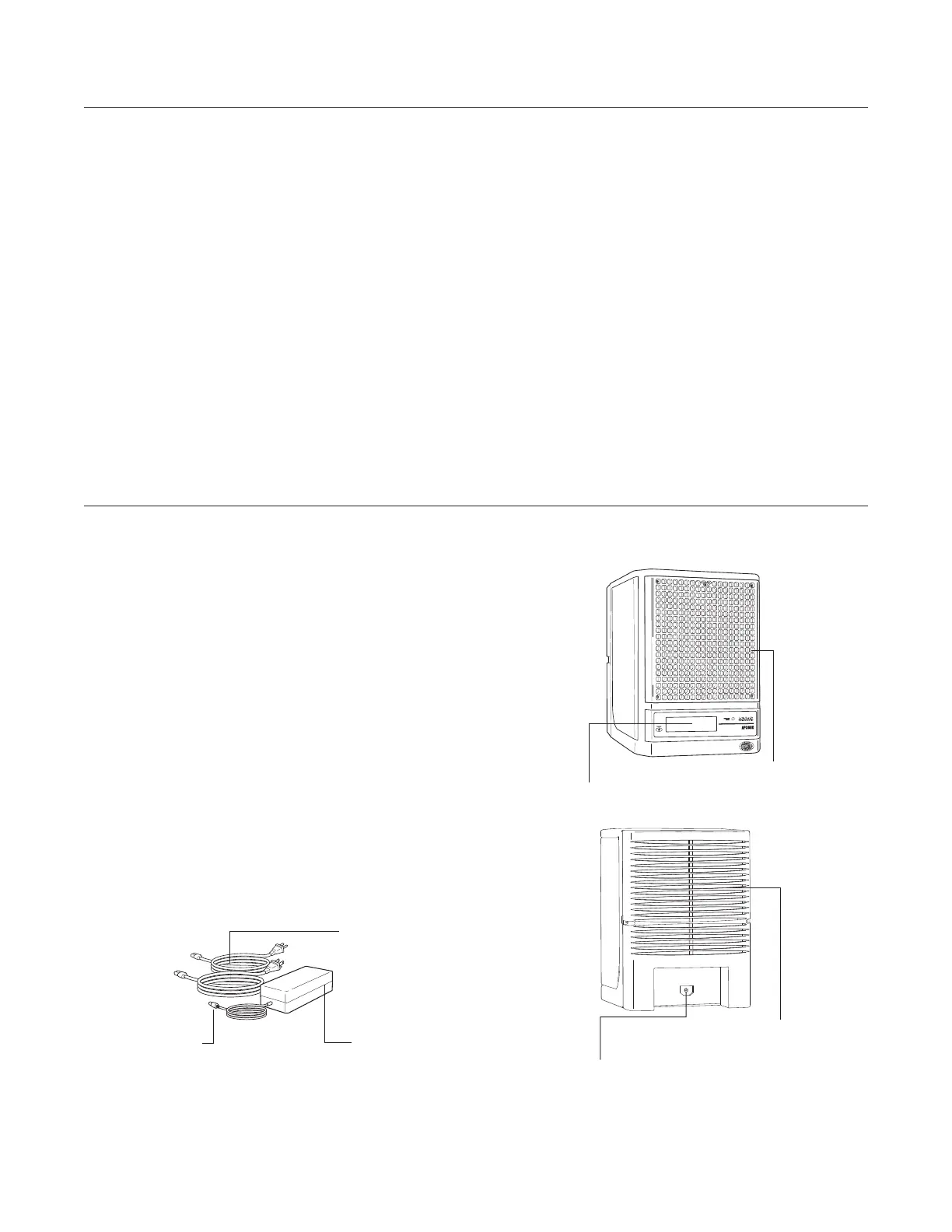
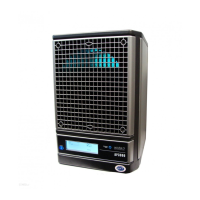
Back of Unit/Rear Access
Power Cord Receptacle
Power Supply
Power Supply Plug
Cords (2)
LCD Display
Removable Grill
• Exclusive ActivePure® Technology
• Needlepoint and RF Ion Generation
• Five Speed Fan (Remote Only)
• Reset (Manual Operation)
• Adjustable Purifier Control (Remote only)
• LCD Display
• Away Mode Function w/ Adjustable Digital Timer
(Remote Only)
• Maintenance Reminders
• Washable Purification Plate
• Washable Prefilter
• Washable Foam Filter
• Washable Honeycomb Filter
• Replaceable ActivePure® Cell
• Removable Front Grill
• Universal Power Supply with Two (2) cords


 To Next Page