83
uuIndicatorsu
Continued
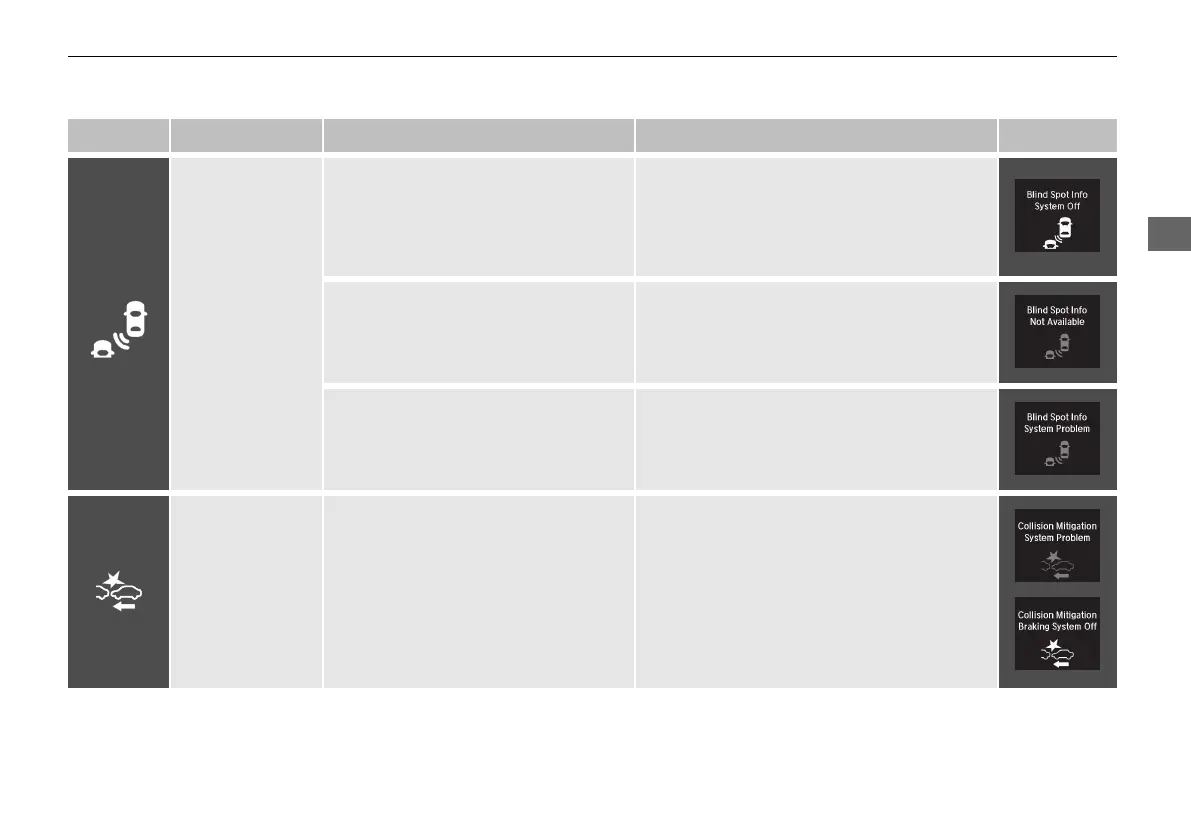
Indicator Name On/Blinking Explanation Message
Blind spot
information
System Indicator
*
●
Comes on for a few seconds when
you change the power mode to ON,
then goes off.
●
Stays on while blind spot information
system is turned off.
2 Customized Features P. 99
●
Comes on when mud, snow, or ice
accumulates in the vicinity of sensor.
●
Comes on while driving - Remove the
obstacle in the vicinity of sensor.
2 Blind spot information System
*
P. 443
●
Comes on if there is a problem with
the system.
●
Comes on while driving - Have your
vehicle checked by a dealer.
Collision
Mitigation Braking
System
TM
(CMBS
TM
)
Indicator
●
Comes on for a few seconds when
you change the power mode to ON,
then goes off.
●
Comes on when you deactivate the
CMBS
TM
. A multi-information display
message appears for five seconds.
●
Comes on if there is a problem with
the CMBS
TM
.
●
Stays on constantly without the
CMBS
TM
off - Have your vehicle checked by
a dealer.
2 Collision Mitigation Braking System
TM
(CMBS
TM
) P. 453
* Not available on all models
21 ACURA ILX-31TX66800.book 83 ページ 2020年8月4日 火曜日 午後7時33分



 To Next Page