8
Navigation—Home Address and Going Home
The “Home” feature automatically routes you to your home address from any location simply by selecting Home.
Set your home location to use the feature.
The order of the steps may change depending on the map data loaded on your system.
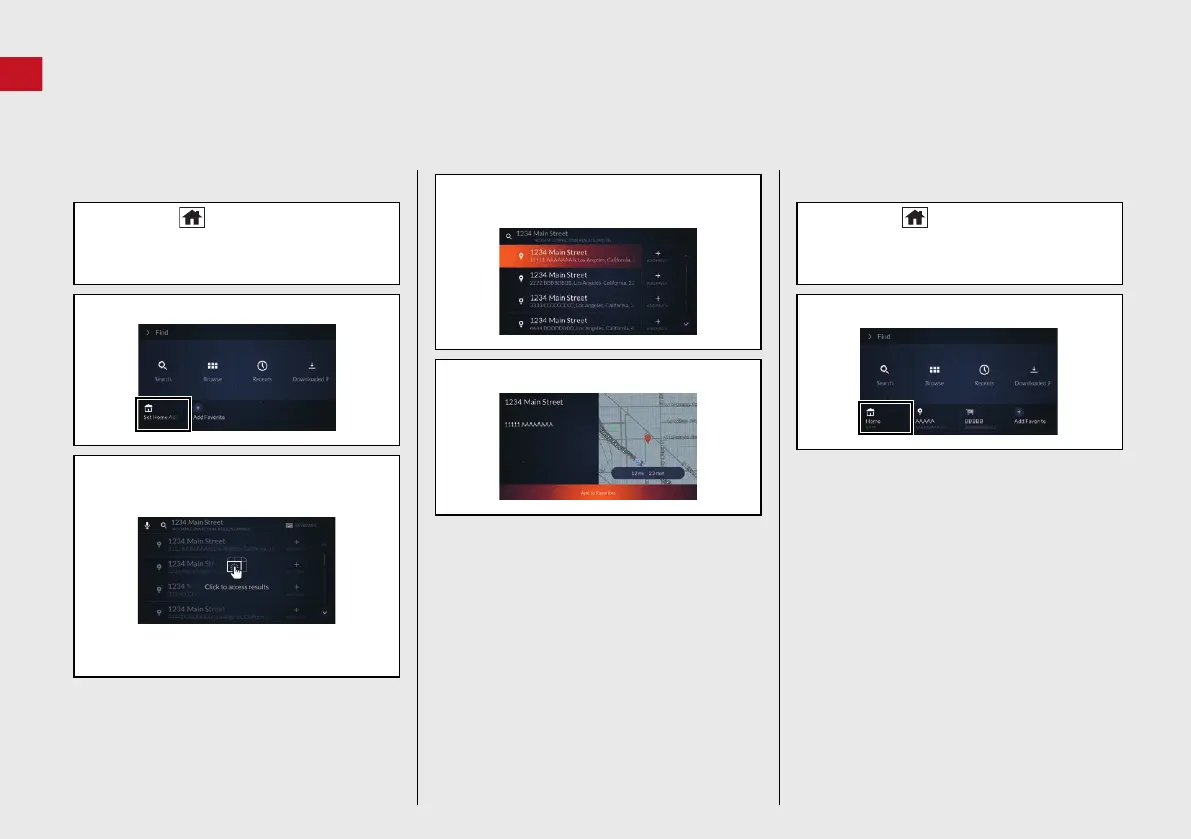
Storing Your Home Address
a Press the (Home) button and then
select Navigation.
b Select Find.
c Select Set Home Address.
d Enter your home address. (P5 )
e Click the A-zone touchpad.
If you use the on-screen keyboard,
select Enter.
f Select an address from the search
results.
g Select Add to Favorites.
Going Home
a Press the (Home) button and then
select Navigation.
b Select Find.
c Select Home.
24 ACURA MDX ELP NAVI-31TYA8200_01.book 8 ページ 2023年4月10日 月曜日 午後5時47分



 To Next Page
 Loading...