69
uuChanging Your DestinationuSearching Nearby POIs
Searching Nearby POIs
H (Home) u Navigation u Nearby (when en route)
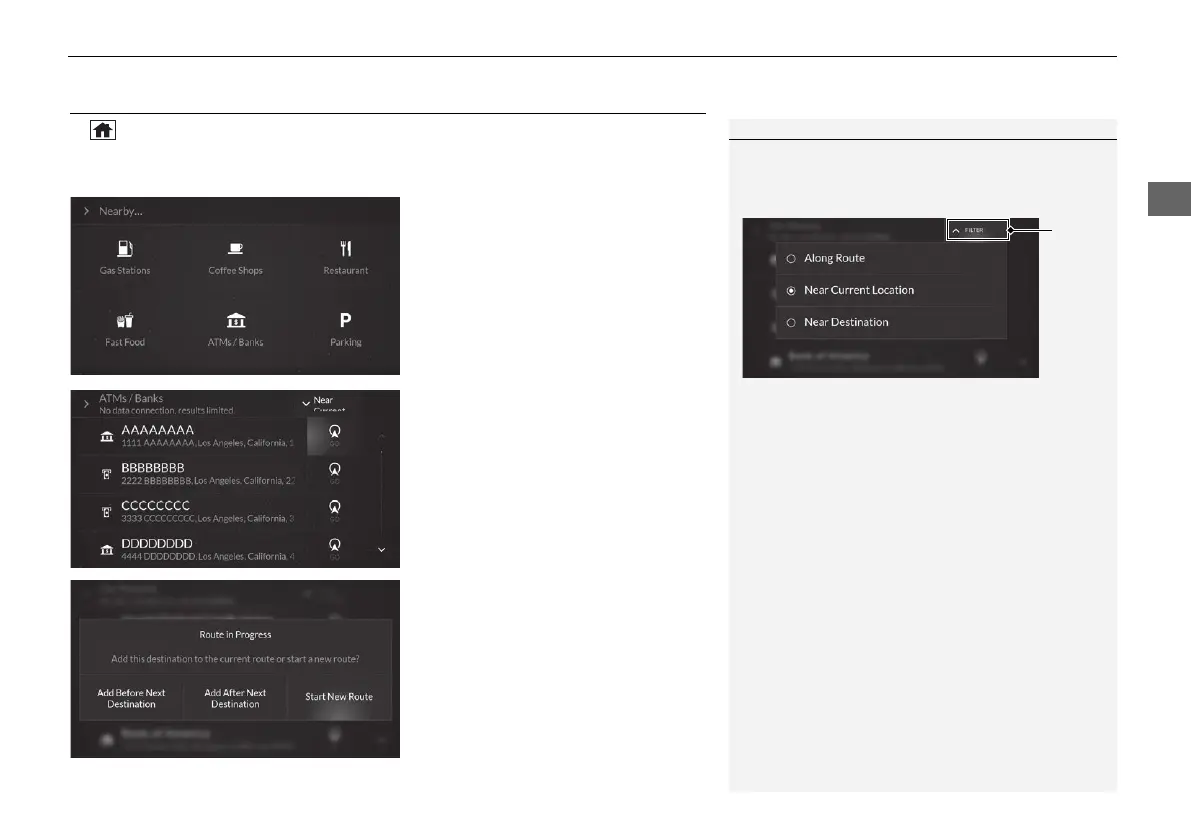
Search for a POI along your route to set a new destination.
1. Select a category type.
2. Select GO on the right side of your
destination.
3. Select Start New Route.
u You can add the location to the
current route.
2 Adding a Waypoint P. 65
1 Searching Nearby POIs
You can filter the search results. Select the filter
menu on the top right of the screen, and then select
an option.
The following options are available:
• Along Route: Displays locations along your
current route.
• Near Current Location (Default): Displays
locations near your current location.
• Near Destination: Displays locations near your
destination.
24 ACURA MDX ELP NAVI-31TYA8200_01.book 69 ページ 2023年4月10日 月曜日 午後5時47分



 To Next Page
 Loading...