Need help?
Do you have a question about the AcuRite 02022WB and is the answer not in the manual?
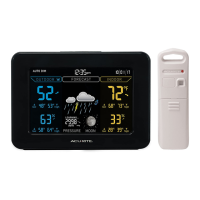
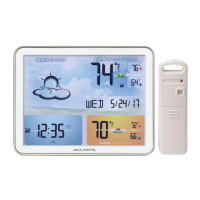
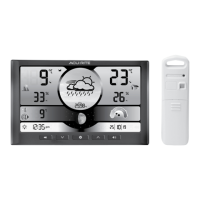
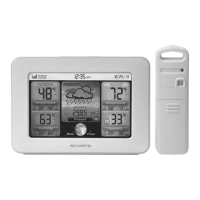
This document describes the AcuRite Weather Station models 02027 and 02022WB, a device designed to provide accurate weather information and timekeeping.
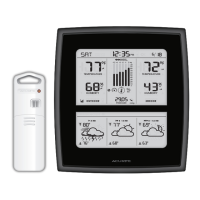
The AcuRite Weather Station is a comprehensive system that measures and displays outdoor temperature, humidity, and barometric pressure, alongside indoor temperature and humidity. It features a self-calibrating forecasting system that provides a personalized weather forecast for the next 12 to 24 hours based on data collected from the outdoor sensor. The display unit also shows the current time, date, moon phase, and records of high and low temperatures and humidity. The device includes an Intelli-Time® clock that automatically updates for Daylight Saving Time.
Temperature Range:
Humidity Range:
Wireless Range:
Operating Frequency:
Power:
Data Reporting:
The display unit can be powered by a 5V power adapter, with 3 AA alkaline batteries serving as a backup. The outdoor sensor requires 2 AA alkaline or lithium batteries. Lithium batteries are recommended for temperatures below -4°F / -20°C.
Setup and Synchronization: The device requires a simple setup process. Users need to set the A-B-C switch in both the display unit and the outdoor sensor to the same letter (A, B, or C) to ensure proper synchronization. Batteries should be installed in both units, and the power adapter connected to the display unit. The Intelli-Time® clock automatically sets the time and date.
Display Unit Features: The display unit provides a wealth of information at a glance:
Display Backlight Settings: The display offers three brightness settings: High (100%), Medium (60%), and Low (30%). When using battery power alone, the backlight is available momentarily for 10 seconds by pressing the "BACKLIGHT" button. With the power adapter, the backlight remains on at 100% brightness, with options to dim to 60% or 30% brightness. An "AUTO DIM" mode automatically adjusts brightness based on the time of day and year.
Placement for Maximum Accuracy:
Learning Mode: The self-calibrating forecasting feature uses a unique algorithm to analyze changes in pressure over a time period (called Learning Mode) to determine your altitude. After 14 days, the Learning Mode icon disappears from the display screen, and the forecast becomes more accurate.
Barometric Pressure Calibration: The display unit allows for manual calibration of barometric pressure to improve accuracy. This can be done by pressing and holding the "gear" and "up arrow" buttons simultaneously for at least 5 seconds, then adjusting the value.
Display Unit Care: Clean with a soft, damp cloth. Do not use caustic cleaners or abrasives. Keep away from dust, dirt, and moisture. Clean ventilation ports regularly with a gentle puff of air.
Outdoor Sensor Care: Clean with a soft damp cloth. Do not use caustic cleaners or abrasives.
Battery Replacement:
Troubleshooting: The manual provides a comprehensive troubleshooting guide for common issues such as:
Product Registration and Warranty: AcuRite offers a 1-year warranty on its products. Customers are encouraged to register their product online to receive warranty protection and access customer support. The manual provides contact information for customer support, including a phone number and email address.
 General
| Brand | AcuRite |
|---|---|
| Model | 02022WB |
| Category | Weather Station |
| Language | English |

 To Next Page