EasyManua.ls Logo

AcuRite 621 - User Manual

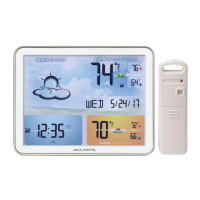
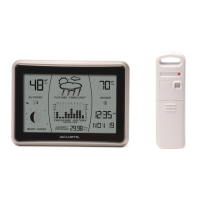
AcuRite 621
12 pages
Print Icon
To Next Page IconTo Next Page
Loading...
Instruction Manual
SAVE THIS MANUAL FOR FUTURE REFERENCE.
Questions? Contact Customer Support at
(877) 221-1252 or visit www.AcuRite.com.
CONTENTS
Unpacking Instructions ........... 2
Package Contents .................. 2
Product Registration ............... 2
Features & Benets: Sensor ..... 2
Features & Benets: Display .... 3
Setup .................................... 4
Sensor Setup ......................... 4
Display Setup ........................ 4
Intelli-Time
®
Clock .................. 5
Set the Time, Date & Units ...... 5
Placement Guidelines ............. 6
Using the Forecaster............... 7
Troubleshooting ..................... 8
Care & Maintenance .............. 9
Replace Intelli-Time
®
battery ... 9
Specications ........................ 10
FCC Information ...................10
Customer Support ................. 11
Warranty..............................11
Weather Forecaster
model 00621

Questions and Answers

  • M
    Mark WilcoxJul 31, 2025
    How to fix no outdoor sensor reception on AcuRite 621?
    • M
      Michelle MartinJul 31, 2025
      If your AcuRite Weather Station shows no outdoor sensor reception, consider the following: * Relocate the display unit and/or the outdoor sensor, ensuring they are within 165 ft (50 m) of each other. * Position both units at least 3 feet (.9 m) away from electronics that may interfere with wireless communication, such as TVs, microwaves, and computers. * Use standard alkaline batteries (or lithium batteries in the sensor when the temperature is below -4ºF/-20ºC). Avoid heavy-duty or rechargeable batteries. Note: It may take up to 20 minutes for the display unit and sensor to synchronize after batteries are replaced.
  • A
    Austin JohnsonAug 9, 2025
    What to do if AcuRite 621 Weather Station outdoor temperature is flashing or showing dashes?
    • L
      lgarciaAug 9, 2025
      If your AcuRite Weather Station's outdoor temperature display is flashing or showing dashes, wireless interference may be the cause. Try these steps: * Bring both the sensor and display unit indoors and remove at least one battery from each. * Reinstall the battery in the outdoor sensor. * Reinstall the battery in the display unit. * Let the units sit within a couple feet of each other for about 20 minutes to establish a strong connection.
  • G
    George HicksAug 21, 2025
    Why is my AcuRite Weather Station forecast inaccurate?
    • K
      Kevin HumphreyAug 21, 2025
      An inaccurate forecast on your AcuRite Weather Station could be due to several reasons: * The Weather Forecast icon predicts conditions for the next 12 to 24 hours, not current conditions. * The Learning Mode icon must disappear from the display unit for the forecast and pressure to be accurate. Allow the unit to run continuously for 33 days, as battery removal or resetting the display unit will restart Learning Mode. After 14 days, the forecast should be fairly accurate; however, Learning Mode calibrates for a total of 33 days.

Summary

Unpacking Instructions

Package Contents

Product Registration

Features & Benefits

Outdoor Sensor

Details about the outdoor sensor's features like hanger and indicator.

Display Unit

Describes features of the display unit, including forecast, clock, and indicators.

SETUP

Install or Replace Batteries

Guides on installing batteries in both outdoor sensor and display unit.

Intelli-Time Clock

Explains the Intelli-Time clock feature and its automatic updates.

Set the Time, Date & Units

Details on how to manually set time, date, and measurement units.

Placement for Maximum Accuracy

Display Unit Placement

Recommendations for placing the display unit indoors.

Outdoor Sensor Placement

Guidance on selecting the best outdoor location for the sensor.

OPERATION

Learning Mode

Describes the self-calibration process for accurate forecasting.

Weather Forecast

Explains how the unit provides personalized weather forecasts.

Moon Phase

Details how moon phases are displayed.

Barometric Pressure

Explains the display and history of barometric pressure.

High & Low Records

How to view and clear daily temperature records.

Troubleshooting

No Outdoor Sensor Reception

Solutions for when the outdoor sensor signal is not received.

Display Screen Not Working

Steps to resolve issues with the display screen not functioning.

Outdoor Temperature Issues

Explains why outdoor temperature might flash or show dashes.

Inaccurate Forecast

Reasons for an inaccurate weather forecast and how to fix it.

Inaccurate Temperature

Steps to ensure accurate temperature readings.

Care & Maintenance

Display Unit Care

How to clean the display unit properly.

Outdoor Sensor Care

How to clean the outdoor sensor.

Replace Intelli-Time Battery

Guide on replacing the coin-cell battery for Intelli-Time memory.

Specifications

FCC Information

Customer Support

Limited One Year Warranty

AcuRite 621 Specifications

General IconGeneral
Display TypeLCD
Temperature Range (Indoor)32°F to 122°F (0°C to 50°C)
Temperature Range (Outdoor)-40°F to 158°F (-40°C to 70°C)
Humidity Range1% to 99%
Wireless Range330 feet (100 meters)
FeaturesIndoor/outdoor temperature and humidity

Related product manuals