13
A 2 0 0 0 - S E R I E S A M P L I F I E R U S E R G U I D E
©2012 Indy Audio Labs, LLC all rights reserved / Revision20120420
Document No. 1000571
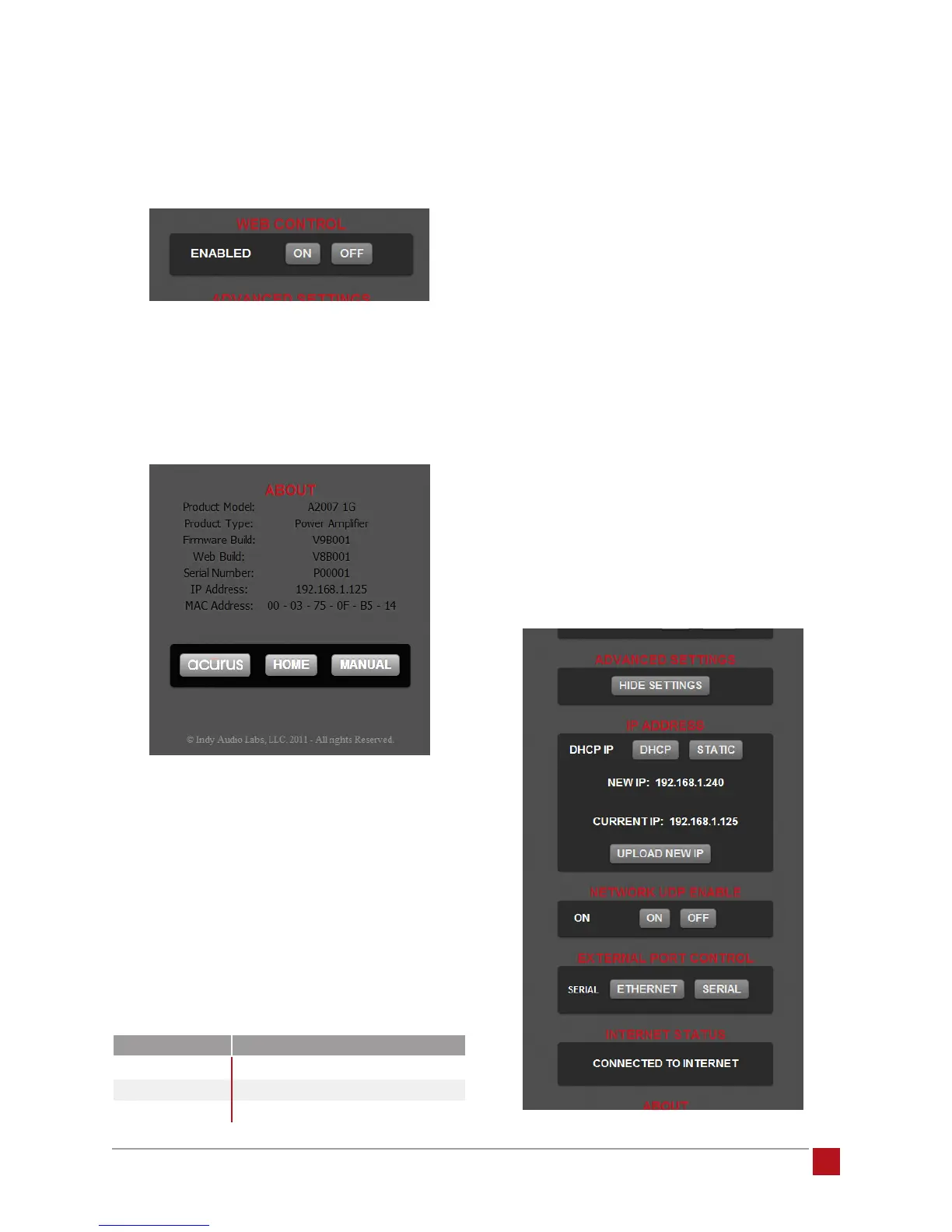
Web Control Enable: This on/off toggle is used for instal-
lations in which RS-232 or Ethernet commands are sent
from an external control system rather than via web
browser control.
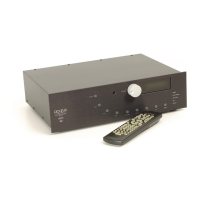
About Information Section: This section contains useful
information such as product model, software version, IP
address, MAC address as well as buttons to view the
Acurus web page http://www.acurusav.com, and a but-
ton to view the latest version of the online user guide.
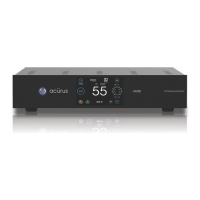
Advanced Settings: By selecting the “Show Settings”
button in the Advanced Settings section, advanced
information boxes appear that allow advanced control
functions and monitoring including:
1. Forcing a static IP address – used for creating
persistent links to the control page on a computer or
mobile device. (Note that an alternate method to ac-
complish this is to force a static IP for this MAC Ad-
dress in the local router.) The initial IP address of the
amplier is set to a default value per the table below:
Press the “Static” button and enter a new static IP
address or simply hit “Enter” to accept the default
ip address. Then press the “Upload New IP” button
to change the current IP address to the new Static
IP address. The new Static IP address will be set
and the next time a browser is pointed to this IP ad-
dress, a permanent control link can be easily
created on the control device’s desktop.
2. Restoring automatic DHCP address assignment
- press the DHCP button to force the internal web
server to request a new address from the network
DHCP server.
3. Enabling/disabling UDP commands – prevents the
amplier from responding to Ethernet network com-
mands. In most cases, when no external Ethernet
controller is present, this can be turned off to add
an additional level of network security.
4. Changing external controller type - in cases where an
external Ethernet or Serial Control System is present,
either Ethernet or Serial control can be selected.
5. Showing status on whether an internet connection
is present.
model default ip address
A2002
192.168.1.250
A2005
192.168.1.241
A2007
192.168.1.240


 To Next Page