EN
en
20
MCBA PArAMeters for the sPeCiAlist
660Y1400 - A
CODE MODE
ENTERING THE CODE
By entering the code you can access from
Parameter 10 to Parameter 113 and consult the
communication mode, the fan speed mode and
the Error mode.
Only ACV approved installers know the
access code.
For more information, please contact
our after-sales service.
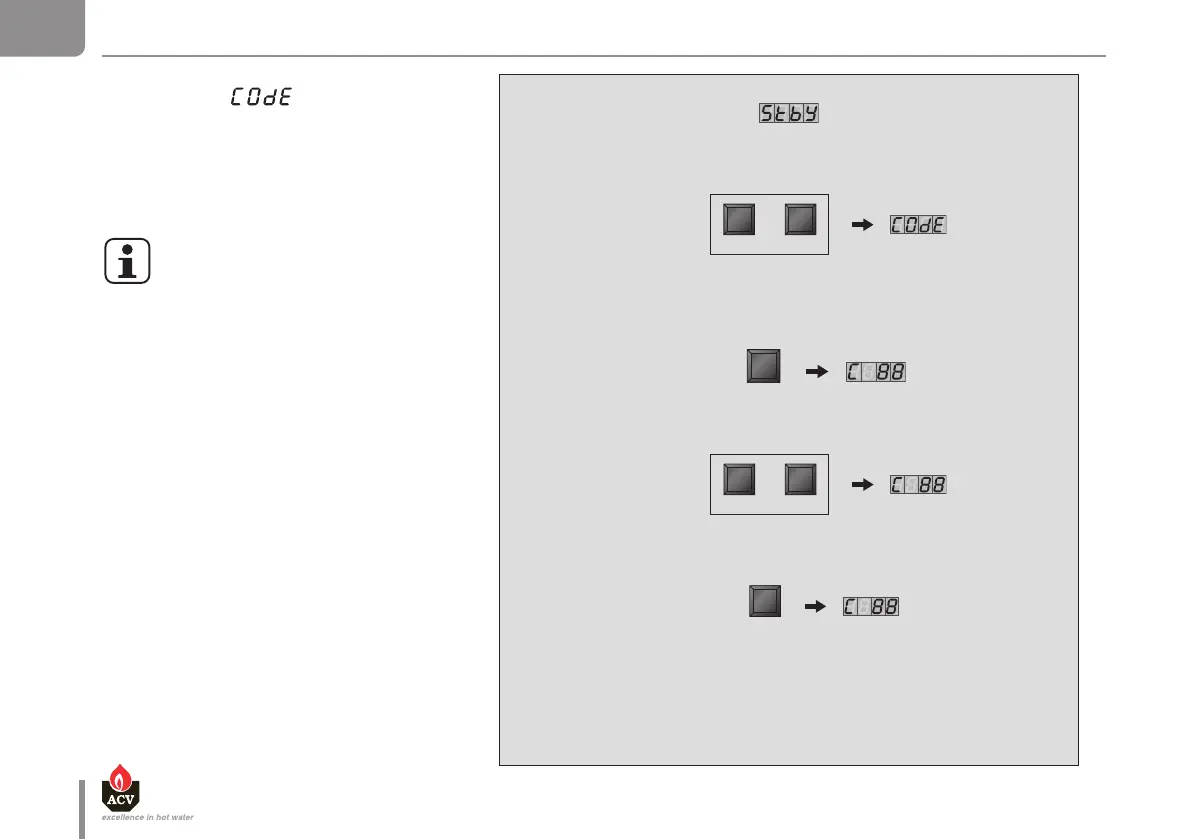
To access the Code mode, press simultaneously on MODE and STEP.
(Only inStand-by mode!]
Press once on theSTEP key and the screen displays “C”
in the first position then random characters in the third and fourth positions.
Press on "+" or "-" key to change the code
Press the STORE key, the screen flashes
briefly to indicate that the code has been accepted.
Press the MODE key until the desired
mode appears.
MODE STEP
+ -
or


 To Next Page