8
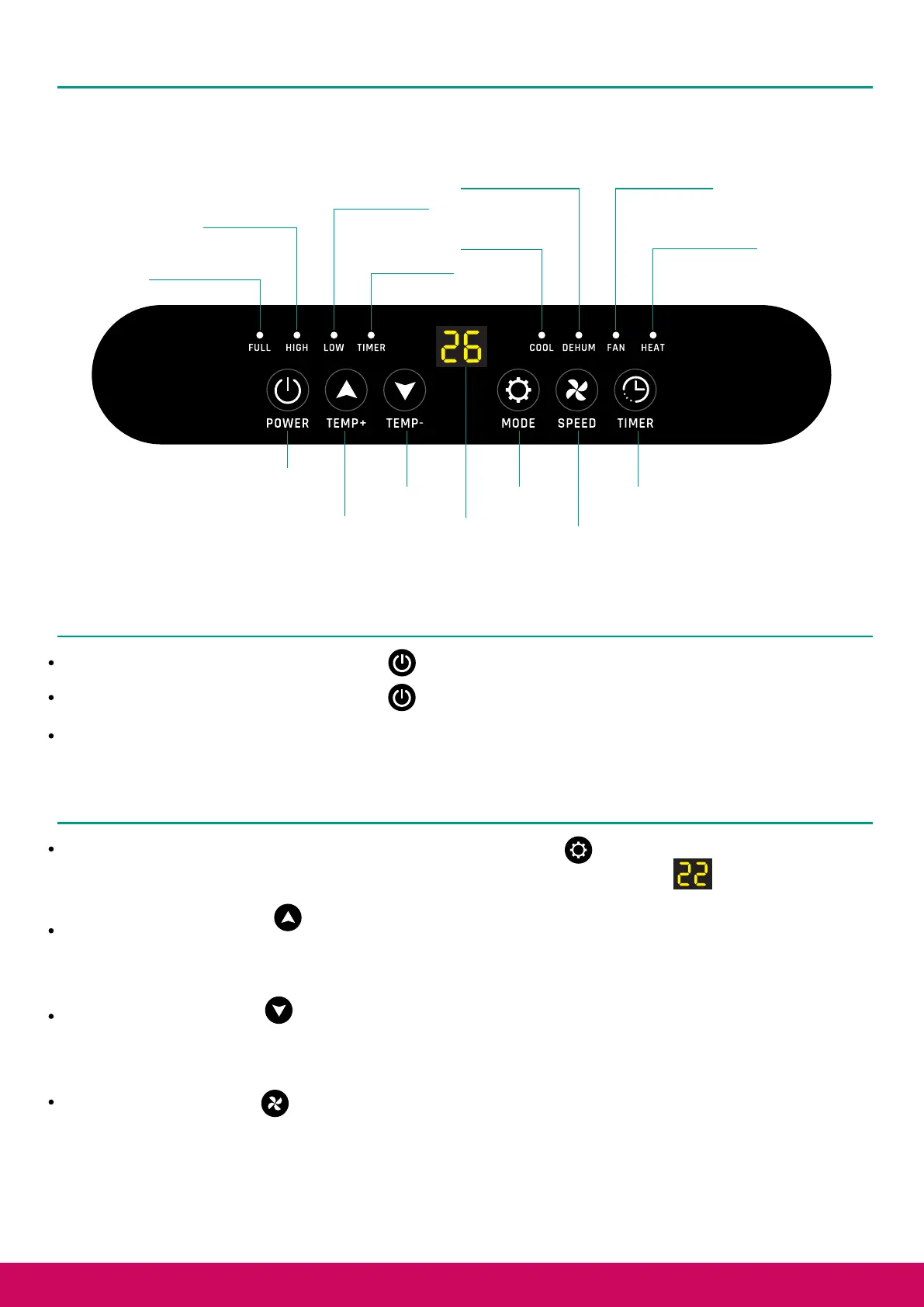
Control Panel
Water Tank Full
Indicator Light
High Wind
Indicator Light
Low Wind
Indicator Light
Timer Indicator
Light
Cooling Mode
Indicator Light
Dehumidification
Mode Indicator Light
Fan Indicator
Mode Light
Heating Mode
Indicator Light
Power ON/OFF
Increase
Temperature
Decrease
Temperature
Display
Switch Mode
Wind Speed
Adjustment
Timer Setting
Power on/off
To turn the Air Conditioner on, press the button on the control panel
To turn the Air Conditioner off, press the button on the control panel
Note: When turning the Air Conditioner on, the compressor will startup causing a slight vibration
when starting up.
Cooling mode
When the Air Conditioner is turned on, press the Mode button to switch to cooling mode. The
“COOL” indicator will light green and the display will show the temperature
Press the “TEMP+” button to increase the temperature setting. Each time this button is pressed
will increase the temperature by 1°C. The display will show the targeted temperature, which can be
adjusted up to 31°C.
Press the “TEMP-” button to decrease the temperature setting. Each time this button is pressed
will decrease the temperature by 1°C. The display will show the targeted temperature, which can
be adjusted down to 16°C.
Press the "SPEED" button to switch between Low and High fan speeds.



 To Next Page